

Tor Browser Download APK (Official) 2026
Download Tor Browser APK Latest Version for Android. Enjoy private browsing, tracker protection, secure connections, and enhanced privacy while browsing the web. Download now!
Category: Browser
Version
v15.5.1
Size
100 MB
Android
5.0+
Update Date
18 – Aug – 26
Screenshots:
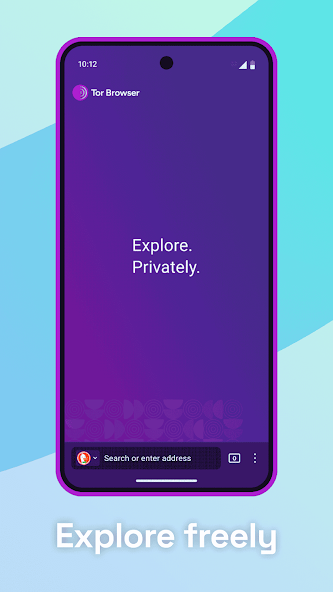
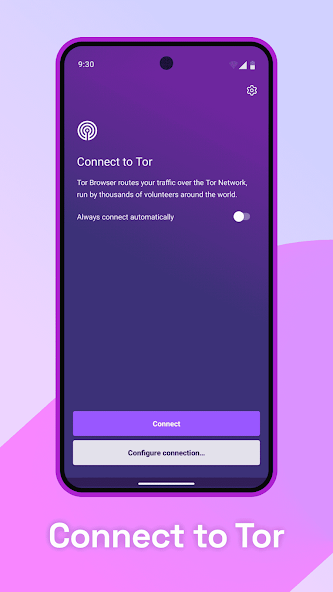
Tor Browser APK is a privacy-focused web browser for Android that helps users browse the internet with stronger protection against tracking and online surveillance. It connects through the Tor network, which routes traffic through multiple relays to make it harder for websites and network observers to identify your real IP address. In this guide, you will learn about Tor Browser features, Android requirements, privacy tools, security levels, installation, and common problems.
What Is Tor Browser APK and How Does It Work on Android?
Tor Browser APK is the Android installation package for Tor Browser, a privacy-focused web browser designed to route internet traffic through the Tor network. Instead of connecting directly to a website, your traffic passes through multiple Tor relays before reaching its destination. This makes it harder for websites and network observers to connect your browsing activity with your real IP address.
Tor Browser for Private and Secure Web Browsing
Tor Browser APK provides tools that help reduce online tracking and protect your browsing identity. It also includes privacy-focused settings that limit certain website technologies that can be used to identify or follow users. The browser is especially useful for people who want more control over their online privacy.
How the Tor Network Protects Your Internet Traffic
The Tor network sends your connection through several volunteer-operated relays. Each relay handles only part of the connection, which helps separate your identity from the websites you visit. This process provides more privacy than a normal direct browser connection.
Tor Browser and Online Anonymity
Tor Browser APK can improve anonymity by hiding your real IP address from websites through the Tor network. However, no browser can guarantee complete anonymity if you reveal personal information yourself. Good browsing habits are therefore just as important as the browser’s built-in privacy features.
Tor Browser Latest Version for Android – What’s New?
The latest Tor Browser Android release can include improvements to privacy, security, stability, and website compatibility. Updates may also fix problems found in earlier versions and improve the overall browsing experience. Using a current stable release is generally preferable when your device supports it.
The exact features and version number can change with each release. Before installing a Tor Browser APK, check its Android requirement, architecture, and file size. This helps prevent compatibility problems on your phone.
Latest Version and Release Information
Every Tor Browser release has its own version number and technical requirements. Newer versions may require a more recent Android system than older releases. Always match the selected version with your device before installation.
New Privacy and Security Improvements
Updates can improve existing privacy protections and address security issues. They can also provide better compatibility with modern websites and newer Android systems. Keeping the browser updated is an important part of maintaining a safer browsing environment.
Performance, Stability, and Bug Fixes
Tor Browser APK updates can fix crashes, connection problems, and other issues reported in previous releases. Performance may also improve on supported Android devices. If an older version becomes unstable, checking for a newer compatible release is a sensible step.
Stable Release vs Latest Testing Release
Tor Browser has stable and testing releases for different purposes. Stable versions are generally intended for regular users, while testing versions may contain unfinished changes or bugs. For everyday private browsing, a stable release is usually the better choice.
What Are the Main Features of Tor Browser APK?
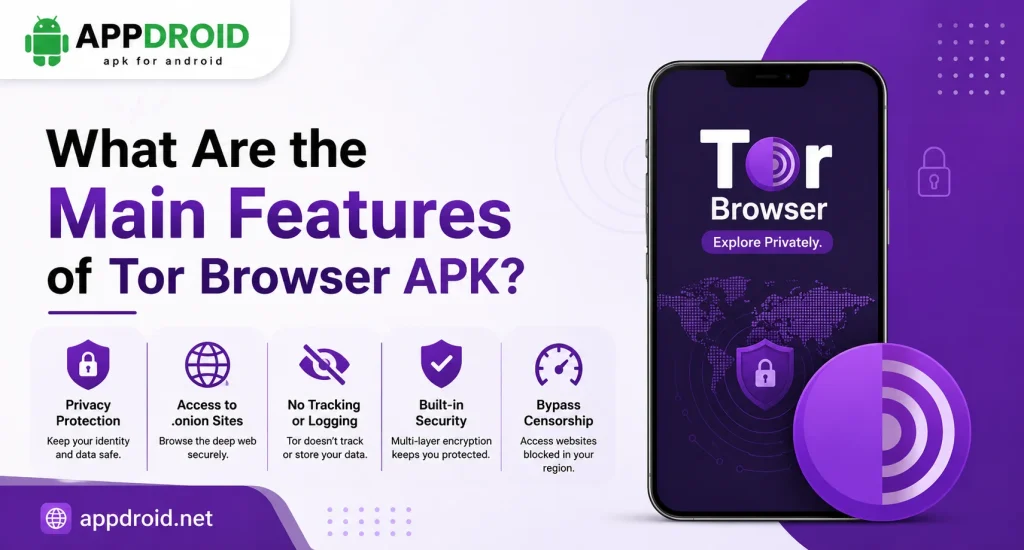
Tor Browser combines several privacy and security features in one Android application. These tools are designed to reduce tracking, protect your browsing identity, and give you more control over website behavior. Some features can also affect website compatibility, so users may need to adjust settings depending on their needs.
Multi-Layer Privacy Protection
Tor Browser routes supported internet traffic through the Tor network instead of connecting directly to websites. This provides an additional privacy layer between your device and the websites you visit. The browser also includes other privacy protections to reduce common tracking techniques.
Built-In Tracker and Ad Protection
Tor Browser includes protections that limit certain trackers and website elements. These controls can reduce the amount of information websites collect about your browsing activity. Some advertisements may still appear because blocking behavior depends on the website.
Anti-Fingerprinting Technology
Browser fingerprinting can use details about your browser and device to help identify you. Tor Browser attempts to make users look more similar to other Tor Browser users, which can make individual fingerprinting more difficult. This is an important part of its privacy-focused design.
HTTPS-Only Browsing
HTTPS provides encryption between your browser and supported websites. Tor Browser can prefer secure HTTPS connections where available, helping protect information while it travels between your browser and a website. You should still check website addresses before entering sensitive information.
Private Browsing and History Protection
Tor Browser is designed with privacy in mind and limits certain local browsing information. Private browsing features can help keep sessions separate from your normal browser activity. However, private browsing does not mean that everything you do online becomes invisible.
Onion Services Support
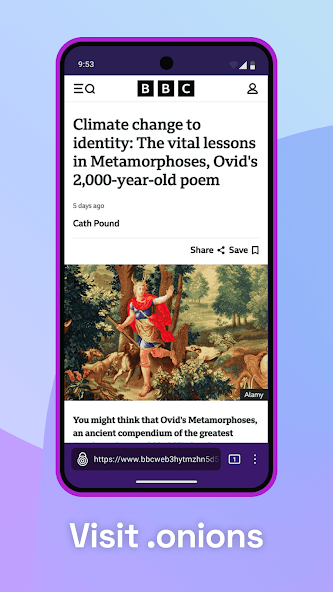
Tor Browser can access .onion websites, which are services available through the Tor network. These websites use onion addresses instead of traditional domain names. Only visit onion services that you trust because the security and reliability of individual websites can vary.
Security Level Controls
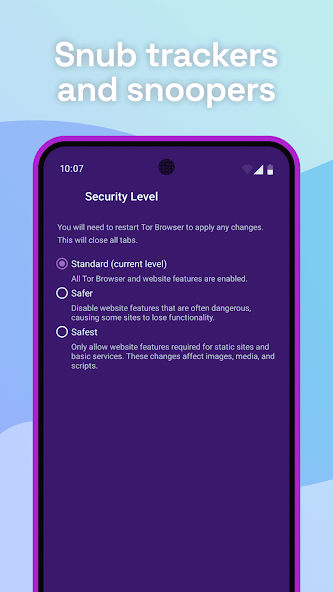
Tor Browser provides different security levels that can restrict certain browser features. Higher security levels can reduce potential attack surfaces but may cause some websites to lose functionality. Users can choose the level that provides a suitable balance between privacy and usability.
Website and Cookie Isolation
Tor Browser uses privacy protections designed to reduce the ability of websites to connect activity across different browsing contexts. Cookie and site-data controls help limit certain tracking methods. This can improve privacy while browsing different websites.
How Does Tor Browser Protect Your Privacy and Identity?
Tor Browser APK uses several layers of protection to make online tracking more difficult. The Tor network helps hide your IP address, while browser-level protections reduce fingerprinting and tracking techniques. Together, these features provide a stronger privacy experience than ordinary browsing.
Hide Your Real IP Address
Websites normally receive an IP address associated with your internet connection. Tor Browser routes your connection through the Tor network, so websites generally see the address of a Tor exit relay instead. This makes your actual network address harder for websites to identify.
Prevent Website and Online Tracking
Tor Browser includes features that limit common tracking methods. It also reduces opportunities for websites to build a detailed profile based on browser characteristics. No protection is perfect, so avoid sharing unnecessary personal information.
Protect Against Network Surveillance
Tor can make it harder for someone monitoring your connection to see which websites you are accessing. The traffic is routed through multiple relays rather than traveling directly from your device to the destination. This is one of the main reasons users choose Tor for privacy.
Reduce Browser Fingerprinting
Fingerprinting attempts to identify a browser based on its unique configuration. Tor Browser tries to make its users’ browser characteristics more uniform, reducing the amount of unique information available for identification. Changing browser settings unnecessarily can sometimes make your browser more distinctive.
Isolate Cookies and Website Data
Website data can be used to recognize returning visitors. Tor Browser includes privacy controls that limit how websites can use this information across different browsing contexts. Clearing unnecessary data can provide an additional privacy benefit.
Protect Your Browsing Identity
Your online identity can be exposed through account logins, personal information, downloads, and other activities. Tor Browser can protect your network identity, but it cannot prevent you from identifying yourself voluntarily. Avoid signing into personal accounts when anonymity is your primary goal.
Tor Browser Security Levels Explained for Android
Tor Browser APK provides Standard, Safer, and Safest security levels. Each level changes how much website functionality is allowed to run in the browser. A higher level can provide stronger protection but may cause some websites to look or work differently.
Standard Security Level
The Standard level provides the broadest website compatibility. Most modern website features can work normally while Tor’s main privacy protections remain active. It is suitable when you need a balance between privacy and functionality.
Safer Security Level
The Safer level restricts additional website features that can create security or privacy concerns. Some interactive content may behave differently after increasing the security level. It can be useful when you want stronger protection without completely disabling many website features.
Safest Security Level.
The Safest level provides the strongest browser restrictions. It can disable or limit more website technologies that may introduce security risks. Some websites may become difficult or impossible to use at this setting.
How Security Levels Affect Websites
Higher security settings can change how pages display and how interactive elements work. Videos, scripts, animations, or other website functions may not operate normally. This is a deliberate trade-off for additional protection.
Which Tor Security Level Should You Choose?
For general browsing, the Standard level may provide a more convenient experience. If privacy and security are more important than website functionality, Safer or Safest may be more appropriate. Choose the lowest level that meets your personal security needs.
Tor Browser Android Requirements and Device Compatibility
Tor Browser APK requires a compatible Android device and enough available storage. The current general Android requirement is Android 5.0 or newer, although individual releases can have their own requirements. Your device architecture must also match the APK you install.
Minimum Android Version Required
Check your Android version before downloading a specific Tor Browser APK. Newer releases can eventually stop supporting older Android systems. If your device cannot run the current version, a compatible older release may be necessary.
Supported Android Processor Architectures
Android applications can be built for different processor architectures. Tor Browser Android releases support common architectures such as ARM and x86 variants, depending on the release.
Installing an incompatible architecture can result in an installation error. Always check the APK architecture before selecting a specific package.
Storage and RAM Requirements
You need enough free storage to download and install the application. Additional space is also useful because the browser creates temporary data while you browse.
RAM affects how smoothly multiple tabs and demanding websites work. Phones with more available memory generally handle heavier browsing sessions more comfortably.
Compatibility With Android Phones and Tablets
Tor Browser APK can work on compatible Android smartphones and tablets. Screen size affects the browsing experience, but the main requirement is that the device meets the software and architecture requirements.
Older devices may experience slower performance when using Tor. This is partly because routing traffic through the Tor network can take longer than a direct connection.
How to Check Your Android Compatibility
Open your Android device settings and check the Android version and available storage. You should also identify your processor architecture if you are installing a specific APK variant.
Compare these details with the requirements of the selected release. Doing this before installation can prevent common APK errors.
Tor Browser APK Technical Details and App Information
Technical information helps you identify the correct Tor Browser Android APK before installation. Details such as the developer, package name, version, file size, and Android requirement can change between releases.
| Detail | Information |
|---|---|
| App Name | Tor Browser |
| Platform | Android |
| Category | Web Browser |
| Developer | The Tor Project |
| Network | Tor |
| Browser Base | Firefox for Android |
| Package Type | APK |
| Privacy Focus | Online Privacy & Anonymity |
App Version and APK File Size
The version number and file size can change with every release. Check both details before downloading so you know exactly which package you are installing.
Developer and Package Information
Tor Browser is developed by The Tor Project and is based on Firefox technology. Package information can help distinguish the official application from unrelated applications using similar names.
Android Compatibility Details
Every release has compatibility requirements that should be checked before installation. Older Android devices may need a previous compatible version.
APK Architecture Information
Architecture determines whether the APK can run on your processor. Select the appropriate package for your device rather than installing a random APK variant.
How to Download and Install Tor Browser APK on Android?
Before installing Tor Browser APK, check your Android version, available storage, and APK architecture. Download the application from a trusted source and verify that the file corresponds to the intended version.
Check Your Android Version First
Open your phone settings and locate the Android version information. Compare it with the requirement of the Tor Browser version you want to install.
Also make sure there is enough free storage. Lack of space can stop an APK from installing correctly.
Choose the Correct APK Architecture
Check whether your device uses a compatible ARM or x86 architecture. The architecture must match the APK package.
If you are unsure which package to select, use the distribution option that automatically provides the correct Android build when available. This can reduce the risk of choosing an incompatible file.
Download the Tor Browser APK
Choose a version that matches your device requirements. Before opening the file, verify its name, version, and source.
Avoid modified or suspicious APK packages because they can introduce security risks. A privacy-focused browser is only useful when its installation package is trustworthy.
Install the APK on Your Android Device
Open the downloaded APK and follow the Android installation instructions. Android may request permission to install applications from the source you used.
Only grant installation permission when you trust the source and understand what you are installing. After the process completes, open Tor Browser from your application menu.
Open Tor Browser for the First Time
The first launch may take a little longer because the browser needs to prepare its settings. You can review the available privacy and security options before starting normal browsing.
Choose settings based on how much privacy and website compatibility you need. You can adjust supported options later.
Connect to the Tor Network
Tap the connection option to establish a Tor connection. Once connected, your browser can route supported traffic through the Tor network.
If the direct connection fails, use the available connection assistance or bridge options. These tools can help when Tor access is restricted.
How to Connect Tor Browser to the Tor Network?
Tor Browser APK needs a connection to the Tor network before it can provide its normal Tor-based browsing experience. Most users can connect automatically, while others may need additional configuration.
Connect Directly to the Tor Network
When you open the browser, select the normal connection option if it is available. Tor Browser will attempt to establish a connection through the Tor network.
The process may take longer than opening a normal browser. This delay is part of the additional routing used for privacy.
Use Connection Assist on Android
Connection Assist can help users who cannot connect normally. It provides options for configuring a connection when the default method is unsuccessful.
Follow the instructions shown by the browser. Avoid changing advanced settings unless you understand what they do.
Connect Through a Tor Bridge
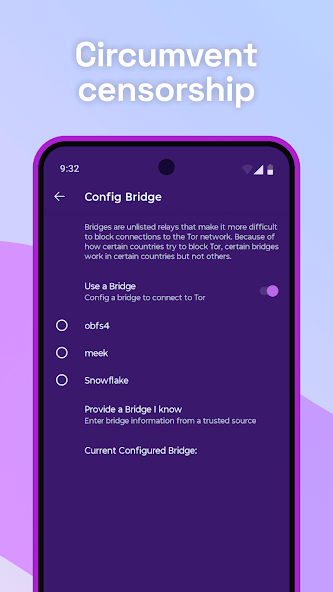
A Tor bridge provides an alternative entry point to the Tor network. It can be useful when direct Tor connections are blocked or restricted.
Bridge options can vary by situation. If one bridge does not work, another supported connection method may be required.
Configure a Proxy Connection
Some networks require proxy settings before Tor can connect. Tor Browser provides connection options for users who need to configure a proxy.
Only use a proxy you trust. Incorrect proxy settings can prevent the browser from connecting.
What to Do When Tor Cannot Connect
First, check your internet connection and make sure your device’s date and time are correct. Then restart Tor Browser and try the connection again.
If the problem continues, Connection Assist or a bridge may help. A blocked network may require a different connection method.
What Are Tor Bridges and When Should You Use Them?
Tor bridges are alternative Tor relays that are not normally listed publicly. Their main purpose is to help users connect to the Tor network when direct access is blocked.
What Is a Tor Bridge?
A bridge works as an alternative entry point to Tor. Because bridge addresses are not openly listed in the same way as public relays, they can make blocking Tor connections more difficult.
How Bridges Help Bypass Tor Blocking
Some networks attempt to identify and block connections to Tor. A bridge can make the initial connection less obvious and provide another route into the network.
This can be especially useful in locations where Tor access is restricted. Connection performance can vary depending on the bridge and network.
Connection Assist and Automatic Bridge Selection
Tor Browser APK provides connection assistance for users who have difficulty connecting. Depending on the release, it can help configure an appropriate connection method.
This makes setup easier for people who do not understand advanced Tor networking. If automatic assistance fails, manual bridge configuration may be available.
When to Use a Pluggable Transport
Pluggable transports can change the appearance of Tor traffic to make it harder for networks to identify. They are mainly useful when standard Tor connections are blocked.
The appropriate option depends on the type of network restriction. Users should follow the browser’s available configuration guidance.
How to Use Tor Browser on Android?
Tor Browser works much like a normal mobile browser for basic navigation, but it adds Tor-specific privacy and security controls. You can open websites, manage tabs, change security levels, and use supported onion services.
Browse Websites Through the Tor Network
After connecting to Tor, enter a website address or search query into the browser. Your supported browser traffic will then use the Tor network.
Pages may load more slowly than in Chrome or other conventional browsers. This is a normal trade-off for Tor’s additional privacy routing.
Open Private Tabs and Manage Sessions
Use private browsing features when you want a temporary session. Close tabs that you no longer need to keep your browsing environment organized.
Avoid installing unnecessary browser extensions. Extra modifications can interfere with privacy protections.
Change Tor Security Settings
Open the security settings to choose between Standard, Safer, and Safest levels. Higher levels can limit more website technologies.
If a website stops working, you can review the security level. Choose settings according to the balance between privacy and functionality you need.
Manage Website Permissions
Websites may request access to your camera, microphone, location, or notifications. Review each request carefully before allowing it.
Deny permissions that are not necessary for the website. This gives you more control over the information websites can access.
Use Onion Websites
Tor Browser can access websites with .onion addresses through the Tor network. These services are designed to be reachable through Tor rather than the normal public internet.
Only visit onion websites you trust. Avoid downloading unknown files or entering personal information on suspicious services.
Tor Browser Alpha vs Stable Version – Which Should You Use?
Tor Browser can have stable releases and Alpha testing releases. The stable version is designed for regular use, while Alpha builds allow users to test new changes before they become part of a stable release.
What Is Tor Browser Alpha?
An Alpha release is a testing version that can contain new features or experimental changes. It may also contain bugs that have not yet been discovered or fixed.
How Alpha Versions Are Tested
Alpha releases allow developers and advanced users to find problems before new features reach stable versions. Feedback from testing can help improve future releases.
Stable Version for Everyday Browsing
The stable release is normally the better choice for everyday privacy browsing. It is designed to provide a more predictable experience with tested features.
Advantages and Risks of Alpha Releases
Alpha versions can provide earlier access to new improvements. However, they may have bugs, crashes, compatibility problems, or unfinished features.
Which Version Is Better for Regular Users?
For most users, choose the latest stable Tor Browser APK version compatible with your Android device. Alpha releases are better suited to users who specifically want to test upcoming changes.
Tor Browser Older Versions and Version History
Older Tor Browser versions may be useful when a phone cannot run the latest release. They can also help users who need compatibility with an older Android system.
Why Users May Need an Older Version
Some older devices cannot support newer browser releases. A compatible previous version can sometimes provide a way to continue browsing.
Android Compatibility of Previous Releases
Older versions may have lower Android requirements. However, they may also lack support for newer websites and modern Android features.
Security Risks of Outdated Browser Versions
Old browser versions can miss important security fixes and privacy improvements. They may also contain vulnerabilities that have already been addressed in newer releases.
Comparing Older and Newer Releases
New releases generally provide better security, compatibility, and stability. Older versions should therefore be considered a compatibility solution rather than a permanent choice.
How to Choose the Right Tor Browser Version
Choose the newest stable release that works with your device. If your Android system is too old, check whether an earlier supported release is available.
Is Tor Browser Safe to Use on Android?
Tor Browser is designed around privacy and security, but safe browsing still depends on how you use it. Its protections can reduce tracking and surveillance risks without making every online action automatically safe.
Open-Source Privacy and Security
Tor Browser APK is built around open-source technology and has a strong focus on privacy. Its design allows security researchers and the wider community to inspect and improve the software.
Protection Against Trackers and Surveillance
The Tor network can make it harder to monitor which websites you visit from your network connection. Browser privacy features also reduce several common tracking methods.
Fingerprinting Protection
Tor Browser attempts to reduce browser uniqueness by making configurations more similar across users. This makes some fingerprinting techniques less effective.
Secure HTTPS Connections
HTTPS encrypts communication between your browser and a website. Tor Browser can encourage secure connections where supported, but users should still verify website addresses before entering private information.
Safe APK Download Practices
Only obtain APK files from trusted and verified sources. Avoid modified packages that claim to unlock features because they can contain unwanted code or request excessive permissions.
Why Keeping Tor Browser Updated Matters
Updates can fix security problems and improve compatibility. Running an outdated browser can leave your device exposed to issues that newer releases have already addressed.
Is Tor Browser Legal and Safe for Everyday Privacy?
Tor is a privacy technology that can be used for legitimate activities such as protecting personal privacy and accessing information. However, laws regarding internet privacy tools and online activities can vary between countries.
Using Tor for Legal Privacy
People can use Tor for ordinary privacy-focused browsing, research, communication, and other legitimate activities. The technology itself does not determine whether a particular online action is legal.
Tor Browser and Online Anonymity
Tor helps protect your network identity, but it does not remove responsibility for your actions. You should always follow the laws and regulations that apply to you.
Understanding Local Laws and Regulations
Rules concerning Tor, encryption, and online services can differ by location. If you are unsure about local requirements, consult an appropriate legal source.
Responsible Use of Tor Browser
Use Tor for legitimate privacy and security purposes. Avoid using anonymity tools as a reason to engage in harmful or unlawful activity.
Tor Browser vs VPN – Which Is Better for Privacy?
Tor Browser APK and VPN services both provide privacy benefits, but they work differently. Tor uses a decentralized relay network, while a VPN normally routes your connection through servers operated by a single provider.
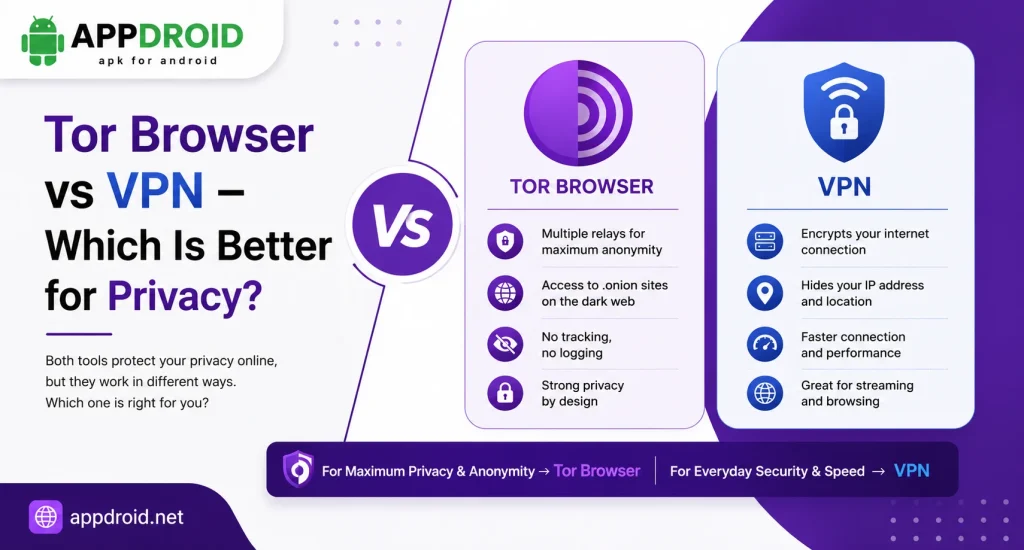
| Feature | Tor Browser | VPN |
|---|---|---|
| Hides IP From Websites | Yes | Yes |
| Multi-Hop Routing | Yes | Depends on Provider |
| Browser Fingerprinting Protection | Strong | Limited |
| Tracker Protection | Built In | Depends on Service |
| Typical Speed | Usually Slower | Usually Faster |
| Main Purpose | Anonymity & Privacy | Privacy & Secure Connection |
Tor Browser for Anonymous Browsing
Tor is designed specifically around anonymity and privacy. It can be a strong option when reducing the connection between your identity and online browsing is important.
VPN for Everyday Online Privacy
A VPN can provide faster general-purpose privacy and encrypt traffic between your device and the VPN server. The VPN provider becomes an important part of your trust model.
Can You Use Tor and VPN Together?
It is technically possible to combine Tor and a VPN, but doing so can make your connection more complicated. Incorrect configurations can reduce performance or create unexpected privacy issues.
For most users, it is better to understand each technology separately before combining them. Choose the setup that matches your actual privacy requirements.
What Are the Advantages and Disadvantages of Tor Browser?
Tor Browser APK provides strong privacy tools, but it also comes with trade-offs. The biggest difference compared with conventional browsers is that privacy can come at the cost of speed and website compatibility.
Main Advantages of Tor Browser
Main Disadvantages to Consider
How to Update Tor Browser on Android?
Keeping Tor Browser updated helps you receive security improvements, bug fixes, and compatibility updates. The best update method depends on how you originally installed the application.
Update Tor Browser Through Google Play
If you installed Tor Browser through Google Play, check for available updates in the store. This is a convenient way to keep the application current.
Update Tor Browser Through F-Droid
Users who installed the browser through F-Droid can check for updates through that platform. Make sure the correct repository and application are being used.
Update Using an APK File
Manual APK updates require downloading a newer compatible version and installing it over the existing application. Always verify the source and version before opening the file.
Check the New Version Before Updating
Compare the new version’s Android requirement and architecture with your device. Also make sure you have enough free storage for the update.
Why Regular Updates Are Important
Security vulnerabilities can be discovered after a browser release. Updating the browser helps ensure that known problems are addressed and modern websites continue to work correctly.
Tor Browser Best Practices for Better Privacy
Tor Browser APK provides strong privacy tools, but users should also follow basic security practices. Simple mistakes such as signing into personal accounts or installing unknown extensions can reduce the privacy benefits.
Keep Tor Browser Updated
Always use a current stable version that supports your device. Updates can improve both security and website compatibility.
Do Not Install Unnecessary Add-ons
Extra extensions can change the browser’s behavior and potentially make your browser more identifiable. Keep the browser setup simple unless you have a clear reason to install an add-on.
Avoid Downloading Unknown Files
Unknown files can contain malware or other unwanted software. Be especially careful with APK files from unfamiliar sources.
Use the Right Security Level
Choose Standard, Safer, or Safest based on your needs. A higher level can provide additional protection but may reduce website functionality.
Check Website Addresses Carefully
Fake websites can look almost identical to legitimate services. Check the address carefully before entering passwords, payment information, or other sensitive details.
Avoid Sharing Personal Information Unnecessarily
Tor can protect your network identity, but it cannot prevent you from revealing your identity yourself. Avoid sharing personal information when anonymity is important.
Frequently Asked Questions About Tor Browser APK
Final Verdict – Is Tor Browser Worth Using on Android?
Tor Browser APK is a strong choice for users who prioritize privacy, anonymity, tracker protection, and secure browsing over maximum speed. Its Tor network routing, fingerprinting protection, security levels, onion service support, and bridge options make it different from ordinary Android browsers.
The main trade-off is speed and website compatibility because additional privacy protections can affect how quickly pages load and how certain websites function. For the best experience, choose a current stable release that matches your Android device, use the appropriate security level, and avoid unnecessary browser modifications.
If privacy is your main concern, Tor Browser is worth considering as part of a responsible online security setup. APPDROID.NET can provide useful Android application information, while users should always verify the version, compatibility, and authenticity of an Tor Browser APK before installation.