

JioSaavn APK Download Latest Version
JioSaavn APK is a popular music streaming app that gives Android users access to songs, playlists, podcasts, radio, and personalized music recommendations.
Category: Music App
Version
v2.6.256.0
Size
89 MB
Android
8.0+
Update Date
20 Aug 26
Screenshots:

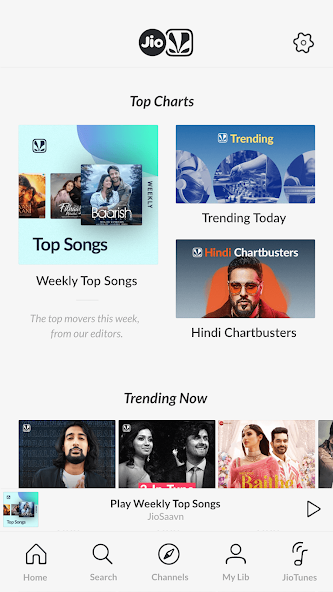
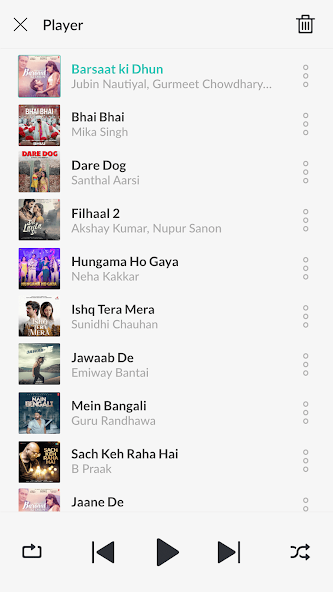

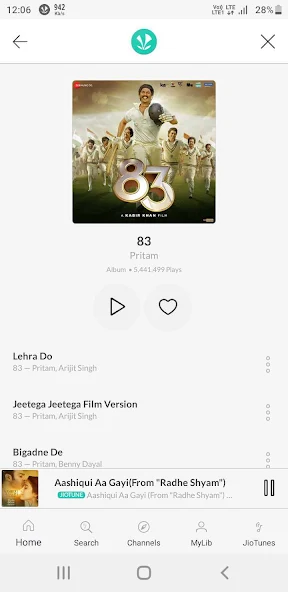
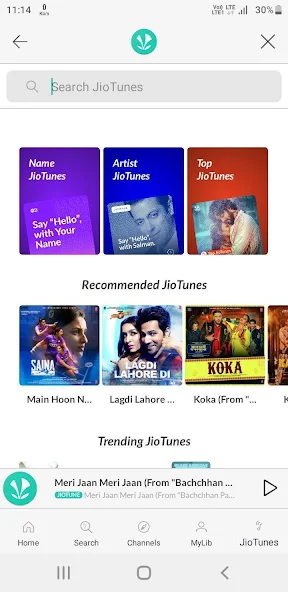
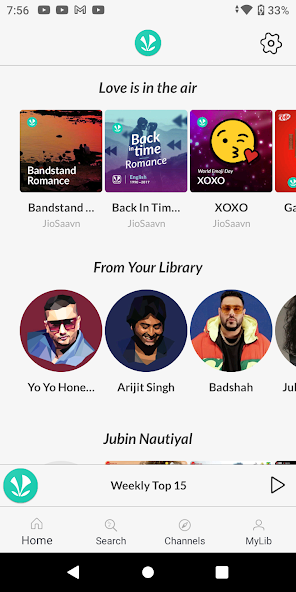
Understanding JioSaavn APK
Audio streaming has become an essential part of daily life, connecting millions of listeners to global chartbusters, regional melodies, and immersive talk shows. Recommended by Appdroid.net, JioSaavn APK stands out as a leading digital platform for Indian and international music enthusiasts alike. Designed to deliver a vast library of multi-lingual audio content directly to mobile devices, the application combines smooth navigation with high-definition streaming capabilities.
The latest Android application release brings advanced performance optimizations, sleek user interface redesigns, and seamless handling of extensive audio catalogs. Users can effortlessly explore tens of millions of tracks spanning Bollywood hits, independent singles, regional masterpieces, and popular podcasts. Downloading the package directly gives modern Android device owners absolute control over their mobile entertainment ecosystem.
The Evolution of Regional and Global Music Streaming
The transition from traditional radio broadcasts and physical media to cloud-based streaming platforms transformed the entertainment landscape. Early digital music distribution faced significant challenges in supporting diverse regional dialects, localized artist ecosystems, and multi-lingual content libraries.
As high-speed mobile networks expanded and smartphone penetration skyrocketed, consumer demand for localized digital audio surged. Music enthusiasts began seeking comprehensive platforms that honored traditional folk genres alongside contemporary pop and electronic hits. This shift paved the way for dedicated streaming ecosystems like JioSaavn, which bridged the gap between mainstream global releases and rich regional Indian music traditions.
Core Features of the JioSaavn Audio Platform
The software distinguishes itself from competing streaming services through its unmatched collection of regional and Bollywood content. Upon launching the application, users gain instant access to a sleek, modern interface designed for effortless discovery. The platform features curated editorial content, personalized daily mixes, and real-time synchronized lyrics that allow fans to sing along seamlessly.

Furthermore, cutting-edge audio technologies provide unprecedented control over listening sessions. Users can stream in multiple audio formats, set custom caller tunes for mobile networks, and cache favorite albums for offline playback far beyond cellular network coverage.
To understand why millions of listeners choose this specific streaming platform, examine the top ten defining features that elevate the mobile listening experience:
- Massive Multi-Lingual Library: Access over 80 million tracks spanning Hindi, English, Punjabi, Tamil, Telugu, Marathi, Bengali, and numerous other regional languages.
- Real-Time Synchronized Lyrics: Sing along to your favorite hits while reading accurate song lyrics displayed dynamically on your mobile screen.
- JioTunes Integration: Set your favorite tracks instantly as caller tunes for your mobile number with a single tap.
- Curated Mood Playlists: Explore expertly crafted playlists tailored for workouts, parties, romantic evenings, retro throwbacks, and relaxing downtime.
- Diverse Podcast Shows: Stream popular talk shows, comedy series, self-improvement guides, and riveting storytelling podcasts in multiple languages.
- High-Quality Audio Streaming: Enjoy crystal-clear sound profiles optimized for both mobile data preservation and high-speed Wi-Fi listening.
- Offline Download Capability: Save favorite albums, tracks, and curated playlists to device storage for seamless playback without internet connectivity.
- Personalized Daily Recommendations: Discover fresh tracks tailored precisely to unique listening habits through smart algorithmic discovery engines.
- Cross-Device Synchronization: Seamlessly pick up listening sessions right where you left off when switching between supported devices.
- ArtistOne Creator Tools: Access dedicated features designed for emerging musicians to track audience metrics, milestones, and fan engagement.
Technical Specifications and Device Requirements
Reviewing technical compatibility ensures that your smartphone runs the software smoothly without unexpected crashes or resource bottlenecks. The package is optimized to handle diverse data streams efficiently across varied hardware configurations.
| Parameter Overview | Technical Details & Specifications |
| Application Name | JioSaavn Music & Podcasts |
| Site Reference | Appdroid.net |
| Supported OS | Android 8.0 and Up |
| File Architecture | Universal APK / Native Package |
| Core Technology | Multi-Language Audio Streaming |
| Primary Genre | Audio & Multimedia Entertainment |
| Storage Impact | Scalable Cache & Storage Control |
| Network Support | 4G LTE, 5G, and High-Speed Wi-Fi |
Step-by-Step Guide: How to Download and Install
Getting started with your favorite multi-lingual audio streaming application is quick and straightforward. Follow these procedures to complete your setup successfully across different operating systems.
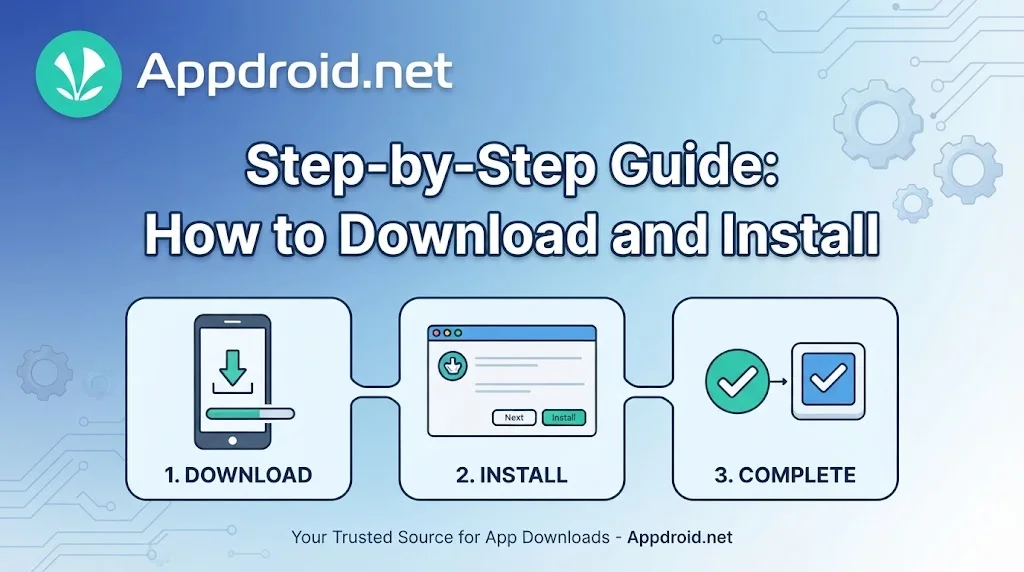
For Android Devices (APK Installation)
- Open your device security settings and temporarily enable installation from Unknown Sources if you are sideloading an independent package file.
- Navigate to Appdroid.net via your mobile browser and locate the latest release file for JioSaavn.
- Tap the download link to save the installation package directly to your device internal storage.
- Open your file manager application, locate the downloaded file, and tap on it to launch the installer prompt.
- Review requested app permissions and click Install to finish the process. Once complete, open the app, log into your account, and begin streaming your favorite regional tracks.
For PC / Windows
- Open your preferred web browser and navigate to the official desktop download page, or open the Microsoft Store directly from your Windows desktop taskbar.
- Search for the official JioSaavn desktop application client.
- Click the download or install button to configure the application automatically on your computer system.
- Sign in using your account credentials to enjoy desktop keyboard shortcuts and browser-free playback.
For iOS Devices
- Unlock your iPhone or iPad and open the official App Store.
- Tap the search icon at the bottom right and type JioSaavn Music & Podcasts into the query field.
- Locate the official application entry and tap the Get button next to the app icon.
- Authenticate the download using Face ID, Touch ID, or your Apple ID password when prompted.
- Wait for the installation ring to complete, then launch the app from your home screen to start exploring multi-lingual audio entertainment.
Exploring Regional Melodies and Podcast Libraries
Beyond mainstream music charts, the platform excels in offering deep-dive regional content that is rarely found on international streaming apps. Listeners can explore classical Carnatic compositions, lively Punjabi bhangra tracks, romantic Tollywood melodies, and upbeat regional folk music effortlessly.
Furthermore, the dedicated podcast section covers everything from business mentorship and self-care to true crime and spiritual discourses. This diverse mixture ensures that users of all backgrounds find engaging audio content tailored specifically to their cultural preferences and intellectual interests.
Account Management and Subscription Tiers
Navigating account options ensures you select the streaming tier that best matches your daily listening habits and budget. The platform offers flexible service levels tailored to different user requirements.
- Free Ad-Supported Tier: Unlocks access to the entire multi-lingual music catalog and podcast library, supported by occasional audio and visual advertisements.
- JioSaavn Pro Subscription: Removes commercial interruptions entirely, enables unlimited high-quality song downloads for offline listening, and permits unlimited caller tune changes.
Practical Tips for Optimizing Your Listening Journey
Maximizing your enjoyment of the platform involves exploring hidden settings, smart shortcuts, and audio configuration strategies. Keep these practical tips in mind:
- Adjust Streaming Quality Settings: Set your mobile streaming quality to high definition only when connected to high-speed Wi-Fi or unlimited data plans to prevent unexpected carrier overages.
- Organize Offline Downloads Regularly: Clear cached download folders periodically to free up valuable internal device storage space while keeping most-played albums intact.
- Utilize Language Filters: Customize your app profile language preferences to instantly surface recommended tracks and artist spotlights from your favorite regional categories.
Safety, Security, and Best Practices for Package Files
Acquiring applications via independent package files requires careful attention to digital safety and verification protocols. Users should always download installation files from trusted sources like Appdroid.net to protect their mobile devices from malicious software, modified scripts, or hidden vulnerabilities. Official updates guarantee that security patches are applied promptly, safeguarding personal data and account credentials.
Frequently Asked Questions (FAQs)
Q: Is the JioSaavn application free to download and use on mobile devices?
A: Yes, you can stream music and podcasts on the free ad-supported tier without paying any subscription fees. Optional Pro plans unlock ad-free streaming and offline downloads.
Q: Can I set caller tunes using the application?
A: Yes, active users can set their favorite tracks directly as caller tunes or ringtones depending on their mobile carrier network support.
Q: Can I listen to music offline without an active internet connection?
A: Offline listening is available for subscribers using the Pro tier, allowing you to download favorite songs and playlists directly to your device storage.
Q: How many languages are supported within the music catalog?
A: The application supports content across more than 16 languages, including Hindi, English, Punjabi, Tamil, Telugu, Marathi, and Bengali.
Q: What should I do if my downloaded package file fails to install?
A: Ensure that your device has sufficient storage space, allows installations from unknown sources in security settings, and that you downloaded a clean file version.
Conclusion
JioSaavn APK remains a premier destination for mobile users seeking an expansive, multi-lingual audio streaming experience. Its massive regional music catalog, real-time synchronized lyrics, and rich podcast library make it an essential addition to any Android device. Keep your application updated to the latest version to unlock maximum performance, superior sound fidelity, and continuous access to world-class entertainment.
