
Adobe Premiere Rush – Video Editor for Android Updated 2026
Download Adobe Premiere Rush – Video Editor for Android with the latest 2026 update for easy, fast, and professional video editing on your mobile. Download Now!
Category: Video Editing
Version
v2.11.0.14
Size
160 MB
Android
9.0+
Update Date
18 Aug 26
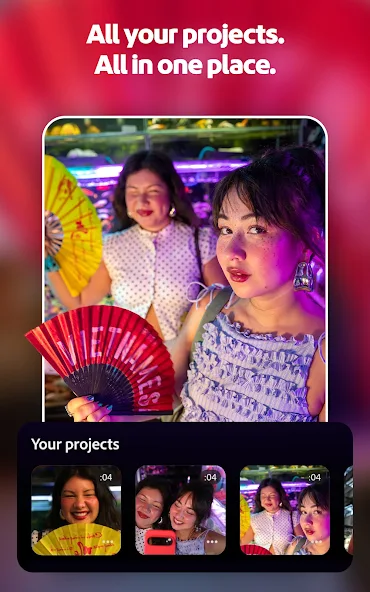
Screenshots:


Adobe Premiere Rush still installs and runs on Android. The last version is 2.11.0.14, released in September 2024.
But Adobe removed Rush from every app store on 30 September 2025, and the app is scheduled to stop working on 30 September 2026. Install it only to finish old projects, and back those projects up now.
What is Adobe Premiere Rush?
Premiere Rush is a lightweight video editor Adobe launched in 2019. It sat between a phone’s stock editor and Premiere Pro.
On Android it offered a real multitrack timeline, a manual camera, colour presets, animated titles, and one-tap publishing to YouTube, TikTok and Instagram.
Projects synced through Creative Cloud, so you could start a cut on your phone and finish it on a desktop. That was the pitch. In 2026 the picture is very different.
Is Premiere Rush still available?
No, not officially. Adobe pulled it from Adobe.com, Google Play, the App Store and the Samsung Galaxy Store on 30 September 2025.
If it is already installed, it keeps working for now. Adobe has set 30 September 2026 as the date the app is discontinued and support ends.
This is why every mirror still lists 2.11.0.14 as the newest version. It is not a slow release cycle. It is the last build that will ever exist.
Any site advertising a “new 2026 version” of Rush is either recycling old files or shipping something Adobe did not build.
The shutdown timeline
| Date | What happens |
|---|---|
| Feb 2019 | Premiere Rush launches on Android |
| 16 Sep 2024 | Version 2.11.0.14 — the final build |
| 30 Sep 2025 | Removed from all app stores. Subscription renewals stop |
| 30 Sep 2026 | Support ends and the app may stop functioning |
Two details people miss.
Premium died before the app did. Renewals stopped in September 2025, so premium features expired whenever your billing cycle ran out.
Cloud sync went first too. Creative Cloud Synced files were retired ahead of the app, so projects stored only in the cloud may already open with offline media.
Main features
- Rush gives you four video tracks and three audio tracks, which is more than most free mobile editors allow.
- The in-app camera has manual exposure, focus and shutter control, so you can shoot and cut without leaving the app.
- You get trim, split, crop, mirror and speed controls, plus one-tap colour presets with manual sliders behind them.
- Still photos support pan and zoom. Set a start and end frame and Rush builds the move for you.
- Audio is a real strength. There is a royalty-free library, voiceover recording, and automatic ducking that pulls music down under speech.
- Aspect ratio switching is the standout. Flip a sequence from 16:9 to 9:16 and every clip resizes automatically.
Free vs premium
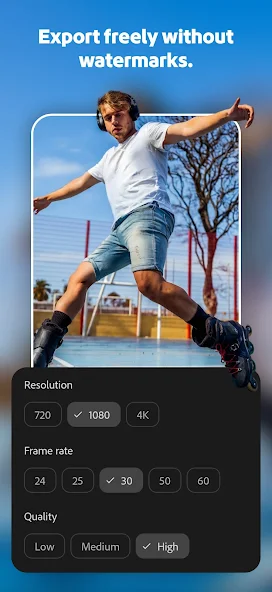
The free tier was generous: unlimited exports, no watermark, no ads. All it needed was a free Adobe ID.
Premium added auto-reframe, 4K export, Sensei audio tools and a much larger content library.
In 2026 that split no longer matters. Premium cannot be purchased and existing access has lapsed. Assume you are on the free tier.
Download details
| Field | Detail |
|---|---|
| Package name | com.adobe.premiererush.videoeditor |
| Final version | 2.11.0.14 |
| Released | 16 September 2024 |
| Developer | Adobe Inc. |
| Requires | Android 9.0 and above |
| Architecture | arm64-v8a |
| Base APK size | about 77 MB |
| Full bundle size | about 160 MB |
| Licence | Free |
One correction worth flagging. Some download portals list the requirement as Android 13. That is wrong. The real minimum is Android 9.0, confirmed by Adobe’s own documentation.
Why the file size differs everywhere
You will see three numbers: 77 MB, 160 MB and 167.93 MB. None of them is wrong.
- Rush ships as an Android App Bundle, not one monolithic file. There is a base APK plus split files for architecture, screen density and language.
- The 77 MB figure is the base APK alone. The 160 MB figure is the full bundle with all splits packed into an XAPK.
- This matters. If you install only the base APK, the app may launch and immediately crash because the code for your device is missing.
That single issue causes most “I installed Rush and it won’t open” complaints.
Is the APK safe?
The genuine Adobe-signed build is safe. Anything advertising unlocked premium features is not.
- Every Android app carries a developer signature that cannot be forged. If a file is modified, the signature breaks.
- The real Rush build is signed by a certificate reading CN=Adobe, San Jose, California, with this SHA-256 fingerprint:
- 1f6fc38867acb7c706925c6d23333077264a583bd92b0353396431dca837bb96
- A file carrying that signature is exactly what Adobe published. A file without it is not Adobe’s, whatever the filename says.
- There is a second risk worth naming. Impostor listings using Adobe’s product names exist even on Google Play, published by unrelated accounts. Check the developer reads Adobe Inc.
And remember that even the genuine build stops receiving security patches after September 2026.
Why “premium unlocked” versions are a trap
A lot of search traffic goes to pages promising Rush with premium unlocked. It is worth being blunt about those.
They are pirated builds. Patching an app to unlock paid features is copyright infringement, however the download page frames it.
They are also unsigned by Adobe by definition, which means you are installing a modified binary from an anonymous source and then typing your Adobe password into it.
And in 2026 they unlock nothing. Premium was tied to Adobe’s servers, and those entitlements no longer exist. You take the full risk for a broken feature set.
How to check what you downloaded
Before downloading, confirm the developer reads Adobe Inc. and the package name is exactly com.adobe.premiererush.videoeditor.
- The version must be 2.11.0.14. There is no newer legitimate build.
- After downloading, compare the SHA-256 fingerprint above, and keep Play Protect switched on. It scans sideloaded files too.
- Walk away immediately if you see a higher version number, “premium” or “unlocked” in the filename, a file under 40 MB, or a page asking you to disable Play Protect.
How to install it
- Check that your phone runs Android 9 or later on arm64 with at least 1.5 GB free.
- Uninstall any existing Rush build first. Mixing installs causes signature conflicts.
- Download the file and verify the signature before going further.
- Allow installs from unknown sources for your browser or file manager, under Settings, Apps, Special app access.
- Install the full XAPK using a split-APK installer, not just the base APK. This is the step most people get wrong.
- Turn the unknown sources permission back off once you are done. It takes two taps and closes a real attack path.
- Open the app, sign in with your Adobe ID, and grant only camera, microphone and media access. Nothing else should be requested.
Back up your projects now
- This is the most useful thing on this page. If you have unfinished work in Rush, do it today.
- Export a finished master of every sequence you care about. An exported MP4 is the only thing guaranteed to outlive the app.
- Copy your source clips out of Rush’s storage and off the device entirely. Two copies in two places.
- Move important projects into Premiere on desktop while both apps still run. Rush projects with local media open there.
- Check that no subscription is still billing you, under Google Play, Payments and subscriptions.
- Screenshot your custom title styles and export presets. They will not migrate.
Common problems and fixes
- “App not installed” usually means a leftover signature conflict. Uninstall every existing copy, reboot, then reinstall.
- “Problem parsing the package” means the file is corrupt or you opened an XAPK with the system installer. Use a split-APK installer instead.
- If the app installs but crashes on launch, you installed the base APK without the splits. Reinstall the complete bundle.
- If sign-in loops forever, check your connection, disable any VPN, and clear the app cache. Do not clear data, as that deletes projects.
- If projects open with missing media, that is the retired cloud sync. Relink to local copies if you have them.
- If exports fail, free up storage, close background apps and drop the resolution one step.
- If premium features vanished, that is not a bug. Those entitlements have lapsed permanently.
Performance
- On a flagship from the last four years, Rush handles two or three tracks smoothly and exports 1080p at roughly real time.
- On mid-range hardware it is usable but slow. Preview frames drop once you stack tracks, and exports take considerably longer.
- Adobe’s supported device list has not been updated since around 2021, which tells you how long the app sat in maintenance mode.
- The honest summary is that Rush was competitive in 2020 and is merely adequate now.
What to use instead
- Adobe Premiere (mobile) is the official replacement. It is on Google Play as com.adobe.premiere, published by Adobe Inc., free, with no ads or watermarks. The Android version is in early access and was updated on 19 August 2026. Expect rough edges.
- CapCut is the default for most short-form creators, with strong auto-captions, a huge effects library and direct TikTok integration.
- VN Video Editor is closest to what Rush actually was. A real timeline, keyframes and LUT support, free and without watermarks.
- KineMaster is layer-based with chroma key and a large asset store, though the free tier watermarks exports.
- Premiere Pro on desktop is where your Rush projects should go if they matter. It is the only path that keeps your timeline rather than just the exported video.
Should you install it?
- If you are starting a mobile editing workflow in 2026, no. You would be learning an interface with weeks left on it.
- If you are finishing something in Rush, yes, but treat it as temporary. Export, back up and migrate.
- Rush was a good app. The best thing you can do with it now is get your work out safely.