

Puffin Browser Download APK (Official) 2026
Download Puffin Browser APK Latest Version for Android. Enjoy fast browsing, cloud acceleration, smooth streaming, secure connections, and efficient performance for a better web experience. Download now!
Category: Browser
Version
v10.2.0
Size
58 MB
Android
6.0+
Update Date
18 – Aug – 26
Screenshots:



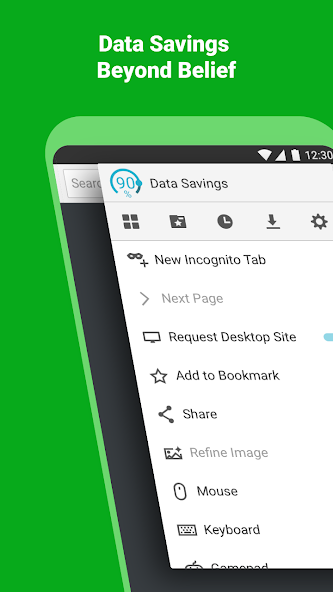
Puffin Web Browser is an Android browser designed to provide a fast and smooth web browsing experience through cloud-based technology. It can help load web pages efficiently while offering useful tools such as an ad blocker, data saving, desktop mode, and virtual controls. In this guide, you can learn about the latest Puffin Web Browser APK, its features, Android requirements, security, and other important details before using it on your device.
What Is Puffin Web Browser and How Does It Work on Android?
Puffin Web Browser is an Android browser that uses cloud-based technology to process some of the heavy work needed to display websites. Instead of handling everything directly on your phone, Puffin can use its cloud servers to process web content and send the results to your device. This approach can provide a smooth browsing experience when your device and internet connection are suitable.
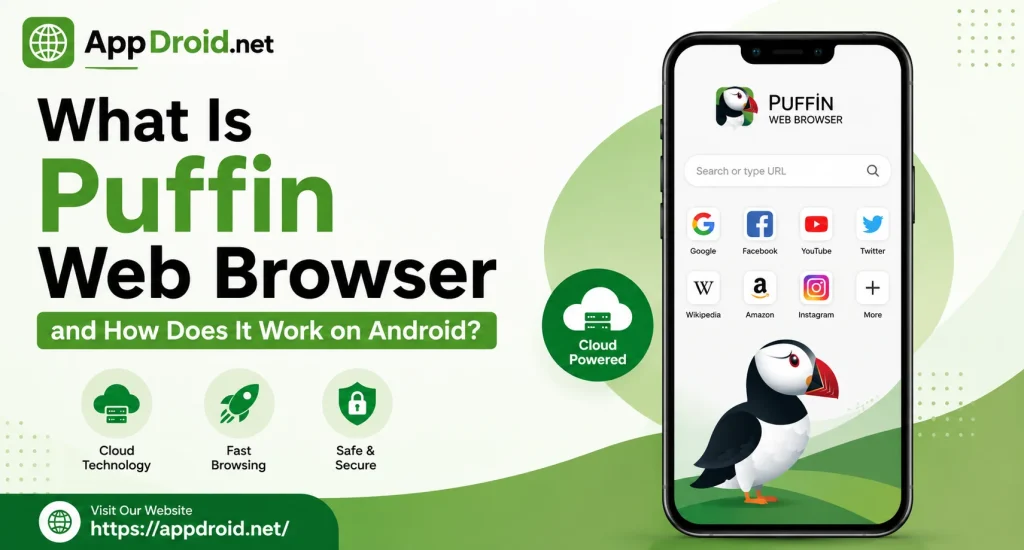
The browser supports everyday activities such as opening websites, watching supported media, managing tabs, and downloading files. It also provides tools like an ad blocker, data-saving technology, desktop mode, and virtual controls. These features make Puffin more than a basic browser for Android.
Puffin Web Browser Latest Version – What’s New and Updated?
The latest Puffin Web Browser version can include improvements to performance, stability, compatibility, and security. Regular updates are important because modern websites use new technologies that older browsers may not handle properly. Using a supported version can therefore provide a more reliable browsing experience.
Updates can also fix bugs and improve functions such as downloads, media playback, tabs, and website loading. The exact changes depend on the version released by the developer. Always check the version details before installing a particular APK release.
Version and App Information
Knowing the basic application details makes it easier to identify the correct Puffin Web Browser APK for your device. Version number, file size, developer, and Android compatibility can change between releases.
| App Information | Details |
|---|---|
| App Name | Puffin Web Browser |
| Platform | Android |
| Category | Web Browser |
| Developer | CloudMosa |
| Main Technology | Cloud-Based Browsing |
| Internet | Required |
| Compatible Devices | Android Phones and Tablets |
| Main Features | Speed, Ad Blocking, Data Saving, Desktop Mode |
The exact APK size and Android requirement depend on the release you choose. Check the information for your specific version before installation.
Android Compatibility and Requirements
Puffin works on compatible Android smartphones and tablets that meet the requirements of the selected release. Newer versions may require a newer Android system, while older versions can support some older devices.
Your phone should also have enough free storage and RAM for normal browser use. Complex websites and multiple open tabs may require more system resources.
What Are the Main Features of Puffin Web Browser for Android?
Puffin Web Browser provides several features focused on speed, convenience, data efficiency, and website compatibility. Its cloud-based technology is the main part of its design, while additional tools improve everyday browsing.
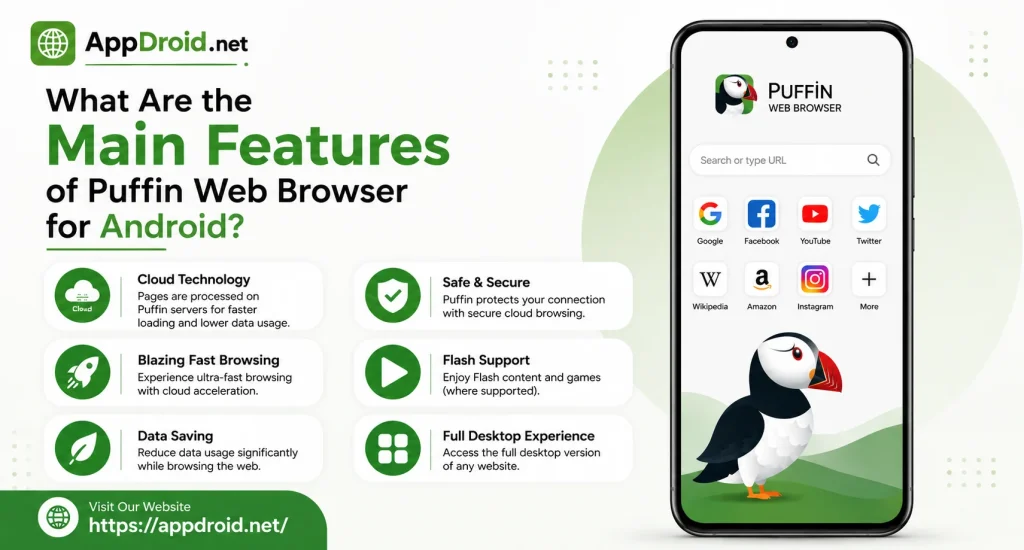
The browser can be useful for users who want more control than a simple mobile browser provides. You can use different browsing modes, manage downloads, block some advertisements, and use virtual controls on supported content.
Fast Web Browsing With Puffin Cloud Technology
Puffin uses cloud technology to process certain web content before it reaches your Android device. This can reduce some of the processing work handled directly by your phone.
Cloud Protection for Safer Browsing
Puffin uses encrypted communication between the browser and its cloud infrastructure. This can add protection while information travels between your Android device and the browsing service.
Built-In Ad Blocker
Puffin includes an ad blocker that can reduce certain advertisements displayed on websites. This can make pages cleaner and may remove some unnecessary content from the browsing experience.
Data Saving Technology
Puffin uses data optimization methods that can reduce the amount of information transferred to your device in supported situations. This can be useful for people who browse with limited mobile data.
Mobile and Desktop Modes
Puffin allows users to switch between mobile and desktop browsing modes. Desktop mode can be useful when a website provides additional features or controls on its full version.
Virtual Trackpad and Gamepad
The virtual trackpad provides pointer-style controls for websites that are difficult to navigate with normal touch gestures. Puffin also provides a virtual gamepad for compatible browser games.
How Does Puffin Web Browser Improve Speed and Performance?
Speed is one of Puffin’s main focuses, with cloud processing handling some demanding web tasks. This approach can reduce the amount of work performed locally by your Android device.
It can be helpful on selected phones and tablets, especially when the device has limited processing power. However, Puffin still depends heavily on internet quality and cloud service availability.
Puffin Cloud Server Processing
When you open a website, Puffin can process certain content through its cloud infrastructure. The processed information is then delivered to your Android device.
This can reduce local processing requirements and improve the experience on some devices. Network latency can still affect how quickly pages appear.
Performance on Slow Connections
Puffin’s optimization features may help when your connection is limited. However, cloud browsing cannot completely overcome an extremely slow or unstable network.
If pages remain slow, check your Wi-Fi or mobile data connection first. Trying another network can help identify whether the connection is responsible.
Data Compression
Data compression can reduce the amount of information transferred during supported browsing activities. This can help users who frequently browse through mobile data.
The savings depend on the content you access. Large videos and downloads can still use considerable data.
Performance on Older Devices
Cloud processing can reduce some of the workload placed on an Android phone. This may help selected older devices handle demanding websites more comfortably.
The device still needs enough RAM and storage for normal operation. Closing unused applications and browser tabs can improve overall performance.
How Does Puffin Web Browser Handle Privacy and Security?
Privacy is important because browsers handle website requests, accounts, downloads, and other online activities. Puffin uses encrypted communication as part of its cloud-based browsing system.
Cloud processing also means users should understand how their browsing requests are handled. Reviewing the current privacy information and application permissions can help you decide whether Puffin suits your needs.
Internet Traffic Protection
Puffin uses encryption between the application and its cloud service. This can provide additional protection when data travels across a network.
Encryption does not protect you from every online threat. You should still use secure websites and avoid entering sensitive information on suspicious pages.
Public Wi-Fi Protection
Public Wi-Fi can create additional security concerns, especially when the network is not properly protected. Puffin’s encrypted communication can provide an additional security layer during cloud-based browsing.
You should still be careful on public networks. Avoid sensitive activities on unfamiliar connections whenever possible.
Privacy Considerations
Puffin’s cloud architecture makes privacy an important consideration because some browsing activity is processed remotely. The exact service practices can change over time.
Before using Puffin for sensitive browsing, review the latest privacy information. This helps you understand the service before making it your primary browser.
Android Permissions
Android applications may request permissions for features such as downloads, notifications, or other functions. The permissions shown can vary according to your Android version and Puffin release.
Review permissions before granting access. If a permission seems unusual, check its purpose first.
Puffin Web Browser Android Requirements and Device Compatibility
Puffin is designed for compatible Android phones and tablets, but requirements can vary between versions. Checking the Android requirement before installation helps prevent compatibility problems.
Your device should have enough storage and memory for normal browsing. Multiple tabs and complex websites may require additional resources.
Supported Android Versions
The required Android version depends on the Puffin release. Newer releases may require newer Android software, while older versions may support older devices.
Using the newest supported release is generally preferable. It can provide better compatibility with modern websites and newer security improvements.
Compatible Smartphones and Tablets
Puffin can work on compatible Android smartphones and tablets. The experience depends on your processor, RAM, display, Android version, and internet connection.
Tablets can provide more comfortable desktop browsing because of their larger screens. Phones are convenient for regular touch-based browsing.
APK Architecture
Android applications can use different processor architectures. Choosing an incompatible APK package can result in installation failure or application crashes.
Check your device architecture before selecting a specific APK variant. A compatible package provides a better chance of successful installation.
Storage and RAM Requirements
Your Android device should have enough free storage for the application and temporary files. Low storage can cause installation or update problems.
RAM is also important when several tabs are open. Closing unused tabs can help maintain better browser performance.
Puffin Web Browser APK Technical Information and App Details
Technical information helps users identify the correct application release. Important details include version, file size, developer, package information, Android requirement, and architecture.
These details can change with every update. Always check the information for the exact version you want to install.
Version and File Size
Each Puffin release has a specific version number and APK size. Newer versions can be larger because they may contain updated resources and components.
Checking the file size can help you confirm that you have the expected release. Leave some additional storage available for installation.
Developer and Package Information
Puffin Web Browser Web Browser is developed by CloudMosa and belongs to the web browser category. Its package information allows Android to identify and manage the application.
License and availability details can change with the service model. Check the current application information for the most accurate details.
Android Version and Architecture
The Android requirement determines whether a particular Puffin release can run on your device. Architecture information is important when choosing between different APK packages.
Compare these details with your device specifications before installation. This simple step can prevent common APK compatibility problems.
Puffin Web Browser Older Versions and Complete Version History
Older Puffin Browser versions can be useful for devices that cannot run the newest release. They can also help users understand how the browser has changed over time.
However, old browser versions may not support modern websites or current security improvements. When possible, choose the newest compatible version for your Android device.
Latest Version and Release Date
The latest release is identified by its version number and release date. These details help distinguish a current update from an older version.
Release dates can also help you determine how recent a particular APK is. Check the version information before installation.
Previous Puffin Browser Versions
Previous versions can differ in file size, Android requirements, architecture, and features. Some may be suitable for older Android devices.
Older releases should be used carefully because they can have compatibility and security limitations. Choose one only when you have a clear reason.
Version Numbers and Requirements
A version archive can contain releases with different technical specifications. Compare the version number, APK size, Android requirement, and architecture before choosing one.
The smallest APK is not always the best choice. A newer compatible release is generally more suitable for everyday browsing.
Why Use an Older Version?
An older release may be necessary when your Android device cannot support the newest version. It can also be useful when testing compatibility with an older device.
Keep in mind that older software can have fewer features and weaker support for modern websites. Use an older version only when necessary.
Choosing the Right Version
Start by checking your Android version and device architecture. Then compare those details with the requirements of available Puffin releases.
For most users, the newest compatible version is the better option. It provides a stronger balance of compatibility, performance, and current improvements.
Is Puffin Web Browser Free to Download and Use?
Puffin’s available features can depend on its current service model and region. Some browsing functionality may be available without payment, while additional services can require a paid plan.
Pricing and features may change over time. Check the current plan information before assuming that a feature is free.
Free Browser Experience
The free experience can provide access to basic browsing functions depending on the current service. Users can browse compatible websites within the limits of the available plan.
Free features may change between releases. Check the current application information if you need specific functionality.
Monthly Subscription
Puffin Web Browser has offered subscription options for users who need additional access or features. A monthly plan can be useful for people who use the browser regularly.
Prices and benefits can change. Review the current subscription information before making a payment.
Weekly and Daily Options
Short-term prepaid options can provide access without a long subscription commitment. These options may suit users who only need Puffin for a limited period.
Availability depends on the current service model and region. Check the available plans before choosing one.
Pricing and Usage Limitations
Puffin’s pricing and usage rules can change over time. Different users may see different options based on their location or selected plan.
Read the plan details carefully before paying. Make sure you understand what is included, how long access lasts, and whether restrictions apply.
What Are the Advantages and Disadvantages of Puffin Web Browser?
Puffin offers several useful tools, especially for users interested in cloud-based browsing and data optimization. At the same time, its dependence on cloud services and internet connectivity can create limitations.
Understanding both sides helps you decide whether Puffin fits your needs. Your experience can also vary depending on your device and network.
Main Benefits of Puffin Browser
Important Limitations
What Are the Limitations and Availability Restrictions of Puffin Browser?
Puffin’s cloud-based design provides benefits but also makes the browser dependent on online services. Some features or services can differ according to location and current availability.
Website compatibility can also vary. A page that works normally in another browser may display differently in Puffin.
Regional Restrictions
Some online services restrict access according to geographic location. Puffin users can therefore experience different availability depending on where they connect.
These restrictions may come from the website or service itself. If a page is unavailable, check whether the service supports your region.
Cloud Server Locations
The location of cloud infrastructure can affect connection speed and latency. A longer network route can sometimes increase the time required for information to travel.
Your experience also depends on internet speed, server availability, and network stability. These factors explain why performance can differ between users.
Website Compatibility
Modern websites use many different technologies, so every page may not work identically in every browser. Some websites may have limited controls or display differences in Puffin.
Try switching between mobile and desktop modes when a page does not look correct. Updating the browser can also help with compatibility problems.
Internet Connection Requirements
Puffin Web Browser needs internet access for its cloud-based browsing system. An unstable connection can cause slow loading, interruptions, or connection errors.
For better performance, use a stable Wi-Fi or mobile data connection. If other applications are also having problems, the network may be responsible.
Puffin Web Browser vs Other Popular Android Browsers
Android offers many browsers with different strengths and features. Puffin focuses on cloud-based browsing, data optimization, ad blocking, and mobile controls.
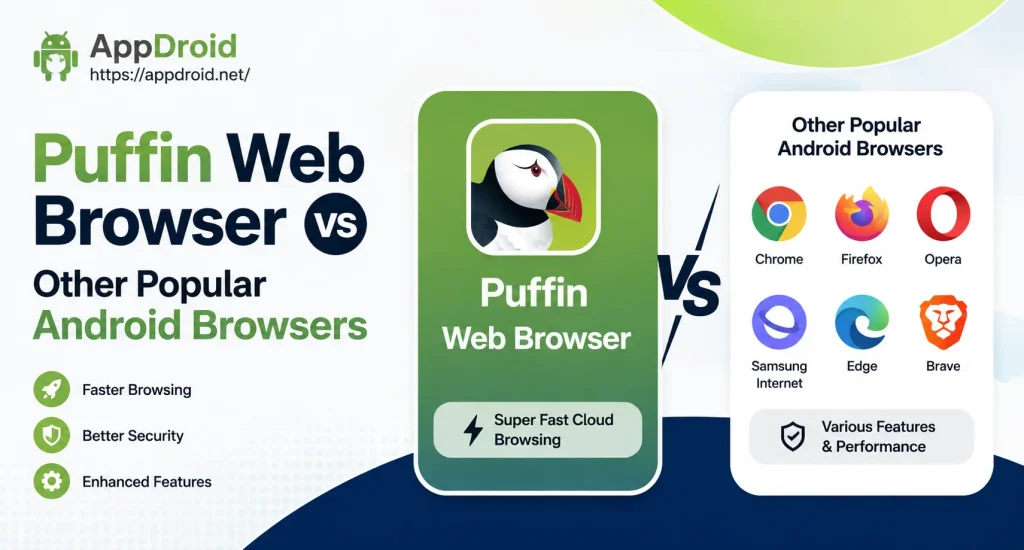
The best choice depends on what you need from a browser. Privacy, speed, extensions, compatibility, and account features can all affect your decision.
Puffin vs Google Chrome
Chrome provides strong integration with Google services and broad website compatibility. Puffin uses a different approach based around cloud processing and mobile browsing tools.
Chrome can be convenient for users who already use Google’s ecosystem. Puffin may appeal to people interested in its cloud-based browsing model.
Puffin vs Mozilla Firefox
Firefox provides customization, privacy controls, and extension support on compatible platforms. Puffin focuses more on cloud processing and performance-oriented mobile features.
Your choice depends on your priorities. Users who value customization may prefer Firefox, while others may prefer Puffin’s specialized features.
Puffin vs Brave Browser
Brave focuses heavily on privacy, tracker blocking, and advertisement control. Puffin also includes ad blocking but combines it with cloud browsing and additional mobile tools.
Both browsers can serve different needs. Consider whether privacy controls or cloud-based browsing are more important to you.
Which Browser Is Better?
There is no single Android browser that is best for everyone. Consider your privacy preferences, internet connection, device performance, data usage, and required features.
Puffin is worth considering if its cloud technology fits your needs. Testing it on your own device can give you a better idea of its performance.
How to Install and Set Up Puffin Web Browser on Android
Puffin Web Browser can be installed on a compatible Android device when the application package matches the device requirements. Before installation, check the APK version, Android compatibility, architecture, and file source.
If you install an APK manually, Android may ask you to allow installation from that source. Only use this option when you trust the application file and understand where it came from.
Installing the Puffin APK
First, verify that the APK is genuine and compatible with your Android device. Check the version and requirements before opening the installation file.
Open the APK and follow Android’s installation instructions. After installation, launch Puffin and review its settings and permissions.
First-Time Setup
Open Puffin after installation and explore its main interface. You can review browsing modes, privacy settings, download options, and other available controls.
Keep the initial setup simple. Change only the settings you understand and adjust additional options later.
Choosing Mobile or Desktop Mode
Use mobile mode for a layout designed for smaller screens. Desktop mode can provide access to a fuller website layout when mobile pages do not include all controls.
Switch between the modes when a website does not display correctly. The best option depends on the website and your device screen.
How to Use Puffin Web Browser Features on Android
Puffin works like a normal mobile browser for basic activities such as searching, opening websites, and managing tabs. Its additional tools provide more control over certain websites and online content.
You can explore these features gradually. This makes it easier to understand which tools are useful for your daily browsing.
Managing Browser Tabs
Tabs allow you to keep several websites open at the same time. They are useful for comparing pages or moving between different websites.
Too many tabs can use more memory. Close tabs you no longer need to keep the browser organized.
Using the Virtual Controls
The virtual trackpad provides pointer-style control for selected websites. The gamepad can provide additional controls for compatible browser games.
These features may require some practice. Their usefulness depends on the website or game.
Downloading Files
Puffin Web Browser can download supported files from websites that provide download options. Always check the website and file before starting a download.
Use trusted sources and avoid opening unknown files. Be especially careful with APK files from unfamiliar locations.
Customizing Browser Settings
Puffin includes settings that allow you to adjust parts of the browsing experience. Available options can vary according to the application version.
Start with basic settings such as browsing mode and download preferences. Leave advanced options unchanged until you understand their purpose.
Common Puffin Web Browser Problems and How to Fix Them
Puffin Web Browser can sometimes experience problems caused by network conditions, website compatibility, device resources, or outdated software. Most basic problems can be checked through a few simple steps.
Start by restarting the browser and checking your internet connection. If the issue continues, check for an update and make sure your device has enough free storage.
Websites Not Loading
First, check your Wi-Fi or mobile data connection. Open another website to see whether the problem affects one page or the entire browser.
If only one website fails, the issue may be related to compatibility. Try changing the browsing mode or updating Puffin.
Slow Browser Performance
Slow performance can result from weak internet, too many tabs, limited RAM, or demanding websites. Close unused tabs and applications and check your connection.
If other online apps are also slow, the network is likely the main problem. A stronger connection can improve cloud-based browsing.
Connection Problems
An unstable connection can interrupt Puffin’s cloud services. You may notice blank pages, repeated loading, or connection errors.
Try switching between Wi-Fi and mobile data. If the problem disappears, the original network may be responsible.
Compatibility Issues
Some websites may behave differently because they use technologies that browsers process in different ways. A page may have missing controls or display incorrectly.
Try mobile and desktop modes to see whether the page works better. Installing a supported newer version may also resolve some compatibility problems.
Common Errors
Restarting Puffin is a useful first step when an unexpected error appears. You can then check your connection, close unnecessary tabs, update the browser, and free some storage.
If the issue remains, it may be related to the website or online service. Trying again later can help determine whether the problem is temporary.
Is Puffin Web Browser Safe to Use on Android?
Puffin can be a useful browser when you use a genuine, compatible, and supported version. Its encrypted cloud communication provides security benefits, but no browser can protect users from every unsafe website or malicious download.
The cloud-based design also makes privacy an important consideration. Review current privacy information and application permissions before using Puffin for sensitive activities.
Keep Android and your browser updated whenever possible. Avoid suspicious websites, unknown files, fake login pages, and modified APK packages from unreliable sources.
Frequently Asked Questions
Final Verdict – Is Puffin Web Browser Worth Using on Android?
Puffin Web Browser is an interesting option for Android users who want cloud-based browsing, data-saving tools, ad blocking, desktop mode, and virtual controls. Its cloud architecture can provide a smooth experience on suitable devices with a stable internet connection.
The browser may not be the right choice for everyone because performance depends on network quality and its service model can have limitations. Privacy-conscious users should also understand how cloud processing works before using it for sensitive browsing.
Overall, Puffin is worth considering when its features match your requirements and your Android device supports the desired version. For users looking for simple information about Puffin Web Browser features, requirements, versions, and Android compatibility, APPDROID.NET offers a convenient starting point.