
Stremio APK Download Updated Version
Stremio APK is a free, cross-platform media center for Android that organizes all your streaming services and add-ons inside a single, elegant interface.
Category: Streaming App
Version
v1.9.12
Size
Around 50 MB
Android
5.0+
Update Date
18 August 2026
Screenshots:

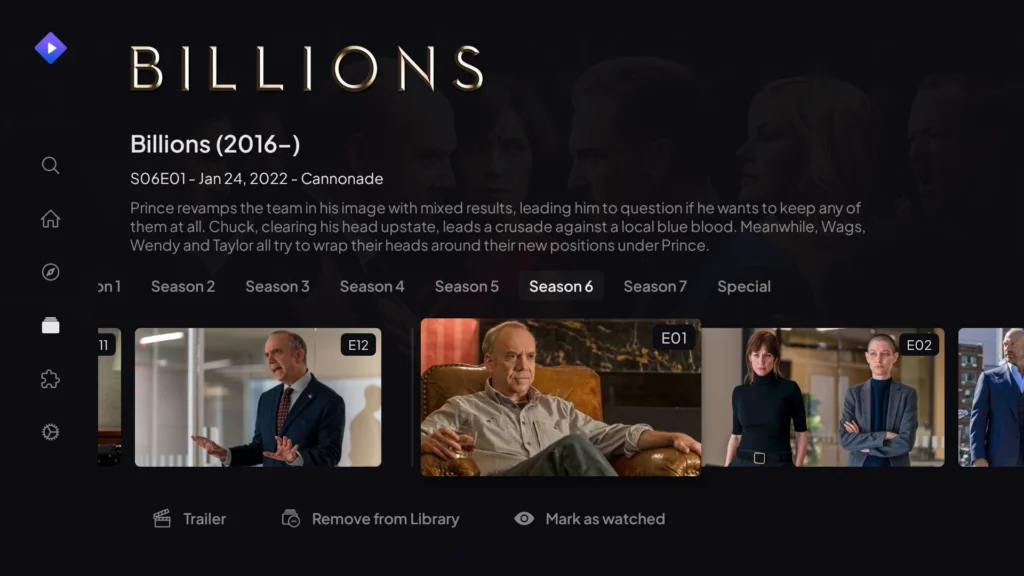
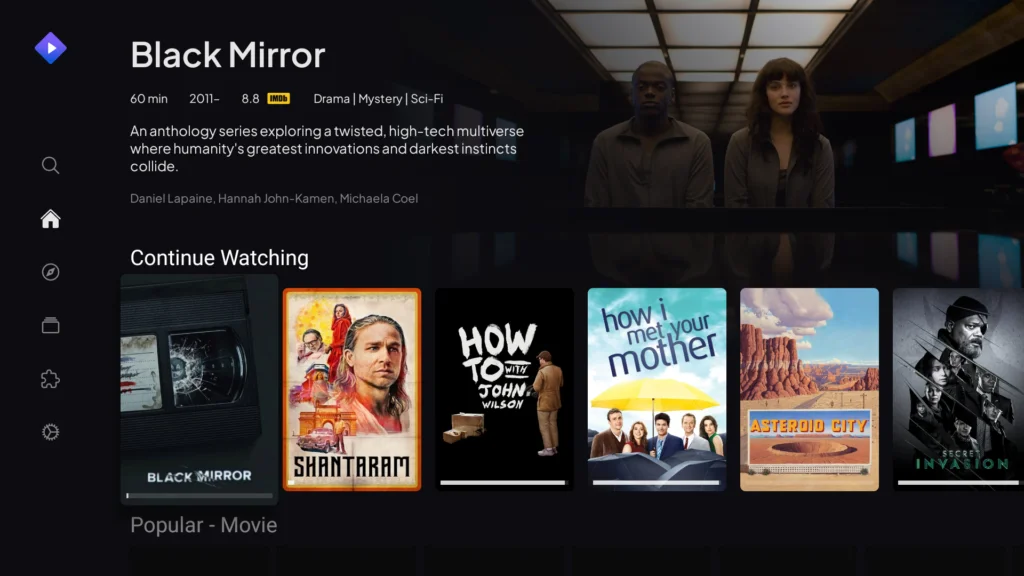


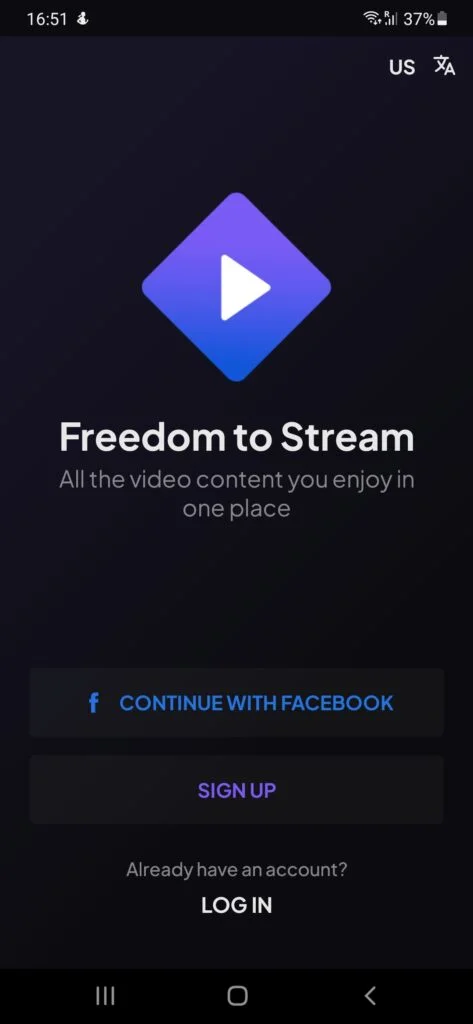
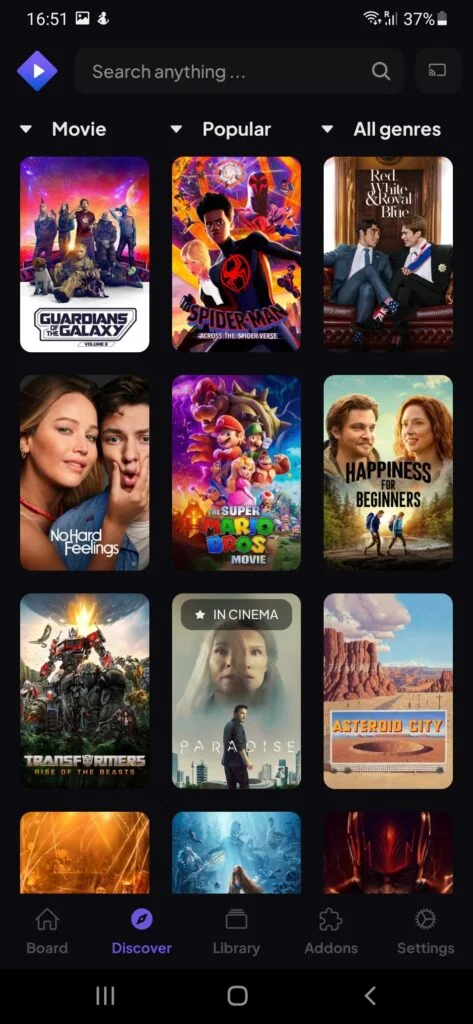
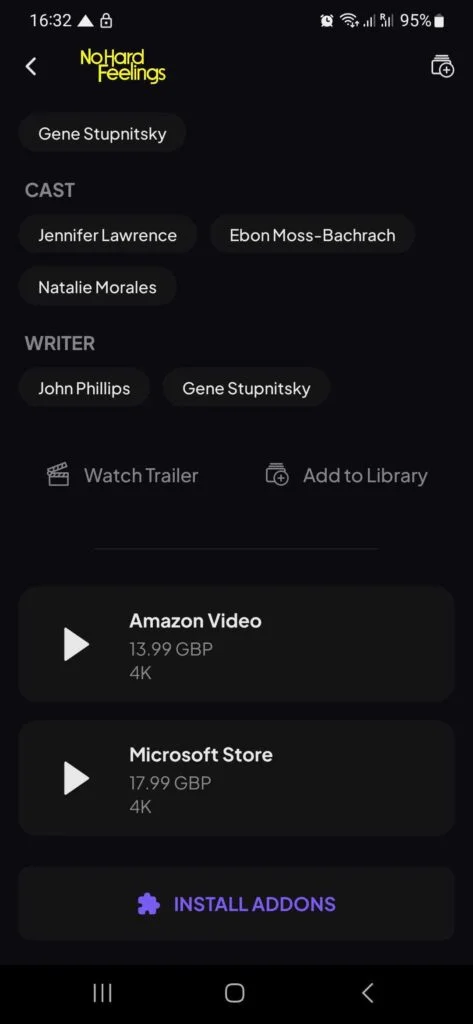

Stremio APK is the Android version of Stremio, a media-center application designed to bring movies, TV shows, web channels, sports, and other entertainment sources into one organized interface. Instead of providing a traditional built-in catalog of playable videos, Stremio uses an add-on system that connects the app with different content sources.
For Android users, the APK version is especially useful when the Google Play Store is unavailable, when manual installation is preferred, or when a user needs a specific release. Stremio officially provides Android APK packages alongside its Google Play version.
This detailed guide from appdroid.net explains what Stremio APK is, how it works, its main features, supported devices, installation process, add-ons, advantages and disadvantages, safety considerations, and common problems.
Quick Highlights of Stremio APK
What Is Stremio APK?
Stremio APK is the Android installation package for the Stremio media-center application. It lets Android phones, tablets, Android TV devices, and compatible streaming hardware run Stremio without relying exclusively on an app store.
Stremio itself is more than a conventional video player. It acts as an entertainment hub where users can discover titles, organize their libraries, install add-ons, and access compatible streams from those add-ons.
The official Stremio website currently lists separate downloads for Android Mobile and Android TV, including ARM, ARM64, x86, and x86_64 variants.
The application is free to use, while the availability of particular streams depends on the add-ons installed and the sources those add-ons connect to.
Stremio APK at a Glance
| Information | Details |
|---|---|
| App name | Stremio |
| Platform | Android |
| Developer | Stremio |
| App type | Media center and streaming hub |
| Latest Android release checked | 2.3.2 |
| Android requirement | Android 7.0+ for the current release listed by major APK repositories |
| Package name | com.stremio.one |
| Distribution | Free |
| Add-on system | Yes |
| Android TV version | Available |
| Desktop versions | Windows, macOS, Linux |
| Web version | Available |
| Playback | Built-in player and supported external players |
| Subtitle support | Yes |
| Multi-device synchronization | Yes |
Current third-party listings identify Stremio APK 2.3.2 as a recent Android release, while Stremio’s own download page provides the official Android packages.
Who Developed It
- AlexMods built the early foundation and much of the original feature set
- HeyMods took over the main branch, rebuilt the theme engine and added the anti-ban layer
- Original GB Team maintains current releases and tracks official WhatsApp updates
How Does Stremio APK Work?
Stremio works through a combination of metadata, a personal library, add-ons, and compatible streaming sources.
After installing the application, users can sign in or use available account options and then install add-ons. These add-ons extend Stremio’s functionality by supplying catalogs, metadata, subtitles, and stream sources.
Stremio’s official FAQ explains that the application itself does not provide the content library directly. Instead, the add-on system determines what content and streams become available.
The basic process looks like this:
- Install Stremio APK on Android.
- Open the application and sign in or create an account.
- Open the Add-ons section.
- Install suitable add-ons.
- Search for a movie or TV show.
- Select an available source.
- Start playback using the built-in player or another supported player.
This approach makes Stremio different from apps that come with a fixed collection of videos.
Main Features of Stremio APK
Large Entertainment Discovery System
Stremio provides a centralized place to discover movies, TV shows, web channels, sports, podcasts, and other content through its add-on ecosystem. It helps keep entertainment information, watchlists, and viewing activity organized within one account.
Add-on Support
Add-ons extend Stremio’s functionality by providing additional catalogs, metadata, subtitles, and stream sources. Users can choose from official and community add-ons, with third-party options operating independently.
Cross-Device Synchronization
Stremio can synchronize your library and viewing progress across supported devices. This makes it easier to start watching on a phone and continue later on a TV or computer.
Built-In Video Playback
Stremio includes built-in video playback, allowing users to watch supported content without necessarily installing a separate player. Playback features can vary depending on the platform and app version.
MPV and ExoPlayer Options
Supported Android versions can offer different playback options, including MPV and ExoPlayer. These options can provide additional playback and subtitle capabilities for compatible devices.
Subtitle Support
Stremio supports subtitles and provides settings for adjusting aspects such as language, size, position, and appearance. Available subtitle features can vary depending on the platform and content source.
4K and HDR Support
Stremio can support high-quality playback, including 4K and HDR on compatible devices and sources. The actual quality depends on the stream, hardware, display, internet connection, and selected add-on.
Magnet Link and Torrent File Support
Stremio can handle magnet links, HTTP links, and torrent files through supported functionality. Users should make sure that the content they access is legally available in their region.
Library and Watch Progress
Users can create a personal library and keep track of their viewing progress. When supported, this information can synchronize across devices using the same account.
Clean and Simple Interface
Stremio offers a straightforward media-center interface focused on easy content discovery and navigation. Its simpler approach can make it easier to use than some highly customizable media-center applications.
Stremio APK for Android Mobile
The Android Mobile application is designed for smartphones and tablets.
The official download page currently provides Android Mobile packages for several processor architectures. It also provides a Google Play option, meaning users generally do not need to sideload the APK if Play Store access is available.
For users who manually install the APK, choosing the correct architecture is important.
Common variants include:
- ARM
- ARM64
- x86
- x86_64
Modern Android phones commonly use ARM-based processors, but checking your device architecture is still recommended before installing a manually downloaded package.
Stremio APK for Android TV
Stremio also has a dedicated Android TV application.
The TV version is designed around remote-control navigation rather than touch interaction. Stremio introduced the Android TV application with D-pad navigation, TV-focused interface improvements, hardware-accelerated decoding, subtitle settings, adaptive refresh-rate options, and other TV-specific features.
This makes Stremio a practical option for compatible Android TV boxes and televisions.
Recent Android TV updates have added MPV playback, Usenet support, progressive seeking, automatic subtitle selection, interface improvements, and other player changes.
How to Download Stremio APK Safely
The safest option is to obtain the Android APK from Stremio’s official download page.
Stremio currently provides Google Play and manual APK installation options for Android Mobile and Android TV.
Third-party repositories can be useful for finding older versions, but users should be more careful when downloading APK files from unofficial websites.
For example, APKMirror maintains an archive of Stremio releases and states that APK files submitted to its platform are manually reviewed before publication.
Uptodown also maintains a Stremio version history and currently lists version 2.3.2 for Android.
For appdroid.net readers, the best practice is simple: prefer the official Stremio source whenever possible and avoid modified APKs from unknown websites.
How to Install Stremio APK on Android
If Stremio is available through Google Play, installing it from the Play Store is generally the simplest method.
Stremio returned to Google Play in January 2026 after a temporary suspension, and the official Stremio blog confirmed that the Android application continued using the same package identity.
Method 1: Install From Google Play
- Open Google Play Store.
- Search for Stremio.
- Check that the developer is Stremio.
- Tap Install.
- Wait for the installation to finish.
- Open Stremio.
- Sign in or create an account.
- Configure your preferred add-ons.
Method 2: Install the APK Manually
If Google Play is unavailable, you can use the official APK.
- Open the official Stremio download page on your Android device.
- Select the Android Mobile or Android TV version.
- Choose the correct APK architecture.
- Download the file.
- Open the downloaded APK.
- Allow installation from the requested source if Android asks.
- Complete the installation.
- Open Stremio and sign in.
- Install your preferred add-ons.
Stremio’s official help documentation confirms that Android users can manually install the APK when the Play Store version cannot be used.
How to Install Add-ons in Stremio
Add-ons are essential because Stremio itself does not provide all streams.
On Android, open the main menu and select Add-ons. You can then browse available categories and install compatible add-ons. Stremio’s help center explains that users can switch between official and community add-ons from the Android add-on interface.
A typical process is:
- Launch Stremio.
- Open the main menu.
- Select Add-ons.
- Browse or search for an add-on.
- Review what the add-on provides.
- Tap Install.
- Return to the main interface.
- Search for a movie or TV show.
- Review the available sources.
If an add-on does not work, it may be temporarily unavailable, incorrectly configured, incompatible with the current Stremio version, or dependent on an external service.
What Content Can You Watch on Stremio?
Stremio can help users discover different types of entertainment depending on their installed add-ons.
These can include:
- Movies
- TV series
- Web channels
- TV channels
- Sports
- Podcasts
- Other media catalogs
However, it is important to understand that Stremio does not automatically make every piece of content available. The installed add-ons determine the catalogs and sources shown to the user.
Is Stremio APK Free?
Yes. The Stremio application is available free of charge.
The software itself does not operate like a conventional paid streaming subscription. Instead, it provides the platform and add-on framework for organizing and accessing compatible content sources.
Some external services or add-ons may have their own fees, accounts, or requirements. Therefore, users should check the terms of any service they choose to connect.
Is Stremio APK Safe?
The official Stremio application is a legitimate media-center application.
For maximum safety, download it from the official Stremio website or Google Play rather than random APK websites. The official download page provides the current Android packages and different platform versions.
Safety also depends on the add-ons you install. Stremio’s add-on documentation specifically prohibits malicious code, malware, and other harmful content from submissions to its catalog.
Still, users should not assume that every third-party source on the wider internet is trustworthy.
Safety Tips
- Download the app from an official source whenever possible.
- Keep Android and Stremio updated.
- Avoid modified or cracked APKs.
- Check an add-on before installing it.
- Avoid entering personal information into unknown services.
- Use reputable streaming sources.
- Be cautious with unfamiliar links.
- Follow copyright laws applicable in your country.
Is Stremio Legal?
Stremio is a media-center platform and does not itself provide all of the video content that appears through add-ons.
Its terms describe Stremio as a metadata catalog and streaming platform, while content availability can depend on content providers and add-ons.
The important distinction is between the Stremio application and the source accessed through an add-on.
Users should only access content they are legally entitled to watch. Copyright rules differ between countries, so users in Pakistan and elsewhere should check the laws applicable to their location.
Stremio APK vs Kodi
Stremio and Kodi are both popular media-center solutions, but their approach is different.
| Feature | Stremio | Kodi |
|---|---|---|
| Ease of setup | Very easy | More configuration |
| Add-ons | Yes | Yes |
| Interface | Simple and focused | Highly customizable |
| Main focus | Streaming and entertainment discovery | Media center and local/network media |
| Cross-device sync | Strong account-based experience | More manual configuration |
| Customization | Moderate | Extensive |
| Learning curve | Lower | Higher |
| Best for | Users wanting simple streaming organization | Users wanting deep customization |
Stremio itself acknowledges that Kodi and Plex are more customizable and feature-rich, while Stremio focuses on making entertainment easier to use.
Stremio APK vs Traditional Streaming Apps
Traditional streaming services generally control the catalog and provide content directly through their own platform.
Stremio works differently.
| Area | Stremio | Traditional Streaming App |
|---|---|---|
| Content source | Add-ons | Service provider |
| Subscription | Not required for Stremio itself | Often required |
| Add-on ecosystem | Yes | Usually no |
| Content discovery | Centralized | Service-specific |
| Device synchronization | Yes | Depends on service |
| Flexibility | High | Usually limited |
| Content availability | Depends on sources | Depends on subscription/catalog |
This flexibility is one of Stremio’s biggest strengths, but it also means users need to understand where individual streams come from.
Pros and Cons of Stremio APK

Pros
- Free application
- Simple and clean interface
- Extensive add-on ecosystem
- Supports Android phones and tablets
- Dedicated Android TV application
- Cross-platform availability
- Account-based synchronization
- Built-in video playback
- Subtitle support
- Supports multiple playback technologies
- Supports high-quality playback on compatible sources
- Can handle magnet links and torrent files
- Regular development and updates
Cons
- Content availability depends heavily on add-ons
- Some community add-ons can become unavailable
- Third-party sources require caution
- Manual APK installation requires extra steps
- Streaming quality depends on the selected source
- Some advanced features can require configuration
- iOS functionality is more limited than Android
- Copyright legality depends on the content source and local laws
Common Stremio APK Problems and Fixes
Stremio APK Will Not Install
Check whether your Android version is compatible with the release you downloaded.
Also make sure you selected the correct APK architecture. If Android blocks the installation, review the device’s installation permissions for the source from which the APK was downloaded.
Stremio Shows No Streams
This is often related to add-ons.
Stremio’s official FAQ specifically points users toward checking whether add-ons have been installed when nothing is available for playback.
Install a suitable and trustworthy add-on and then search for the title again.
Video Keeps Buffering
Buffering can have several causes.
Try a different source, reduce the playback quality, restart your network connection, or test another title. A fast internet connection does not guarantee smooth playback if the selected source is slow or overloaded.
Subtitles Are Not Working
Check the subtitle settings and try another subtitle source.
On Android TV, Stremio provides several subtitle preferences, including language and display-related settings.
Add-on Is Not Appearing
Make sure the add-on installation completed correctly and that you are logged into the correct Stremio account.
Stremio also notes that some add-on installation issues on Android can be resolved by installing the add-on through the desktop application because add-ons are synchronized across supported Stremio applications.
Stremio Crashes
Update the application first.
If the problem began immediately after an update, check whether your device meets the new requirements. Clearing the app cache or reinstalling Stremio can also help with corrupted local data.
Tips for Getting Better Performance
A good Stremio experience depends on more than the application itself.
For smoother playback:
- Use a stable Wi-Fi connection.
- Prefer a 5 GHz connection when supported.
- Keep enough free storage available.
- Use a compatible video player.
- Select a source appropriate for your internet speed.
- Avoid unnecessarily high video quality.
- Keep Stremio updated.
- Restart the app if playback becomes unstable.
- Use a wired network connection for compatible TV devices when possible.
For 4K or HDR playback, device hardware, display support, network speed, codec compatibility, and source quality all matter.
Stremio APK Updates in 2026
Stremio has continued to update its Android applications in 2026.
In June 2026, the company announced that Android Mobile v2.2.3 and Android TV v1.10.2 had moved from beta to stable. The update included MPV support, Usenet support, playback improvements, subtitle-related settings, interface changes, and other fixes.
Third-party APK repositories currently list Stremio Android 2.3.2 as a newer release, with Uptodown listing it as released in July 2026.
Because version numbers can change quickly, appdroid.net recommends checking the official Stremio download page before installing an APK.
Frequently Asked Questions
Final Verdict
Stremio APK 2026 is a strong option for Android users who want a centralized entertainment hub rather than another conventional streaming service. Its biggest advantage is the combination of a simple interface, add-on system, cross-device synchronization, built-in playback, subtitle support, and compatibility with phones, tablets, Android TV, desktops, and web browsers.
The application has also continued receiving meaningful Android improvements in 2026, including MPV playback, Usenet support, improved seeking, subtitle features, and interface updates.
The most important thing to remember is that Stremio itself does not guarantee access to every movie or TV show. Add-ons determine the available catalogs and streams, so users should choose reputable sources and respect applicable copyright laws.
For readers of appdroid.net, the safest approach is to download the official Stremio APK, use a compatible version for your Android device, install only trusted add-ons, and keep the application updated. With those precautions, Stremio can provide a convenient and flexible way to organize and enjoy supported entertainment content across your devices.
