
Box APK Download Free For Android 2026
Download Box APK free for Android. Get 10 GB free storage for documents, plus the truth about the 250 MB file limit, install steps and error fixes inside.
Category: Cloud Storage
Version
v7.3.757
Size
290 MB
Android
11+
Update Date
18 Aug 26
Screenshots:
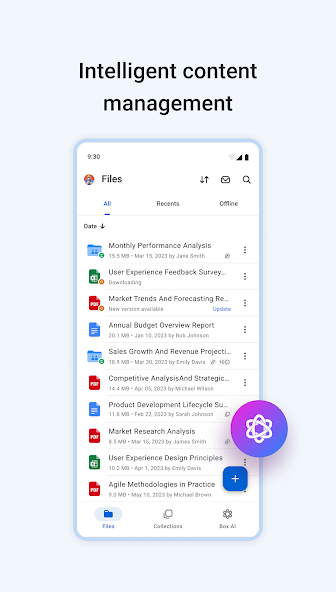

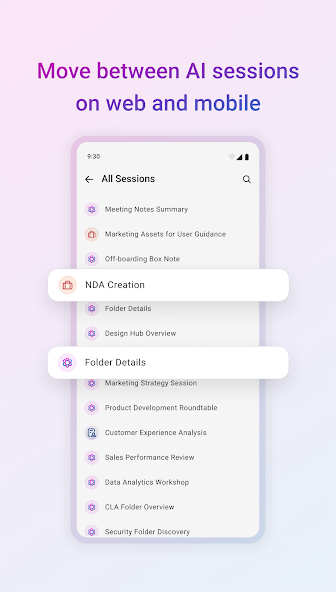
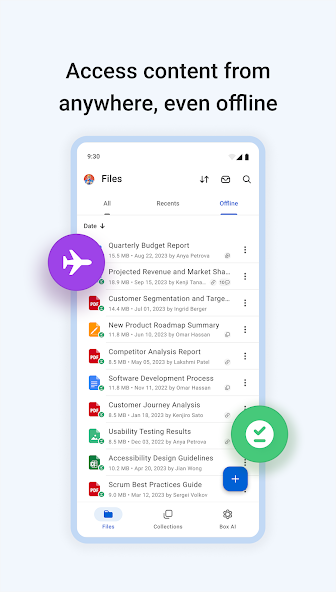
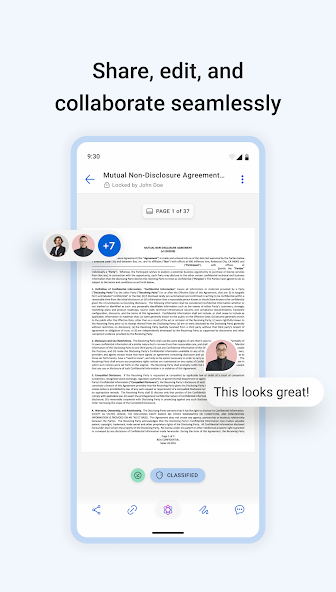
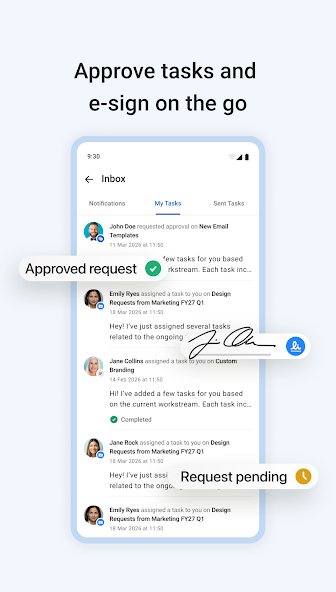
Box is a cloud storage app that gives you 10 GB of free storage built around documents rather than media. The Box APK runs on Android 5.0 and above and installs in about two minutes. You can get the current build from APPDROID.NET and start uploading right away.
The 10 GB figure looks competitive next to Dropbox and OneDrive. One restriction changes the picture completely, and almost no download page mentions it. Free accounts cannot upload any single file larger than 250 MB.
That cap rules out most video and many photo archives. It does not rule out the app, because Box handles documents better than nearly anything else in this category. Read the limit section before you decide.
Box APK File Details
| Detail | Information |
|---|---|
| App Name | Box |
| Package Name | com.box.android |
| Latest Version | 7.3.757 |
| Developer | Box, Inc. |
| Category | Productivity |
| Android Requirement | Android 5.0 or higher |
| Free Storage | 10 GB |
| Max File Size (Free) | 250 MB |
| Encryption | Standard, not zero-knowledge |
| Price | Free (paid plans available) |
What Is Box?
Box is a cloud storage and collaboration service originally built for businesses. Personal accounts get the same underlying platform with a smaller allowance and tighter limits. The Android app covers uploads, previews, sharing, and offline access.
Its strength is document handling. Box previews and annotates a wider range of file types than most rivals, including office documents, PDFs, and design files. Permission controls on shared links are also more granular than the consumer competition offers.
The trade-off is that everything is tuned for workplace use. Media playback is basic, the interface assumes folders and permissions, and the free plan carries a limit that only makes sense in a business context.
The 250 MB File Size Limit on Box Free
This is the single most important thing to know about the free plan, and it appears on almost no APK download page.
Why Video Files Will Not Upload
A one-minute 4K clip from a modern phone typically exceeds 250 MB on its own. Most recorded video will therefore be rejected outright. Photo bursts and large RAW images can hit the ceiling too.
What the Limit Applies To
The cap applies per file rather than per upload. You can upload hundreds of small documents without issue, and a single large one will fail. Total storage remains 10 GB regardless.
Workarounds and Alternatives
- Compress video before upload, accepting quality loss
- Split large archives into parts under 250 MB each
- Use Box for documents and a second service for media
- Upgrade to a paid plan, which raises the ceiling substantially
Box Free Storage Explained
The 10 GB free allowance is permanent, requires no card, and does not expire. Nothing needs unlocking through tasks the way some rivals structure their tiers. What you see at signup is what you keep.
Key Features of Box
- 10 GB Free Storage
- Ten gigabytes matches pCloud and Icedrive and beats Dropbox and OneDrive. The catch is the per-file cap rather than the total. For documents specifically, 10 GB goes a very long way.
- Document Preview and Annotation
- Box previews an unusually wide range of formats without downloading them. You can add comments and annotations directly onto documents. This is genuinely better than most consumer cloud apps manage.
- File Sharing with Permissions
- Shared links can be set to view-only, download-enabled, or edit-enabled. You can add expiry dates and passwords. This level of control is inherited from the business product.
- Automatic Camera Upload
- New photos copy to your account automatically once enabled. The 250 MB cap rarely affects still images. Video backup will frequently fail on the free plan.
- Offline Files
- Any file marked for offline access stays readable without a connection. Changes sync when you reconnect. The feature works reliably on the free tier.
- Version History
- Previous versions of edited files are retained so you can roll back changes. This matters more for documents than media. Free accounts get a shorter retention window than paid ones.
Box for Personal Use vs Business Use
The same app serves two very different audiences, and the free plan reflects that.
What Personal Accounts Get
Personal accounts get 10 GB, the 250 MB file cap, basic sharing, and standard preview tools. Collaboration features are limited. It works as a personal document drive and little more.
What Business Plans Add
Business tiers raise the file limit dramatically, add unlimited storage on some plans, and unlock admin controls, workflows, and integrations. Retention policies and audit logs come with them. These are the reasons companies pay for Box.
Which One You Need
Choose the free plan if you mainly store documents, spreadsheets, and PDFs. Choose something else entirely if you need video or large media. Choose a paid Box plan only if the collaboration tools matter to you.
Box Free vs Paid Plans
| Feature | Free | Paid |
|---|---|---|
| Storage | 10 GB | 100 GB to unlimited |
| Max File Size | 250 MB | 5 GB and up |
| Version History | Limited | Extended |
| Link Permissions | Basic | Full control |
| Integrations | Limited | Extensive |
| Admin Controls | No | Yes |
System Requirements
| Requirement | Minimum | Recommended |
|---|---|---|
| Android Version | 5.0 | 8.0 or newer |
| RAM | 2 GB | 4 GB or more |
| Free Storage | 150 MB | 500 MB |
| Internet | Stable 4G | 5G or Wi-Fi |
How to Download and Install Box APK on Android
- Open your browser and visit APPDROID.NET.
- Tap the Box APK Download button on the page.
- Wait for the file to finish downloading.
- Open your settings and allow installs from unknown sources for your browser.
- Tap the downloaded file and choose Install.
- Launch the app and grant the requested permissions.
- Create a personal account or sign in with an existing one.
Test the file cap early. Upload one document and one short video so you know exactly where the ceiling sits before you rely on the service.
How to Use Box
- Tap the plus icon to upload a file or create a folder.
- Open Settings and enable camera upload if you want photo backup.
- Long-press any file and choose Share to create a link.
- Set the link permission to view-only or download-enabled.
Files marked for offline access stay available without a connection. Deleted items move to trash before permanent removal.
Is Box Safe?
Box is an established American company that serves large enterprises, so its security practices are mature and independently audited. The app itself carries no malware.
Encryption on Box
Files are encrypted in transit and at rest using strong standards. Zero-knowledge encryption is not part of the model, so the company retains technical access. Business plans offer additional key management options that personal accounts do not.
Where Your Files Are Stored
Servers are located primarily in the United States, with regional options on business plans. Personal accounts fall under US data jurisdiction. For most document storage that is unremarkable, but it matters for anything sensitive.
Box vs TeraBox
| Feature | Box | TeraBox |
|---|---|---|
| Free Storage | 10 GB | 1 TB |
| Max File Size | 250 MB | 4 GB |
| Download Speed | Full speed | Throttled |
| Encryption | Standard | None |
| Ads on Free | No | Yes |
| Best For | Documents | Large media |
These two barely compete. Box is a document tool with a hard media ceiling, and TeraBox is a media archive with no document features worth mentioning. Choose based on what you actually store.
Pros and Cons of Box
| Pros | Cons |
|---|---|
| 10 GB free, no tasks required | 250 MB per-file cap on free |
| Excellent document preview | Video effectively unusable free |
| No ads on the free plan | No zero-knowledge encryption |
| Granular link permissions | Interface built for business |
| Full-speed downloads | Weak media playback |
| Version history included | Free tier feels like a trial |
Box Not Working? Common Errors and Fixes
Upload Failed or File Too Large
- Check whether the file exceeds 250 MB on a free account.
- Compress or split the file before retrying.
- Confirm you have storage space remaining.
Storage Full Message
- Empty your trash folder, since deleted files still count.
- Remove large files you no longer need.
- Upgrade if you consistently run out.
Login or Verification Error
- Confirm your email address is verified.
- Reset your password from the sign-in screen.
- Check whether two-factor authentication is blocking the attempt.
Files Not Syncing
- Confirm your connection is stable.
- Force close and reopen the app.
- Check that the file is not still uploading.
App Crashing on Android
- Update to the newest version.
- Clear the app cache from your device settings.
- Reinstall if crashes persist.
Best Alternatives to Box
pCloud gives the same 10 GB with no per-file limit and lifetime plans available. MEGA offers 20 GB free with zero-knowledge encryption and no file size cap. Google Drive handles documents comparably at 15 GB free with far better collaboration.
For anyone who hit the 250 MB wall, almost any alternative on this list solves the problem. Box is worth keeping only if its document tools specifically suit your work.
Final Verdict
Box is a capable document platform with a free tier that quietly excludes most modern media. Ten gigabytes, no ads, full-speed downloads, and excellent preview tools make it a solid choice for PDFs, spreadsheets, and office files. The permission controls are better than any consumer rival offers.
The 250 MB file cap is the deciding factor. It rules out video almost entirely and makes the free plan unsuitable as a general cloud drive. Know that limit going in and Box becomes a useful specialist tool rather than a disappointing general one.
