
Delta WhatsApp APK Download Latest Version for Android (2026)
Delta WhatsApp combines familiar WhatsApp modification features with additional tools for managing media, storage, and chat activity. This guide covers its customization and privacy options, media tools, storage requirements, installation process, permissions, and important safety considerations before installing the APK.
Category: Communication App
Version
v6.20
Size
90 MB
Android
7.0+
Update Date
18 – 8 – 26
Screenshots:


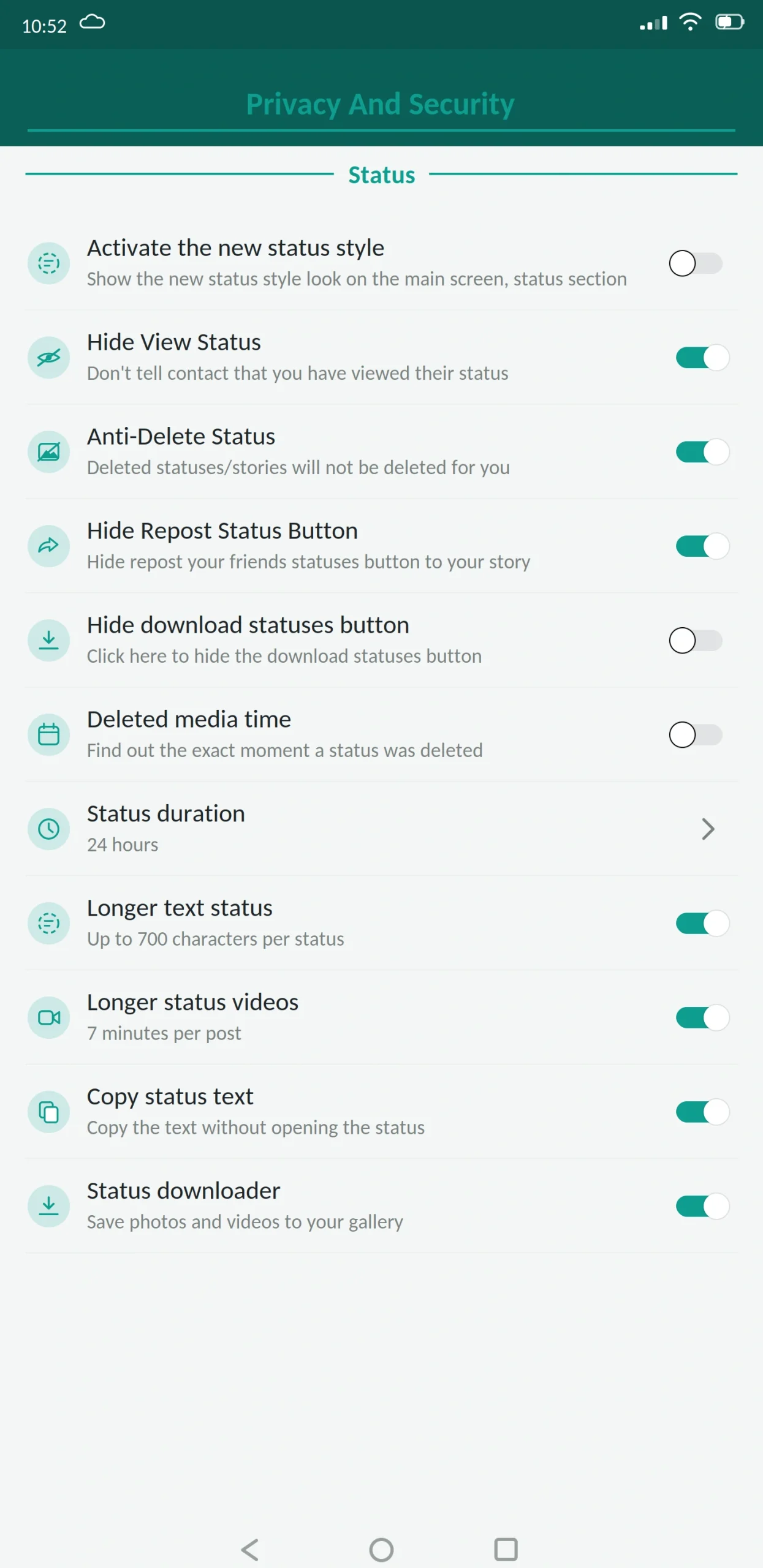

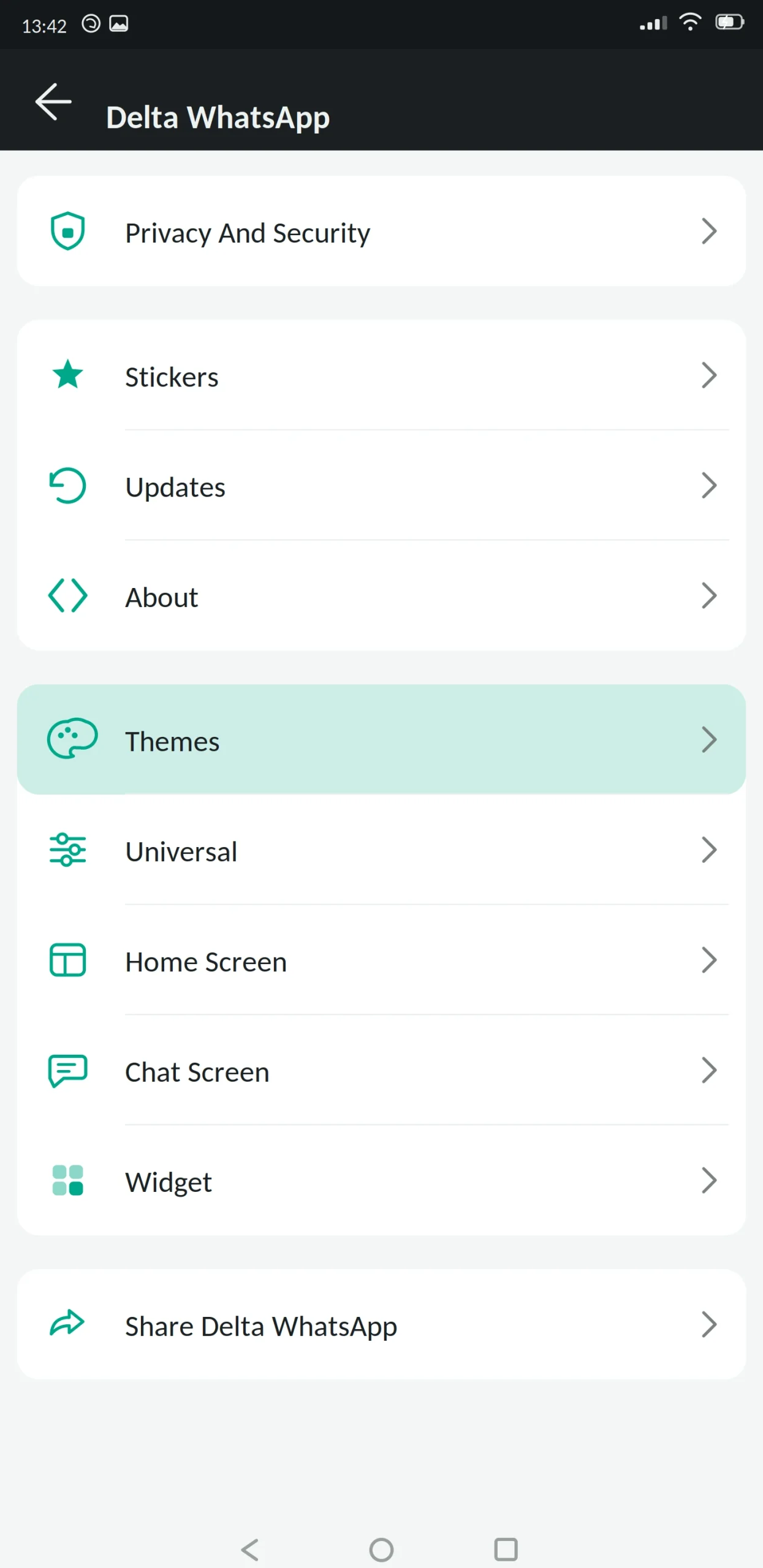
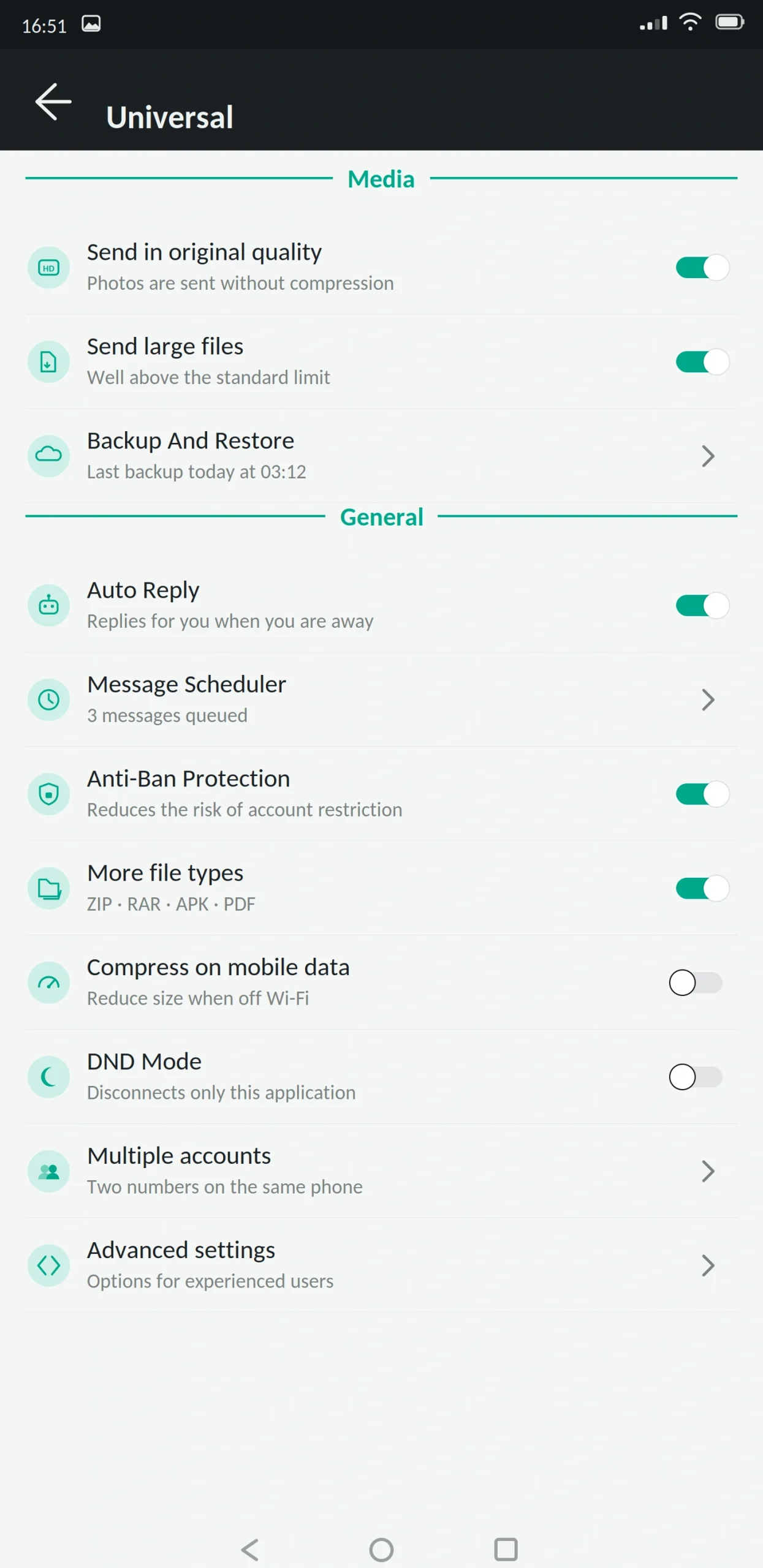

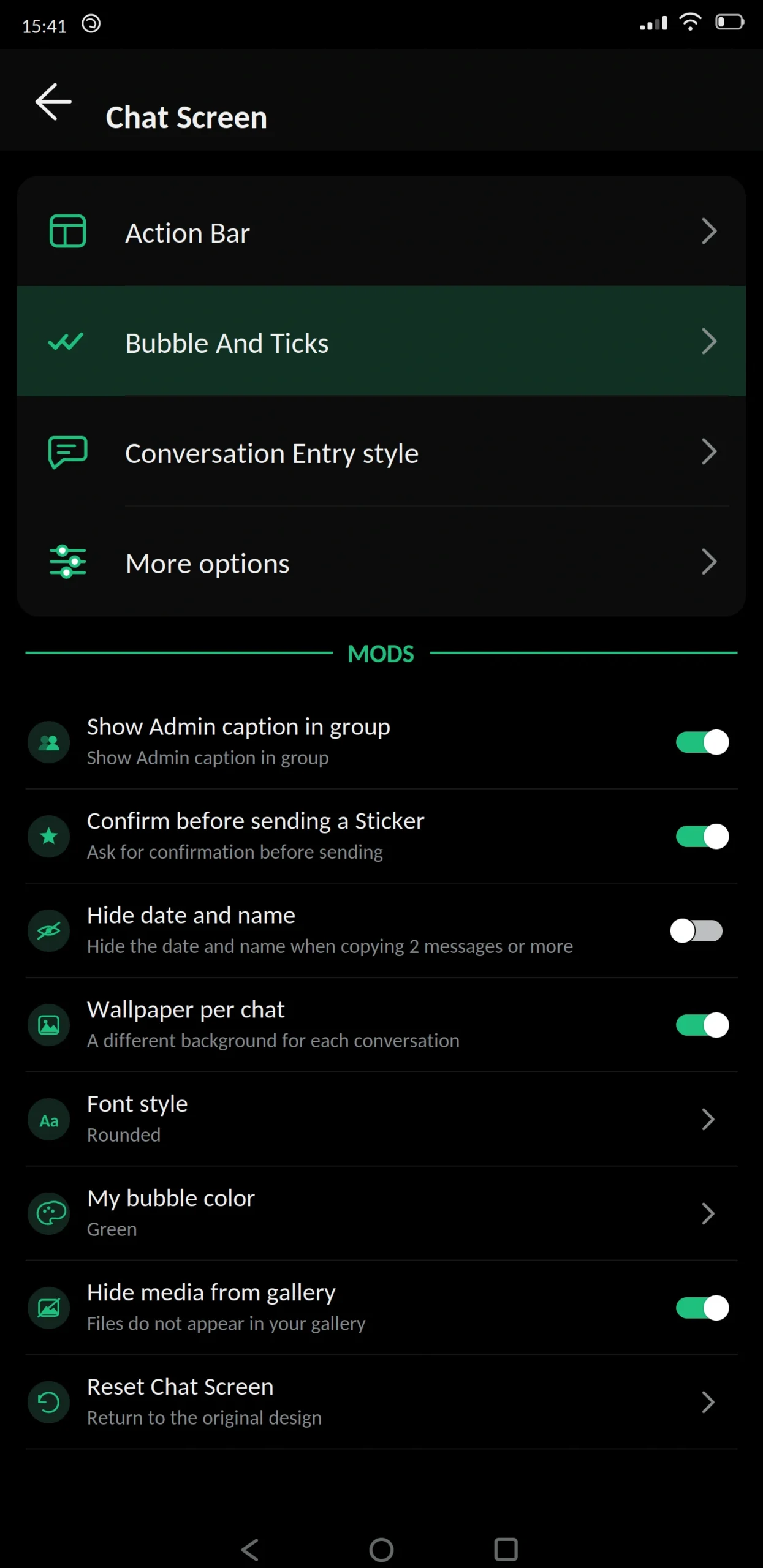


Delta WhatsApp is a modified version of WhatsApp with its own icon set, its own interface identity, and a collection of extra tools most mods do not bother building.
If other mods feel like WhatsApp with more switches, Delta feels like WhatsApp with a toolbox bolted on. That is either exactly what you want or more than you need. This guide from appdroid.net covers the features, the setup, and the risks in plain language.
App Specifications
| Detail | Information |
|---|---|
| App name | Delta WhatsApp (DELTA YoWhatsApp) |
| Version | v6.20 |
| File size | 90 MB |
| Android required | 5.0 or higher |
| Base version | WhatsApp 2.26.x |
| Developer | Delta Labs (Rodrigo Cavalcante) |
| Price | Free |
| Play Store | Not available |
| Root needed | No |
What Is Delta WhatsApp?
Delta WhatsApp is an unofficial build of WhatsApp for Android, developed by Delta Labs. They take the official app, add features Meta left out, replace the icon set, and release it as an APK.
Underneath it is still WhatsApp. Same number, same contacts, same servers. The project came out of the Brazilian modding community and built its following there before spreading. That origin shows in the design it is less influenced by the GB and Plus lineage than most mods, and it has a distinct visual character as a result.
The custom icon set
Most mods keep WhatsApp’s original icons and change the colours around them. Delta replaced the icons entirely.
Every symbol in the app the attachment menu, settings entries, the tab bar, status controls — uses Delta’s own set. They are more detailed than WhatsApp’s, with a slightly rounded, filled style rather than the thin outlines Meta uses.
It sounds cosmetic, and it partly is. But it is the reason Delta is instantly recognisable in a screenshot, and it makes the app feel like its own product rather than a modified copy.
The extra tools
This is what people actually stay for. Delta ships a set of small utilities inside the app that other mods leave out:
- Media converter. Convert a video to audio, or change a file format, without leaving the chat.
- Text tools. Format text in ways WhatsApp does not natively support, and convert text into styled fonts before sending.
- QR and link tools. Generate a QR code for a contact or link directly in the app.
- Storage manager. A breakdown of which chats are consuming the most space, with per-chat cleanup rather than the all-or-nothing clear that official WhatsApp offers.
- Message counter. Statistics on how many messages you have exchanged with each contact.
None of these are essential. Together they are the reason Delta has a loyal user base they solve small annoyances nobody else addressed.
Main Features
Privacy
- Freeze last seen. Lock it at a fixed time so contacts always see the same one.
- Hide online status. Nobody can tell you are active while you read and reply.
- Hide blue ticks and the second tick. Read without sending a receipt; optionally hide delivery confirmation too.
- Hide typing and recording indicators. Compose and re-record without being watched.
- Anti-delete messages and status. Content other people remove stays visible to you.
- Anti-view-once. Open one-time media as often as you like.
- View statuses anonymously. Watch without appearing in the viewer list.
- Hide the forwarded label. Shared messages read as your own.
- Ghost Mode. One switch for the main privacy set.
Customization
Delta’s own icon set as the base, plus a theme store, custom fonts and text sizes, bubble and tick styling, per-chat wallpapers, and a changeable app icon.
There are also several home screen layout options, though fewer than WhatsApp Aero offers.
Messaging
Message scheduler, auto reply, send to a number without saving it as a contact, increased forwarding limit, more pinned chats, and longer status updates.
Security
App lock with fingerprint, PIN or pattern. Chat lock for individual conversations. Two-step verification with a recovery email turn it on the day you install.
Anti-ban protection is maintained by Delta Labs independently rather than inherited from another project.
Media
Images at original resolution, video without heavy compression, and files above the official limits. The built-in converter also means you can reduce a file yourself before sending, rather than having the app compress it for you.
What’s New in the Latest Version
The tools got the attention this cycle. The media converter now handles more formats, and the storage manager gained a per-chat breakdown with sortable results.
The icon set was refreshed for consistency, and two new home screen layouts were added.
Anti-ban was updated against Meta’s current detection. Storage permission handling was fixed for Android 14 and 15, resolving backup failures on some devices.
Also added: message edit history, in-chat translation, voice status clips, and per-chat control of automatic downloads.
Delta WhatsApp vs Official WhatsApp
| Feature | Delta WhatsApp | Official WhatsApp |
|---|---|---|
| Custom icon set | Yes | No |
| Built-in media converter | Yes | No |
| Per-chat storage manager | Yes | Basic |
| Message statistics | Yes | No |
| Hide online status | Yes | No |
| Freeze last seen | Yes | No |
| Hide blue ticks | Yes | No |
| Anti-delete messages | Yes | No |
| View status anonymously | Yes | No |
| Message scheduler | Yes | No |
| Built-in app lock | Yes | Device level only |
| Larger file limits | Yes | No |
| Play Store | No | Yes |
| Automatic updates | No | Yes |
| Ban risk | Real | None |
Best Alternatives
- GB WhatsApp Pro: Bigger overall feature set, no built-in tools, standard icon set.
- WhatsApp Aero: The other mod with a genuinely distinct visual identity. Aero focuses on layouts, Delta on icons and utilities.
- Yo WhatsApp: Deeper theming, including an editor. Delta has better tools.
- Fouad WhatsApp: A named developer with a stronger anti-ban record, fewer extras.
- FM WhatsApp: Much lighter, if Delta’s 90 MB is too much for your phone.
- Signal: If privacy rather than features is the goal. Open source, audited, no account risk.
Is Delta WhatsApp Safe?
It can be reasonably safe. It cannot be verified as completely safe.
Account bans are a real risk. Using a modified client breaks WhatsApp’s terms of service and Meta looks for modified clients. Delta Labs maintains its own anti-ban, which is better than inheriting one, but Delta is a smaller team than the largest projects, so responses to detection changes can take a little longer.
Encryption cannot be independently verified. A modified app is built by taking a closed-source application apart, so nobody outside the developer can confirm the encryption path is intact — and nobody can prove it is broken. Keep genuinely sensitive conversations on the official app.
The extra tools mean extra permissions. The media converter needs broader storage access than a plain messaging app would. That is legitimate for what it does, but it is worth understanding that a mod with more tools requests more access by design.
Fake APK files are the main practical danger. Any file can be altered before it reaches your phone. Scan it, compare the size against what is published, and read every permission at install. Accessibility services and device administrator access have nothing to do with messaging.
Do not install this if your number carries your business, your payments, or is the only way important people reach you.
What to Know Before Installing
Google Drive backup does not work. Local backups only, stored outside the app.
Backups will not transfer from other mods. Different package names and signing keys.
It is one of the larger mods. At roughly 90 MB installed, plus the tools running, Delta is not a good fit for phones with 2 GB of RAM or less. FM WhatsApp or GB WhatsApp Lite serve those devices better.
How to Download and Install
Back up your chats in your current app first and let it finish completely. Copy important photos and documents somewhere separate too.
Check you have at least 250 MB free, since this is a larger build. Enable “unknown sources” when Android prompts you, granting it to your browser rather than system-wide.
Open the file and read the permissions before installing. Contacts, storage, camera and microphone are expected. Delta will request broader storage access for its converter and storage manager, which is consistent with those features. Anything beyond that is a reason to stop.
Enter your number and confirm it with the SMS code. Never share that code with anyone. No app, website or support agent needs it.
Restore your backup, review the privacy settings, then go back into Android settings and turn unknown sources off again.
How to Update
Back up before every update. Install the newer file over the existing app without uninstalling, which preserves chats, themes and settings.
Do not install a different mod over Delta. The signature will not match, and the fix involves uninstalling.
After updating, check that your icon set and layout survived, and re-check privacy settings, which updates often reset.
Backup and Restore
Mods cannot use Google Drive, so local backups are the only option. Getting this right is the difference between switching smoothly and losing years of messages.
Back up inside the app. Settings, then Chats, then Chat Backup. Let it finish completely before you close anything. On a busy account this takes several minutes.
Copy the folder somewhere safe. Use a file manager to find the database and media folders, and copy them to another folder, an SD card, or a computer. Do not rename anything the app looks for exact folder names.
Keep important media separately. Photos, voice notes and documents that matter should also live outside the app entirely. If a full restore fails, that separate copy is the only thing that saves you.
Why restores fail. Every build uses its own package name and signing key. A backup created in one mod is often unreadable to another, and there is no reliable way to convert between them. This single issue causes more lost conversations than every other problem combined, which is why the backup step comes first in every guide rather than as an afterthought.
What Happens If You Get Banned
Restrictions come in two forms and they are not the same.
A temporary ban shows a countdown timer and lifts on its own. Wait it out. If you need the number working in the meantime, install official WhatsApp and use it until the timer expires.
A permanent ban is harder. Appeals rarely succeed for accounts flagged as using a modified client, because the terms of service genuinely were broken. Some people report success by switching to the official app, using it normally for several weeks, then appealing but there is no reliable method, and anyone selling you one is taking your money for nothing.
Prevention is the only approach that works. Stay on the current build, avoid bulk messaging and mass forwarding, and keep your primary number off any mod if losing it would cause real damage.
Common Problems and Fixes
“App not installed.” Low storage, an incomplete download, or an unsupported Android version. Delta is larger than most mods, so storage is the usual culprit.
Signature mismatch. Installing over another developer’s build. Back up, uninstall, install fresh.
App feels slow. On phones with 3 GB of RAM or less, Delta’s size shows. Disable the tools you do not use in settings, or switch to a lighter mod.
Media converter fails. Almost always storage permission or insufficient free space. Converting a large video needs room for both files at once.
Verification code not arriving. Check the number, country code and signal. Repeated requests trigger a cooldown.
Chats missing after restore. The backup came from a different mod, or storage permission is not granted.
Notifications delayed. Battery optimisation. Allow background activity for the app.
Requirements and Additional Information
Android 5.0 is the minimum, though 8.0 and above runs noticeably better. You need roughly 200 MB of free storage and at least 1 GB of RAM for comfortable use. Root access is not required.
Installing needs “unknown sources” enabled for whichever app you download with, and that permission should be switched off again once you are finished.
One thing worth stating plainly: this is a modified version of an application, built by an independent third party with no connection to Meta, to WhatsApp LLC, or to appdroid.net. Downloading, installing and using it is entirely your own responsibility, and the consequences including any loss of data or access to your account rest with you.
Frequently Asked Questions
Pros and Cons
| Pros | Cons |
|---|---|
| Built-in tools no other mod offers | One of the largest mods at 90 MB |
| Distinct icon set and visual identity | Needs 3 GB RAM or more to run well |
| Independently maintained anti-ban | Requests broader storage permission |
| Full privacy feature set | Smaller team, slower detection responses |
| Per-chat storage management | Encryption cannot be independently verified |
| Free | Real risk of account restriction |
Verdict
Delta WhatsApp is the most feature-complete mod in a different sense than GB WhatsApp Pro. GB gives you more settings. Delta gives you more tools things that do a job rather than toggle a behaviour.
The media converter and per-chat storage manager are genuinely useful and nobody else has built them properly. If you regularly convert files or fight with a phone that keeps filling up, they will earn their place.
The cost is size. This is a heavy app, and on anything under 3 GB of RAM it will feel like one. It also requests broader storage permission than a plain messaging mod, which is legitimate for what it does but worth understanding before you grant it.
If you want tools, take Delta. If you want speed, take FM WhatsApp. If you want the biggest settings list, take GB WhatsApp Pro. Back up before installing, never share your verification code, and turn unknown sources back off when you are done.