

Google Drive APK Download & Get Free Storage
Download Google Drive APK for Android and learn why your 15 GB fills up so fast. Full guide to Gmail and Photos quota, storage fixes and install steps inside.
Category: Cloud Storage
Version
v2.26.317.0
Size
57 MB
Android
8.0+
Update Date
18 Aug. 26
Screenshots:
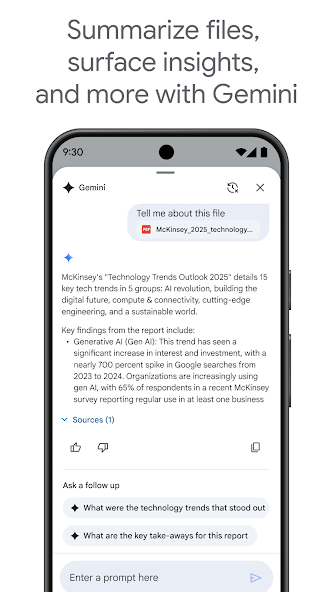
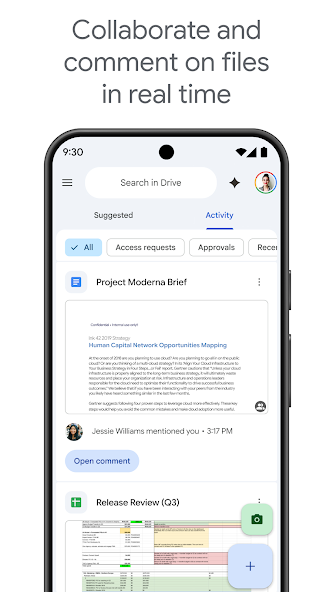

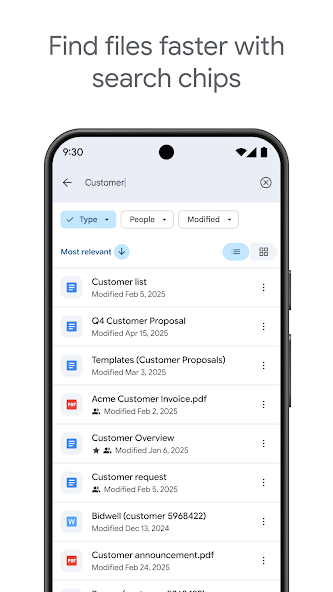
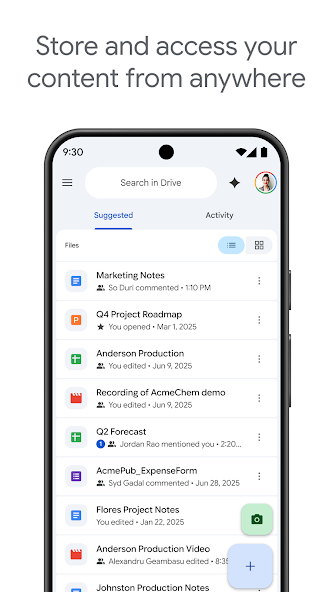
Google Drive gives every Google account 15 GB of free storage, and that space is shared with Gmail and Google Photos rather than being Drive’s alone. The Google Drive APK runs on Android 6.0 and above and comes preinstalled on most phones. You can get a clean copy from APPDROID.NET if yours was removed or needs reinstalling.
The shared quota is the reason most people search for this app in the first place. Your Drive can look almost empty while your storage sits full, because old emails and backed-up photos are quietly consuming the same 15 GB. Nothing about that is obvious from the interface.
This guide explains exactly what counts toward your quota, what does not, and how to reclaim space fast. It also covers the install, the safety position, and fixes for the errors people hit most.
Google Drive APK File Details
| Detail | Information |
|---|---|
| App Name | Google Drive |
| Package Name | com.google.android.apps.docs |
| Latest Version | 2.26.317.0 |
| Developer | Google LLC |
| Category | Productivity |
| Android Requirement | Android 6.0 or higher |
| Free Storage | 15 GB (shared) |
| Max File Size | 5 TB |
| Encryption | Standard, not zero-knowledge |
| Price | Free (Google One plans available) |
What Is Google Drive?
Google Drive APK is a cloud storage service tied directly to your Google account. Files upload once and become available on every device you sign in to. The Android app handles uploads, sharing, offline files, and document editing through the linked Docs apps.
Its biggest advantage is that almost everyone already has an account. Sharing a file needs no new signup from the recipient, and Docs, Sheets, and Slides are built in. For everyday documents and collaboration, nothing on this list matches it.
The trade-off sits in the storage model. Fifteen gigabytes sounds generous until you realise three services are drawing from the same pool.
Why Gmail and Google Photos Eat Your 15 GB
This is the single most searched question about the service, and the answer is rarely explained clearly.
What Counts Toward Your Quota
- Every file you upload to Drive
- All Gmail messages, including attachments
- Everything in your Gmail spam and trash folders
- Photos and videos backed up to Google Photos
- Files sitting in your Drive trash
- Google Docs, Sheets, and Slides files created after June 2021
What Does Not Count
Shared files owned by someone else count against their quota rather than yours. Files you have only viewed take up nothing. Older Google-format documents created before the 2021 policy change are also excluded.
How to Check What Is Using Space
Open your Google account storage page from the app menu to see a breakdown by service. It shows exactly how much Drive, Gmail, and Photos each consume. Start wherever the largest number sits rather than guessing.
How to Free Up Space Fast
- Empty your Gmail spam and trash folders.
- Search Gmail for messages with large attachments and delete them.
- Empty your Drive trash, since deleted files still count.
- Review Google Photos for long videos you no longer need.
- Remove old backups from devices you no longer own.
Google Drive Storage Full? How to Fix It
A full quota stops Gmail from receiving messages, which is why this problem feels urgent. Work through these in order.
Delete Large Gmail Attachments
Search your inbox using a size filter to surface the biggest messages first. A handful of old attachments often accounts for gigabytes. Delete them, then empty the trash to reclaim the space.
Clear the Trash and Spam Folders
Deleted items keep consuming quota until the trash is emptied in both Gmail and Drive. Spam folders are frequently overlooked entirely. Clearing both is the fastest single win available.
Compress or Move Photos
Google Photos is usually the largest consumer on a phone-heavy account. Move older albums to another service or download them locally. Turning off automatic backup stops the problem growing.
Empty Hidden App Data
Android app backups and WhatsApp archives quietly consume Drive space without appearing in your file list. Check the backups section of the app menu. Removing backups for devices you no longer use often frees several gigabytes.
Key Features of Google Drive
15 GB Free Storage
Fifteen gigabytes is the largest free tier among mainstream providers, ahead of OneDrive at 5 GB and Dropbox at 2 GB. The shared quota is the catch rather than the number itself.
Docs, Sheets and Slides Integration
Documents open and edit directly inside the ecosystem with no separate purchase. Real-time collaboration works reliably across devices. Nothing else on this list comes close on this feature.
Automatic Photo Backup
Photos sync through the linked Google Photos app rather than Drive itself. Backups run in the background once enabled. Everything counts against your shared quota.
File Sharing and Permissions
Shared links can be set to view, comment, or edit. You can restrict access to specific email addresses. Permissions are more granular than most consumer competitors offer.
Offline Access
Any file marked for offline use stays readable without a connection. Changes sync automatically when you reconnect. Google-format documents can be edited offline too.
Search and File Organisation
Search covers file names, contents, and even text inside images. This is the strongest search in the category by a wide margin. Large libraries stay usable because of it.
Google Drive vs Google One
Google Drive is the storage service, and Google One is the paid subscription that expands it. Upgrading through Google One raises the shared quota across Drive, Gmail, and Photos together. The subscription also adds family sharing and additional account features.
Google Drive Free vs Paid Plans
| Feature | Free | Google One |
|---|---|---|
| Storage | 15 GB shared | 100 GB to 30 TB |
| Shared with Gmail and Photos | Yes | Yes |
| Max File Size | 5 TB | 5 TB |
| Family Sharing | No | Yes |
| Ads | No | No |
| Priority Support | No | Yes |
System Requirements
| Requirement | Minimum | Recommended |
|---|---|---|
| Android Version | 6.0 | 9.0 or newer |
| RAM | 2 GB | 4 GB or more |
| Free Storage | 100 MB | 500 MB |
| Internet | Stable 4G | 5G or Wi-Fi |
How to Download and Install Google Drive APK on Android
- Open your browser and visit APPDROID.NET.
- Tap the Google Drive APK Download button on the page.
- Wait for the file to finish downloading.
- Open your settings and allow installs from unknown sources for your browser.
- Tap the downloaded file and choose Install.
- Launch the app and sign in with your Google account.
- Grant the storage and photo permissions it requests.
Most Android phones ship with the app already installed. Reinstalling manually only makes sense if it was removed or is failing to update.
How to Use Google Drive
- Tap the plus icon to upload a file or create a folder.
- Long-press any file and choose Share to send a link.
- Set the permission to view, comment, or edit.
- Tap the three-dot menu and select Available offline for files you need without a connection.
Deleted files sit in the trash and keep consuming quota until removed permanently. Empty it regularly.
Is Google Drive Safe?
Google Drive is secure against outside attack, with strong encryption in transit and at rest plus mature account protection. Two-factor authentication is available and worth enabling.
Does Google Drive Have End-to-End Encryption?
No. Files are encrypted in transit and on Google’s servers, but the company holds the keys. Services such as MEGA and Internxt encrypt on your device first, meaning the provider genuinely cannot read your files.
Does Google Scan Your Files?
Automated systems check uploads against policy rules covering illegal content and malware. This is automated rather than human review. Anyone storing genuinely confidential material should use an encrypted provider instead.
Google Drive vs TeraBox
| Feature | Google Drive | TeraBox |
|---|---|---|
| Free Storage | 15 GB shared | 1 TB |
| Download Speed | Full speed | Throttled |
| Max File Size | 5 TB | 4 GB |
| Encryption | Standard | None |
| Ads on Free | No | Yes |
| Servers | Global | China / Singapore |
| Best For | Documents | Large archives |
TeraBox gives roughly seventy times the free space. Google Drive gives full download speeds, no ads, and vastly better document tools. Using both covers each job properly.
Pros and Cons of Google Drive
| Pros | Cons |
|---|---|
| 15 GB free, largest mainstream tier | Quota shared with Gmail and Photos |
| Best-in-class document collaboration | No end-to-end encryption |
| Excellent search including image text | Fills faster than users expect |
| No ads on the free plan | Automated content scanning |
| Full-speed downloads | Full quota may need phone verification |
| 5 TB maximum file size | Paid tiers start relatively high |
Google Drive Not Working? Common Errors and Fixes
Storage Full Message
- Empty your Gmail spam and trash folders.
- Delete large email attachments.
- Empty the Drive trash and check hidden app backups.
Upload Failed
- Check that your connection is stable.
- Confirm you have quota remaining.
- Retry over Wi-Fi rather than mobile data.
Backup Not Working
- Confirm backup is enabled in the Google Photos settings.
- Grant full photo and media permissions.
- Turn off battery optimisation for the app.
Files Not Syncing
- Force close and reopen the app.
- Confirm you are signed into the correct account.
- Check whether the file is still uploading.
App Crashing on Android
- Update through your app store.
- Clear the app cache from your device settings.
- Restart your device and try again.
Best Alternatives to Google Drive
MEGA offers 20 GB free with zero-knowledge encryption and a quota that is yours alone. pCloud gives 10 GB free with no ads and lifetime plans. TeraBox is the pick when raw capacity outweighs everything else.
For document collaboration specifically, nothing genuinely replaces Google Drive. The realistic move is keeping it for documents and adding a second service for media.
Frequently Asked Questions
Final Verdict
Google Drive Download remains the most practical everyday cloud storage on Android. Fifteen gigabytes is the largest mainstream free tier, downloads run at full speed, there are no ads, and the document tools are unmatched. For anyone who already has a Google account, it needs no setup at all.
The shared quota is the thing to understand rather than the thing to avoid. Once you know Gmail and Photos are drawing from the same pool, managing it becomes straightforward. Anything genuinely confidential belongs on an encrypted provider instead.
