

Icedrive APK Download Latest v3.0.2 for Android
Download Icedrive APK free for Android. Get 10 GB free storage, plus the truth about the 3 GB daily bandwidth limit, lifetime plans and fixes for common errors.
Category: Cloud Storage
Version
v3.0.2
Size
64 MB
Android
6.0+
Update Date
18 Aug. 26
Screenshots:
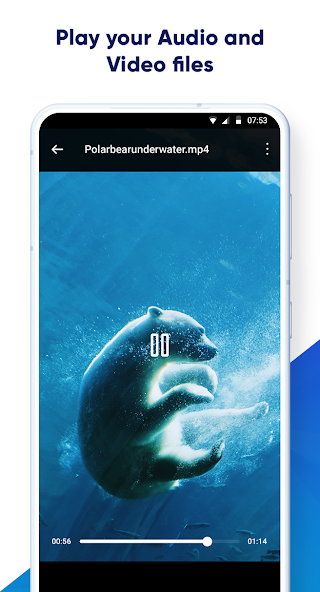
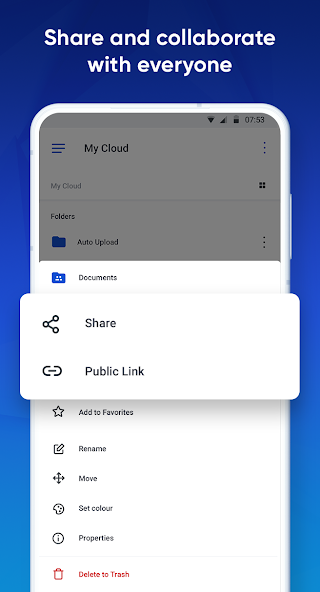
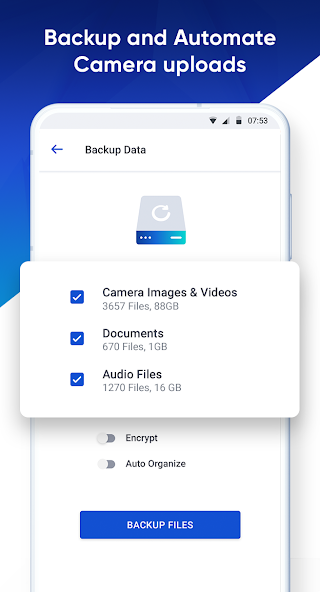
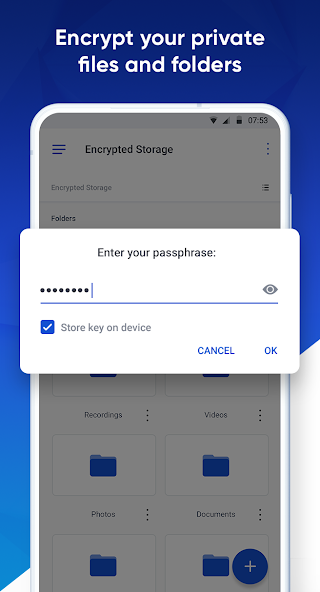
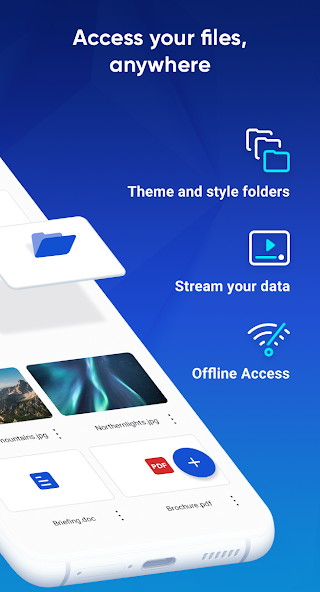
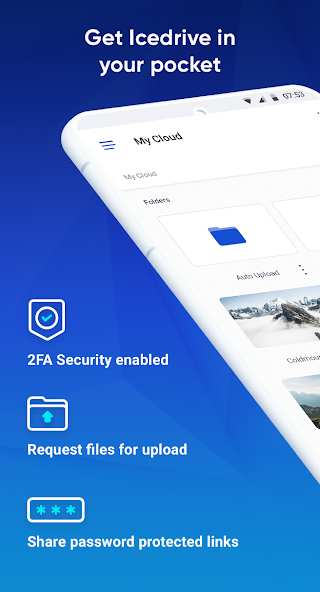
Icedrive is a cloud storage app that gives you 10 GB of free storage with a clean interface and optional Twofish encryption. The Icedrive APK runs on Android 5.0 and above and installs in about two minutes. You can get the current build from APPDROID.NET and start uploading immediately.
The app is best known for two things. It looks better than almost anything else in this category, and it sells lifetime plans instead of endless monthly billing. Both are genuine advantages.
One restriction shapes the free plan more than the storage figure does. Shared links are capped at roughly 3 GB of bandwidth per day, and virtually no download page mentions it. That limit is covered in full below.
Icedrive APK File Details
| Detail | Information |
|---|---|
| App Name | Icedrive: Secure Cloud Storage |
| Package Name | com.icedrive.app |
| Latest Version | v2.8.1 (verify current build) |
| Developer | Icedrive |
| Category | Productivity / Tools |
| Android Requirement | Android 5.0 or higher |
| Free Storage | 10 GB |
| Daily Bandwidth (Free) | ~3 GB |
| Encryption | Paid add-on |
| Price | Free (lifetime plans available) |
What Is Icedrive?
Icedrive is a cloud storage service built around a clean interface and strong media handling. You upload files once and reach them from a phone, tablet, computer, or browser. The Android app covers uploads, camera backup, streaming, sharing, and document preview.
The company is based in the United Kingdom and has run the service since 2019. It positions itself between the budget providers and the privacy-first ones. Twofish encryption is its technical differentiator, though it sits behind a paid tier.
How Does Icedrive Work?
Files upload to Icedrive’s servers and stay accessible from any signed-in device. The desktop client mounts your storage as a virtual drive rather than downloading everything. On Android, a backup wizard can copy your whole device in one pass.
Icedrive’s 3 GB Daily Bandwidth Limit
This is the most important detail on the free plan and the one nobody publishes. Understand it before you build any workflow around shared links.
What Counts Toward the Limit
Bandwidth is consumed when anyone downloads from your shared public links, including you. Streaming a video from a shared link counts the same as downloading it. Your own in-app access is treated more generously than public link traffic.
What Happens When You Hit It
Shared links stop serving files and show a limit message instead. Anyone you sent the link to will see that message rather than the download. Nothing is deleted and your account stays intact.
When the Limit Resets
The allowance rolls over daily, so links usually work again the next day. There is no way to top it up on the free plan. Paid tiers raise the cap substantially.
How to Work Around It
- Share large files with one person at a time rather than a group
- Stagger downloads across multiple days
- Use a different service for anything shared widely
- Upgrade to a paid plan if link sharing is central to your use
Icedrive Free Storage Explained
The 10 GB free allowance arrives in full at signup with no tasks to complete and no card required. It does not expire and nothing needs unlocking. That simplicity is refreshing next to providers that stage their free tier across a checklist.
Key Features of Icedrive
10 GB Free Storage
Ten gigabytes matches pCloud and Box, beats Dropbox and OneDrive, and falls behind MEGA. There is no per-file size limit on the free plan, which is a meaningful advantage over Box.
Twofish Encryption
Icedrive uses Twofish rather than the more common AES standard for its encrypted storage. The encrypted folder is a paid feature rather than a free one. Everything outside it uses standard protection.
Automatic Camera Upload
New photos and videos copy to your account as you capture them. A Wi-Fi-only setting keeps it off mobile data. Backups run in the background once permissions are granted.
Built-In Media Streaming
Audio and video play inside the app without a full download. The player handles common formats and remembers position. Streaming from your own account is not the same as streaming from a shared link, which counts toward bandwidth.
Document Preview
Office documents, PDFs, images, and vector files preview without downloading. The range covered is wider than most consumer apps manage. This saves both time and phone storage.
Backup Wizard
A guided wizard copies your whole device in one pass rather than folder by folder. It suits a new phone setup or a first full backup. Selective folder backup is also available.
File Sharing and Public Pages
Files can be shared as direct links or as a public page listing multiple items. Recipients need no account. Bandwidth limits apply to both methods on the free plan.
Icedrive Twofish Encryption Explained
How It Differs from AES
Twofish and AES were both finalists in the same encryption standard competition, and AES won. Twofish remains unbroken and is considered highly secure. The practical difference for a user is negligible, and the choice is more a marketing distinction than a security one.
Why It Is a Paid Feature
Client-side encryption sits inside the paid tiers rather than the free plan. Free users get standard protection in transit and at rest, meaning the company retains technical access. Anyone needing zero-knowledge protection at no cost should look at MEGA or Internxt instead.
Icedrive Lifetime Plans
How Lifetime Pricing Works
You pay once and keep the storage permanently with no renewal date. Icedrive is one of very few providers offering this alongside pCloud. Plans run from modest allowances to several terabytes.
Lifetime vs Annual Cost
| Plan Type | Payment | Break-Even Point |
|---|---|---|
| Monthly | Charged every month | — |
| Annual | Charged yearly | — |
| Lifetime | One payment | Roughly 3 to 4 years |
Is It Worth It?
The maths favours a lifetime plan if you expect to use the service beyond about four years. Shorter use makes an annual plan cheaper. The risk is company longevity, since a lifetime plan is only as good as the business behind it.
Icedrive Free vs Paid Plans
| Feature | Free | Paid |
|---|---|---|
| Storage | 10 GB | 150 GB to 5 TB |
| Daily Bandwidth | ~3 GB | Substantially raised |
| Twofish Encryption | No | Yes |
| File Size Limit | None | None |
| Ads | No | No |
| Lifetime Option | No | Yes |
System Requirements
| Requirement | Minimum | Recommended |
|---|---|---|
| Android Version | 5.0 | 8.0 or newer |
| RAM | 2 GB | 4 GB or more |
| Free Storage | 100 MB | 500 MB |
| Internet | Stable 4G | 5G or Wi-Fi |
How to Download and Install Icedrive APK on Android
- Open your browser and visit APPDROID.NET.
- Tap the Icedrive APK Download button on the page.
- Wait for the file to finish downloading.
- Open your settings and allow installs from unknown sources for your browser.
- Tap the downloaded file and choose Install.
- Launch the app and grant the storage and photo permissions.
- Create an account or sign in with an existing one.
Your 10 GB is available immediately with nothing to unlock. Upload one file to confirm everything works before running a full backup.
How to Use Icedrive
- Tap the plus icon to upload a file, take a photo, or create a folder.
- Open the backup wizard if you want to copy your whole device.
- Long-press any file and choose Share to create a link.
- Watch your bandwidth usage if you share large files publicly.
The left-hand menu holds encrypted storage, shared files, recent items, favourites, and the trash. Deleted files stay recoverable for a period.
Is Icedrive Safe?
Icedrive is a legitimate UK company with a public privacy policy and no history of major breaches. Files are protected in transit and at rest on every plan.
Zero-knowledge protection requires a paid plan, so free-tier files remain technically accessible to the company. UK jurisdiction is broadly comparable to other Western providers. Keep identity documents and financial records on a service that encrypts by default, or buy the encrypted tier.
Icedrive vs TeraBox
| Feature | Icedrive | TeraBox |
|---|---|---|
| Free Storage | 10 GB | 1 TB |
| Download Speed | Full speed | Throttled |
| Daily Bandwidth | ~3 GB on links | Unrestricted |
| Encryption | Paid add-on | None |
| Ads on Free | No | Yes |
| Servers | United Kingdom | China / Singapore |
| Best For | Personal drive | Large archives |
TeraBox wins on space by an enormous margin. Icedrive wins on speed, jurisdiction, and the absence of ads. The bandwidth cap makes Icedrive a poor choice for sharing files widely.
Pros and Cons of Icedrive
| Pros | Cons |
|---|---|
| 10 GB free with nothing to unlock | 3 GB daily bandwidth on links |
| No per-file size limit | Encryption is a paid add-on |
| No ads on the free plan | Smaller free tier than MEGA |
| Lifetime plans available | Lifetime value depends on longevity |
| Clean, modern interface | Bandwidth limit rarely disclosed |
| Full-speed downloads | Fewer integrations than rivals |
Icedrive Not Working? Common Errors and Fixes
Bandwidth Limit Reached
- Free links are capped at roughly 3 GB of traffic daily.
- Wait for the daily reset and share the link again.
- Send large files to one person at a time.
Upload Failed
- Check that your connection is stable.
- Confirm you have storage space remaining.
- Retry over Wi-Fi rather than mobile data.
Shared Link Not Working
- The daily bandwidth limit is the most common cause.
- Confirm the file has not been deleted or moved.
- Regenerate the link from the original file.
Camera Upload Not Working
- Confirm camera upload is enabled in settings.
- Grant the app full photo and media permissions.
- Turn off battery optimisation for Icedrive.
App Crashing on Android
- Update to the newest version.
- Clear the app cache from your device settings.
- Reinstall if crashes persist.
Best Alternatives to Icedrive
pCloud is the closest comparison, matching 10 GB free with lifetime plans and no daily bandwidth cap on links. MEGA offers 20 GB free with zero-knowledge encryption included at no cost. TeraBox is the pick when storage size outweighs everything else.
If shared links are central to how you work, the bandwidth cap makes almost any alternative a better fit. If you mainly store files for yourself, Icedrive holds up well.
Frequently Asked Questions
Final Verdict
Icedrive is one of the better designed cloud storage apps on Android. Ten gigabytes free with no unlock tasks, no ads, no per-file size limit, and full-speed downloads make a genuinely competitive free tier. The lifetime plans suit anyone tired of monthly subscriptions.
The daily bandwidth cap on shared links is the catch, and it is barely documented anywhere. If your use is personal storage and backup, you will rarely notice it. If you share large files with groups of people, it will stop you within a day.
Get the current build and full specifications from APPDROID.NET, updated whenever a new version ships.
