

MediaFire APK Download Free For Android
Download MediaFire APK free for Android. Get 10 GB free storage, expandable to 50 GB. Full install guide, bonus storage steps and error fixes inside. Start now.
Category: Cloud Storage
Version
V5.9.18
Size
56 MB
Android
7.0+
Update Date
18 Aug. 26
Screenshots:

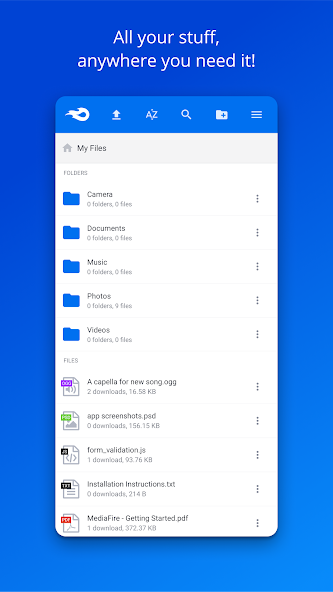
MediaFire is a cloud storage and file sharing app that gives you 10 GB of free storage, with a path to 50 GB through bonuses. The MediaFire APK runs on Android 5.0 and above and installs in about two minutes. You can get the current version from APPDROID.NET and start uploading immediately.
The app has been around far longer than most of its rivals and built its reputation on link sharing. Upload a file, generate a direct link, and anyone can download it without creating an account. That simplicity is why it remains popular for moving large files.
One figure needs correcting up front. Many download pages list the free tier as 12 GB, and that number is wrong. The base allowance is 10 GB, and the section below explains how the rest is earned.
MediaFire APK File Details
| Detail | Information |
|---|---|
| App Name | MediaFire |
| Package Name | com.mediafire.android |
| Latest Version | v5.9.18 |
| Developer | MediaFire |
| Category | Tools |
| Android Requirement | Android 5.0 or higher |
| Free Storage | 10 GB (up to 50 GB) |
| Encryption | Standard, not zero-knowledge |
| Price | Free (Pro plans available) |
What Is MediaFire?
MediaFire is an online storage service that holds your files and serves them back through direct links. You upload photos, videos, documents, or music, then reach them from a phone, tablet, computer, or browser. The Android app covers uploads, backups, sharing, and streaming from one screen.
Its main use case differs slightly from a sync-focused service. People reach for MediaFire when they need to send something large to someone else rather than keep folders mirrored across devices. Direct download links make that job simple.
The service also lets you upload from any other app on your phone. Tap Share, pick the MediaFire icon, and the file goes straight to your account. That shortcut saves a lot of time.
MediaFire Free Storage: 10 GB or 12 GB?
This question comes up constantly because the answer is published inconsistently across the web. Here is the accurate position.
What the Base Free Plan Actually Gives
A new account starts with 10 GB. No card is required, nothing expires, and the space is yours permanently. That figure comes from the service itself rather than a third-party listing.
Why Some Sites List 12 GB
Older bonus promotions once pushed the effective total higher, and several download pages copied that number and never updated it. Those specific promotions have since changed. Treat 10 GB as your baseline and anything above it as earned.
How to Check Your Own Allowance
Open the app and tap your account icon to see the storage meter. It shows both your base allowance and any bonus space added. Compare that against any figure you read elsewhere.
How to Get 50 GB Free on MediaFire
The route from 10 GB to 50 GB runs through referrals and one-time tasks. None of it costs money, but it does take effort.
Referral Bonuses
Each person who signs up through your referral link adds storage to your account. The bonus applies once they verify their own account rather than at click time. This is the largest single contributor to reaching 50 GB.
One-Time Bonus Tasks
Several setup actions each add a small amount of permanent space.
- Verify your email address
- Install the mobile app and sign in
- Upload your first file
- Connect a social account
- Enable automatic camera backup
Do Bonus Rewards Expire?
Bonus storage earned through referrals and tasks is permanent, unlike the temporary trial bonuses some rivals offer. Your total stays where you build it. Prolonged account inactivity is the only real risk, so sign in occasionally.
Key Features of MediaFire
10 GB Free Storage
Ten gigabytes sits in the upper half of free cloud plans. It comfortably beats Dropbox at 2 GB and OneDrive at 5 GB. The expansion path to 50 GB is what makes it genuinely competitive.
Upload Any File Type
The service accepts photos, videos, audio, documents, archives, and installers without format restrictions. Nothing is blocked for being an unusual type. Folder structure is preserved on upload.
Share Files with Direct Links
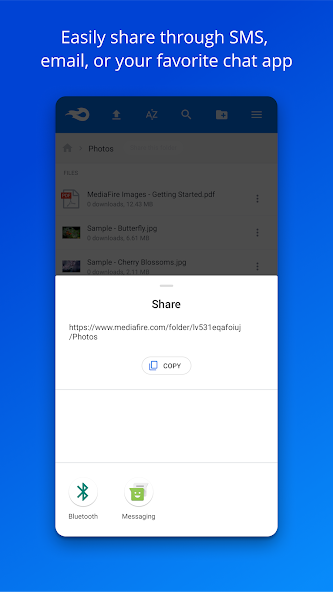
Every file gets a shareable link in two taps. Recipients download without needing their own account, which removes all friction. Links can be sent through any messaging app or email.
Stream Media Without Downloading
Videos and audio play inside the app straight from your account. Documents and images preview the same way. This saves both time and phone storage.
Automatic Photo and Video Backup
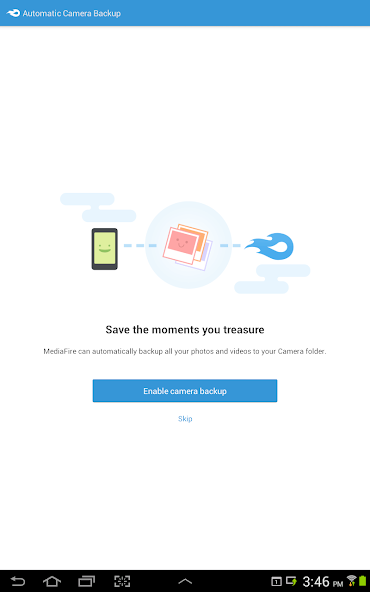
The backup setting copies new camera files as you capture them. A Wi-Fi-only option keeps it off your mobile data. It is the quickest way to free space on a full phone.
Share to MediaFire from Any App
The system share sheet includes a MediaFire option once the app is installed. Any file from any app can be pushed to your account in one tap. Multiple files can go at once.
Ads on the Free MediaFire Plan
The free tier is funded by advertising, and the app makes no secret of it. Knowing where ads appear helps you decide whether to upgrade.
Where Ads Appear
Banner and interstitial ads show on the home screen, between folder views, and on download pages. Recipients opening your shared links also see ads before the download starts. The frequency is moderate rather than aggressive.
How to Remove Them
A Pro subscription removes advertising across the app and from your shared download pages. No setting inside the free app disables them. Third-party tools claiming to strip ads are not safe and should be avoided.
MediaFire File Size and Download Limits
Free accounts face a per-file upload ceiling that Pro plans raise substantially. Very large single files may need splitting before upload. Download speeds are not throttled the way some rivals throttle theirs, which is a real advantage.
MediaFire Free vs Pro Plans
| Feature | Free | Pro |
|---|---|---|
| Storage | 10 GB (up to 50 GB) | 1 TB and up |
| Ads | Yes | No |
| Ads on Shared Links | Yes | No |
| Direct Download Links | Limited | Full |
| File Size Limit | Restricted | Raised |
| Bulk Download | No | Yes |
System Requirements
| Requirement | Minimum | Recommended |
|---|---|---|
| Android Version | 5.0 | 8.0 or newer |
| RAM | 2 GB | 4 GB or more |
| Free Storage | 100 MB | 500 MB |
| Internet | Stable 4G | 5G or Wi-Fi |
How to Download and Install MediaFire APK on Android
- Open your browser and visit APPDROID.NET.
- Tap the MediaFire APK Download button on the page.
- Wait for the file to finish downloading.
- Open your settings and allow installs from unknown sources for your browser.
- Tap the downloaded file and choose Install.
- Launch the app and grant the storage and photo permissions.
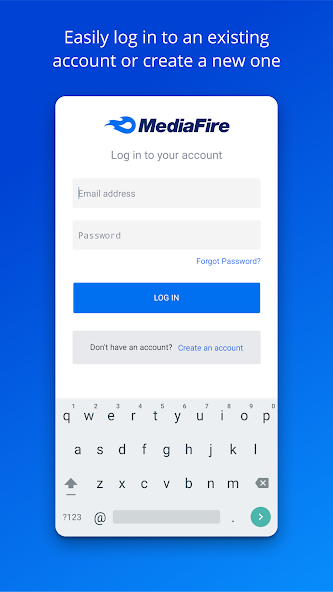
- Create an account or sign in with an existing one.
Verify your email straight after signup, since that unlocks your first bonus storage. Upload one small file to confirm everything works before turning on automatic backup.
How to Use MediaFire
- Tap the plus icon to upload a file, photo, or folder.
- Open Settings and switch on automatic camera backup.
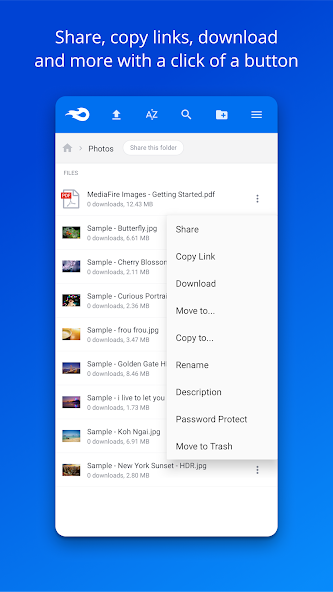
- Long-press any file and tap Share to generate a link.
- Copy the link and send it through any app.
Files can be organised into folders and renamed from the same menu. Deleted items move to a trash folder rather than disappearing outright.
Is MediaFire Safe?
MediaFire is a long-established American company with a public privacy policy and a clean security record. The app itself is legitimate and carries no malware.
Does MediaFire Encrypt Your Files?
Files are protected in transit and while stored, but not with zero-knowledge encryption. The company can technically access what you upload. Anything genuinely sensitive belongs on a service that encrypts on your device first.
Are MediaFire Download Links Safe?
Links from the service itself are safe, though download pages carry advertising that can include misleading buttons. Look carefully for the real download button rather than the largest one. This is an ad problem rather than a MediaFire problem.
What You Should Not Upload
- Passport and national ID scans
- Bank statements and tax records
- Private or intimate photographs
- Confidential work documents
- Anything containing passwords
MediaFire vs TeraBox
| Feature | MediaFire | TeraBox |
|---|---|---|
| Free Storage | 10 GB (up to 50 GB) | 1 TB |
| Download Speed | Full speed | Throttled |
| Encryption | Standard | None |
| Ads on Free | Yes | Yes |
| Max File Size | Restricted on free | 4 GB |
| Servers | United States | China / Singapore |
| Best For | Link sharing | Large archives |
TeraBox wins decisively on space. MediaFire wins on download speed and jurisdiction. For sending a file to someone quickly, MediaFire is the better tool.
Pros and Cons of MediaFire
| Pros | Cons |
|---|---|
| 10 GB free, expandable to 50 GB | Ads throughout the free app |
| Downloads are not throttled | No zero-knowledge encryption |
| Direct links need no account | File size limits on free plan |
| Bonus storage is permanent | Ads appear on shared links |
| Streams media without download | Reaching 50 GB takes real effort |
| Share sheet integration | Interface feels dated |
MediaFire Not Working? Common Errors and Fixes
Upload Failed
- Check that your connection is stable.
- Confirm the file is under your plan’s size limit.
- Retry over Wi-Fi rather than mobile data.
Download Link Not Working
- Confirm the file has not been deleted by its owner.
- Look carefully for the genuine download button among the ads.
- Try the link in a different browser.
Login or Verification Error
- Confirm your email address is verified.
- Reset your password from the sign-in screen.
- Check whether a security block is holding the attempt.
Auto Backup Not Working
- Confirm backup is switched on in settings.
- Grant the app full photo and media permissions.
- Turn off battery optimisation for MediaFire.
Slow Download Speed
- Switch from mobile data to Wi-Fi.
- Close background apps competing for bandwidth.
- Retry if the servers are busy at peak times.
App Crashing on Android
- Update to the newest version.
- Clear the app cache from your device settings.
- Reinstall if crashes continue.
Best Alternatives to MediaFire
MEGA offers 20 GB free with zero-knowledge encryption and no ads, making it the stronger pick for private files. pCloud gives 10 GB free with lifetime plans and an ad-free interface. TeraBox is the choice when raw storage size outweighs everything else.
For pure link sharing, MediaFire remains hard to beat because recipients never need an account. Pair it with an encrypted service for anything sensitive.
Final Verdict
MediaFire earns its place through sharing rather than storage. Direct links that work without an account, full-speed downloads, and a path from 10 GB to 50 GB make it a practical everyday tool. Bonus storage being permanent is a real advantage over rivals whose bonuses expire.
The trade-offs are ads and encryption. Advertising appears both in the app and on the pages people visit to download your shared files, and nothing you upload is zero-knowledge protected. Keep sensitive material elsewhere and MediaFire does its job well.
Get the current build and full specifications from APPDROID.NET, updated whenever a new version ships.
