

OG WhatsApp APK Download Latest Version for Android
OG WhatsApp focuses on providing a lightweight modified WhatsApp experience for users with older or lower-spec Android devices. This guide covers its privacy features, compatibility, installation requirements, performance considerations, and the additional security concerns that come with running unofficial apps on older Android versions.
Category: Social App
Version
v18.80
Size
93 MB
Android
7.0+
Update Date
18 – 8 – 26
Screenshots:
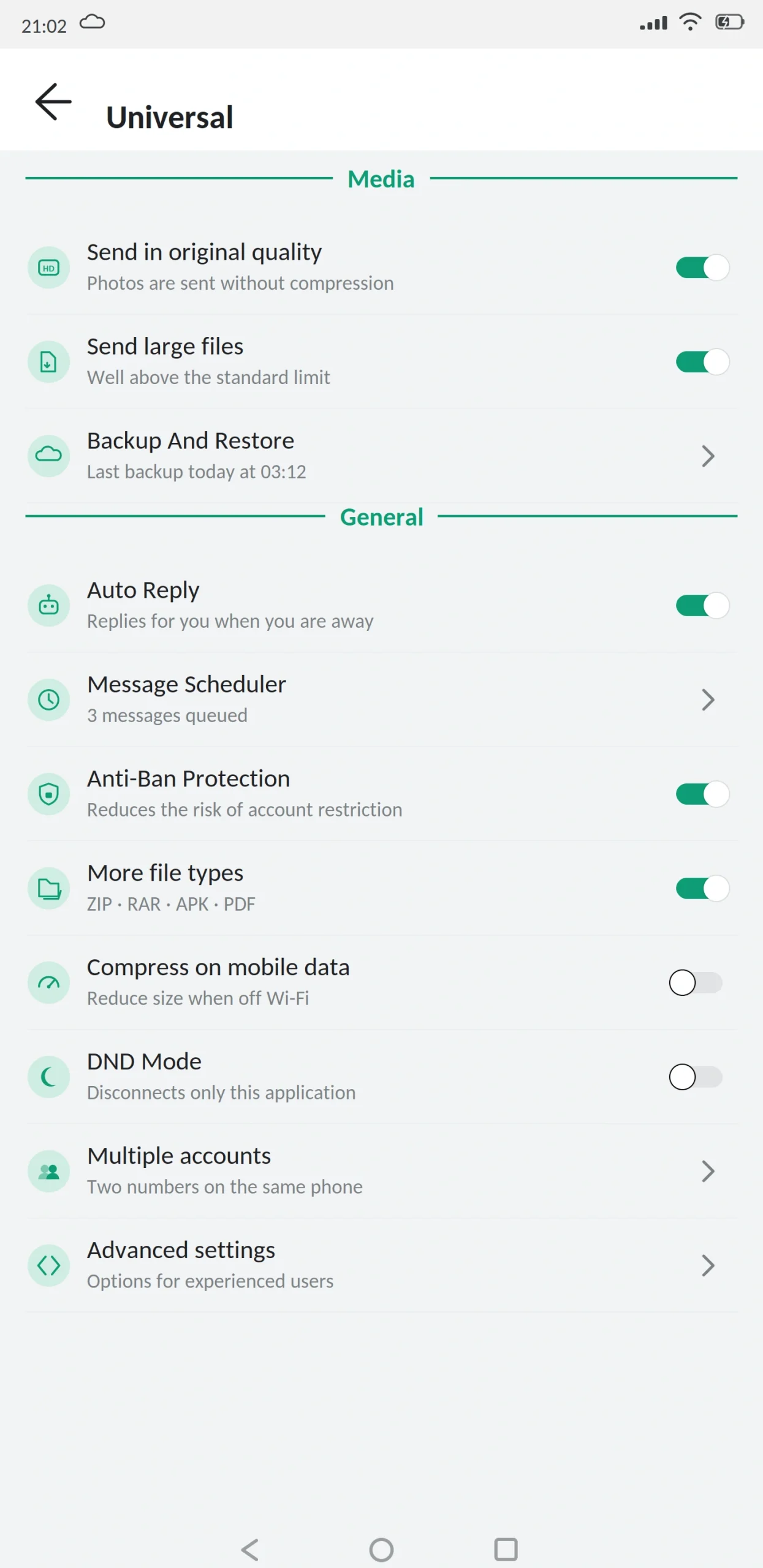
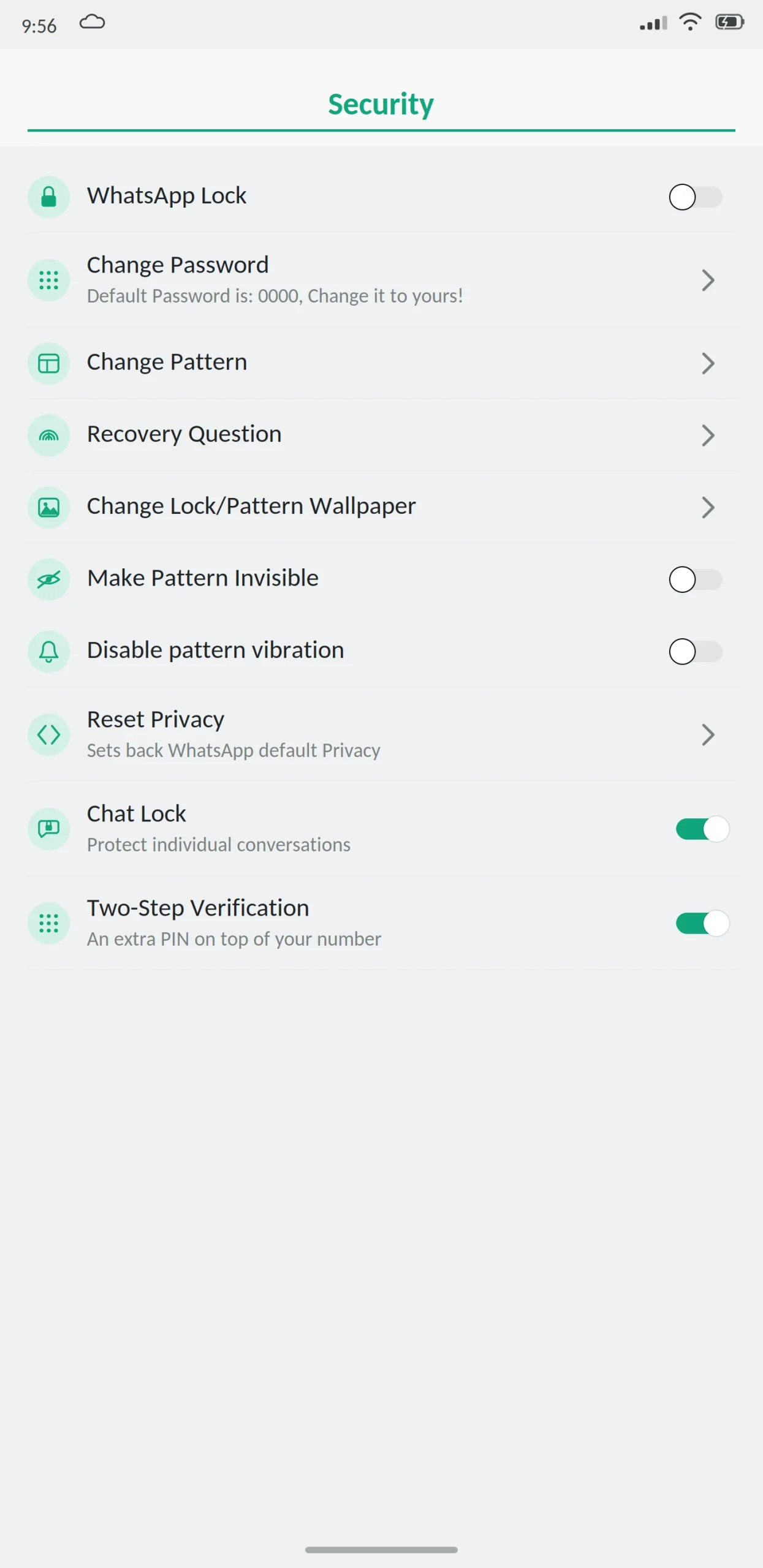
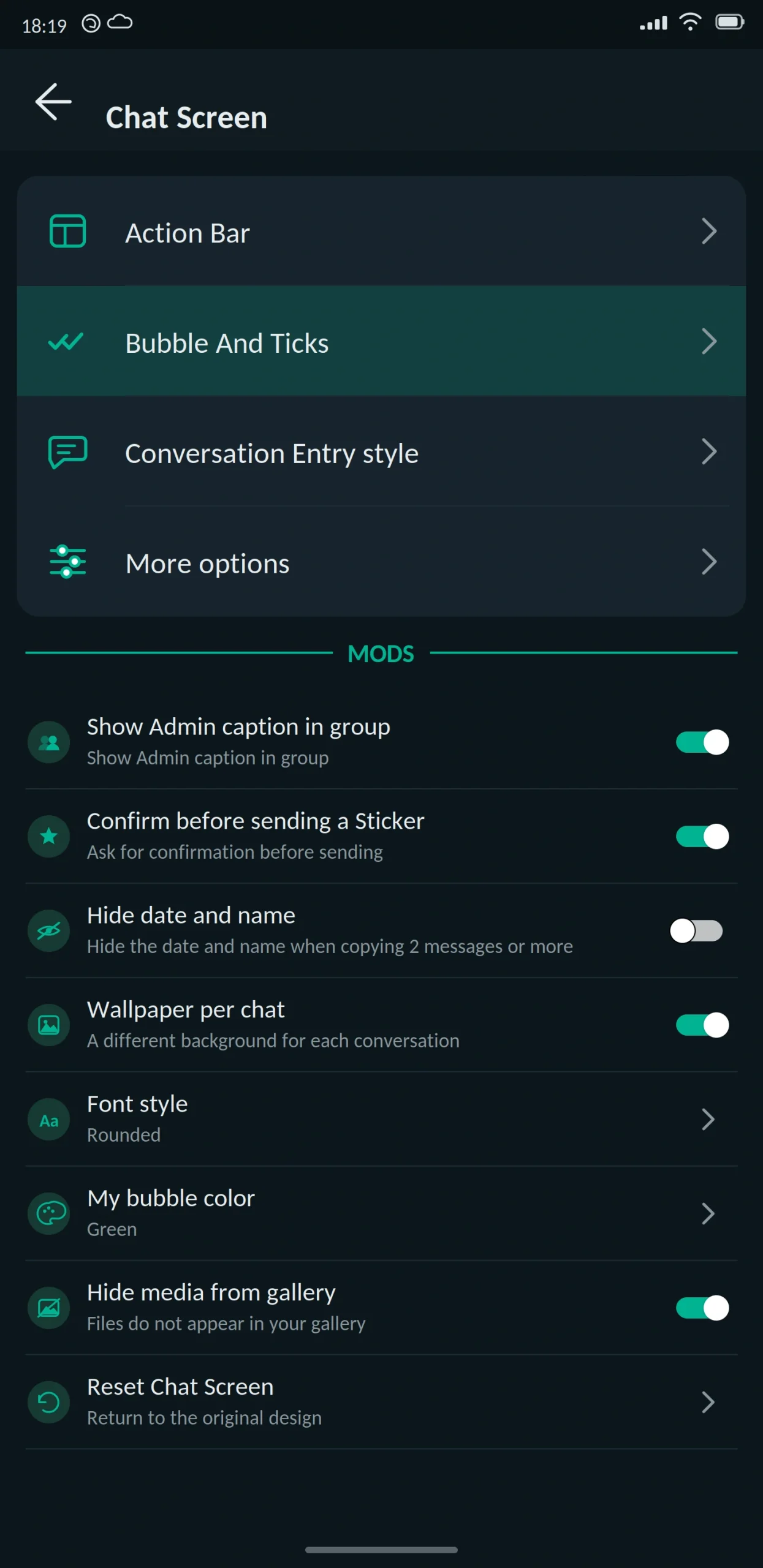
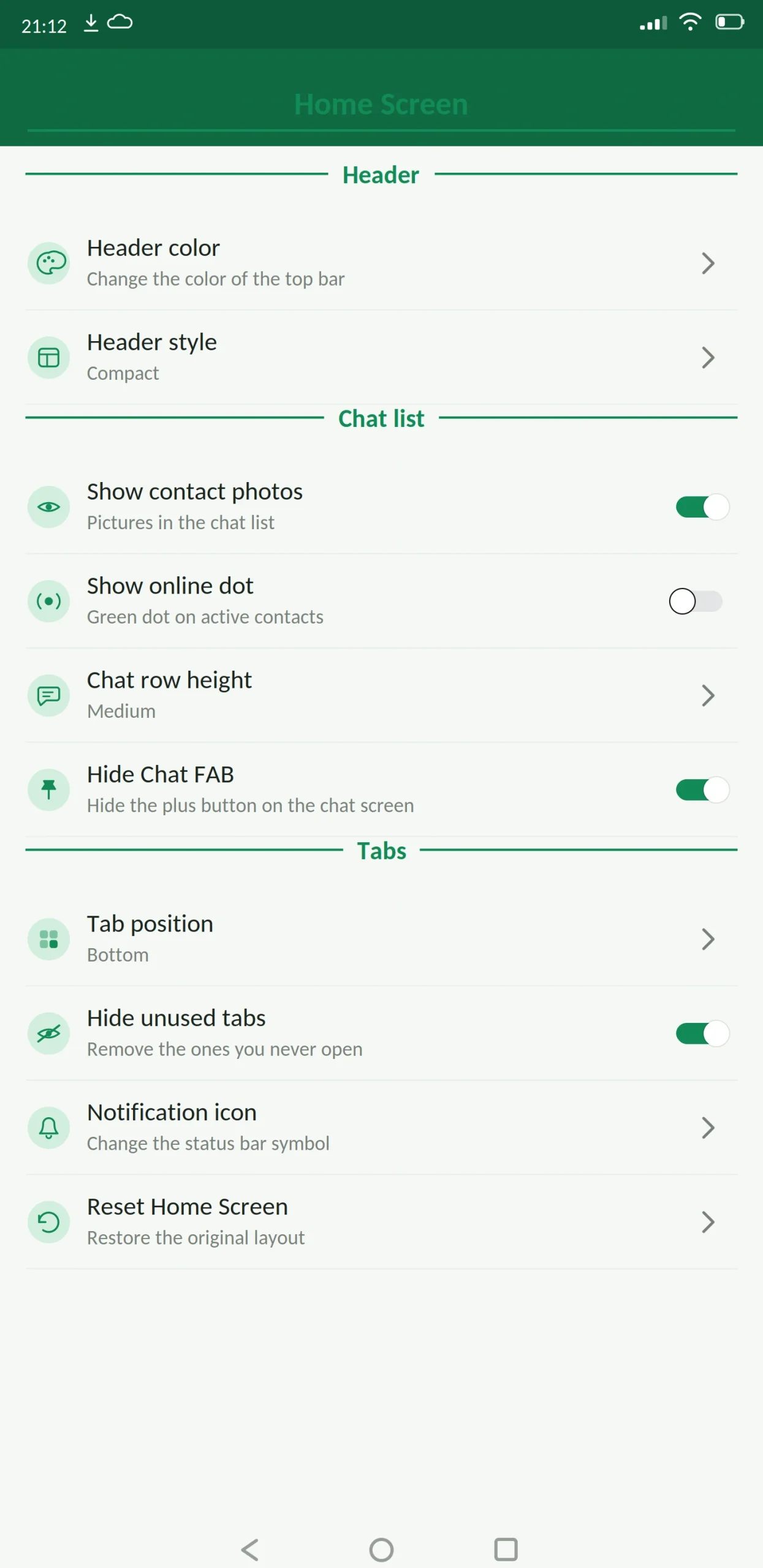
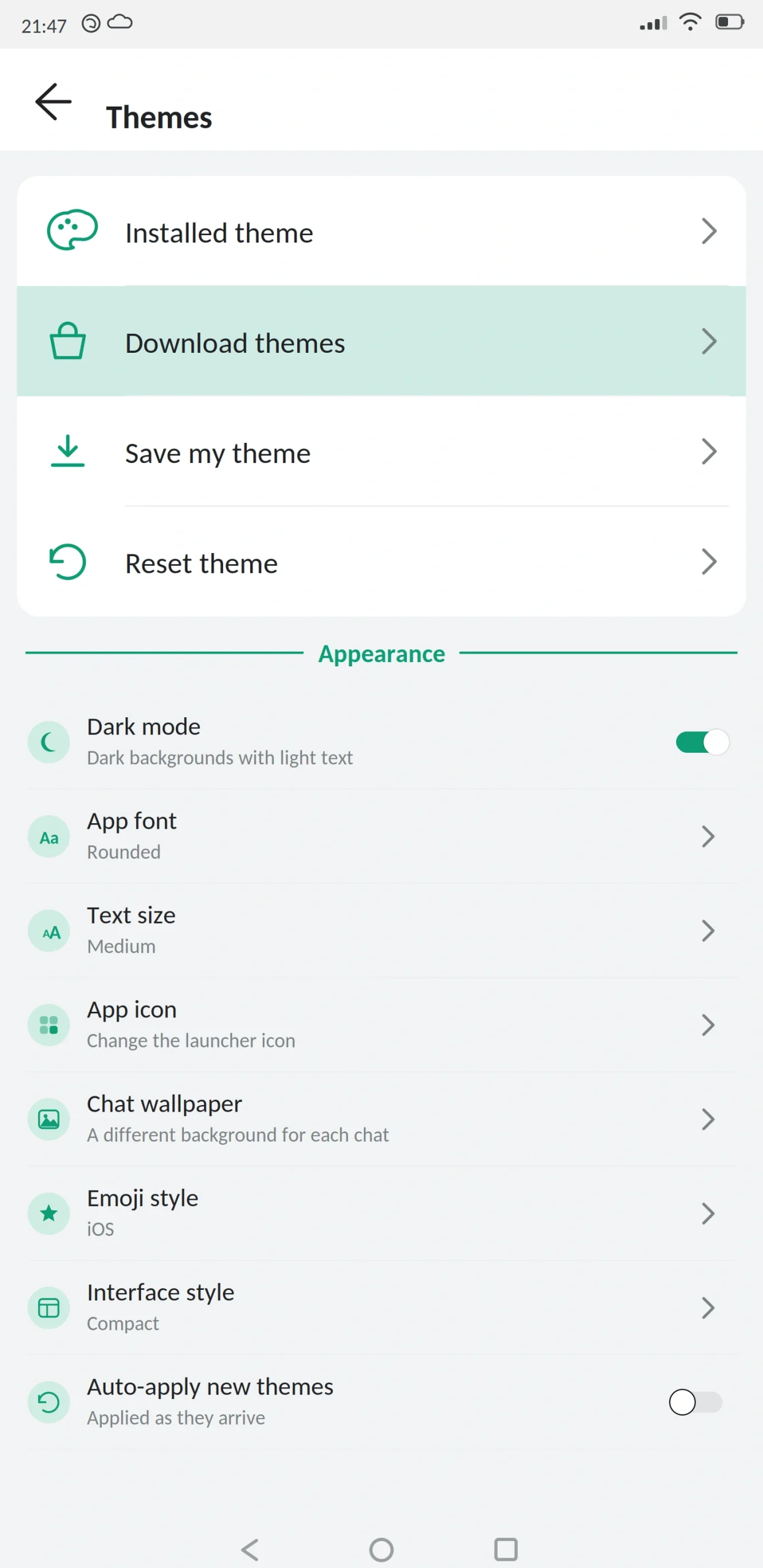
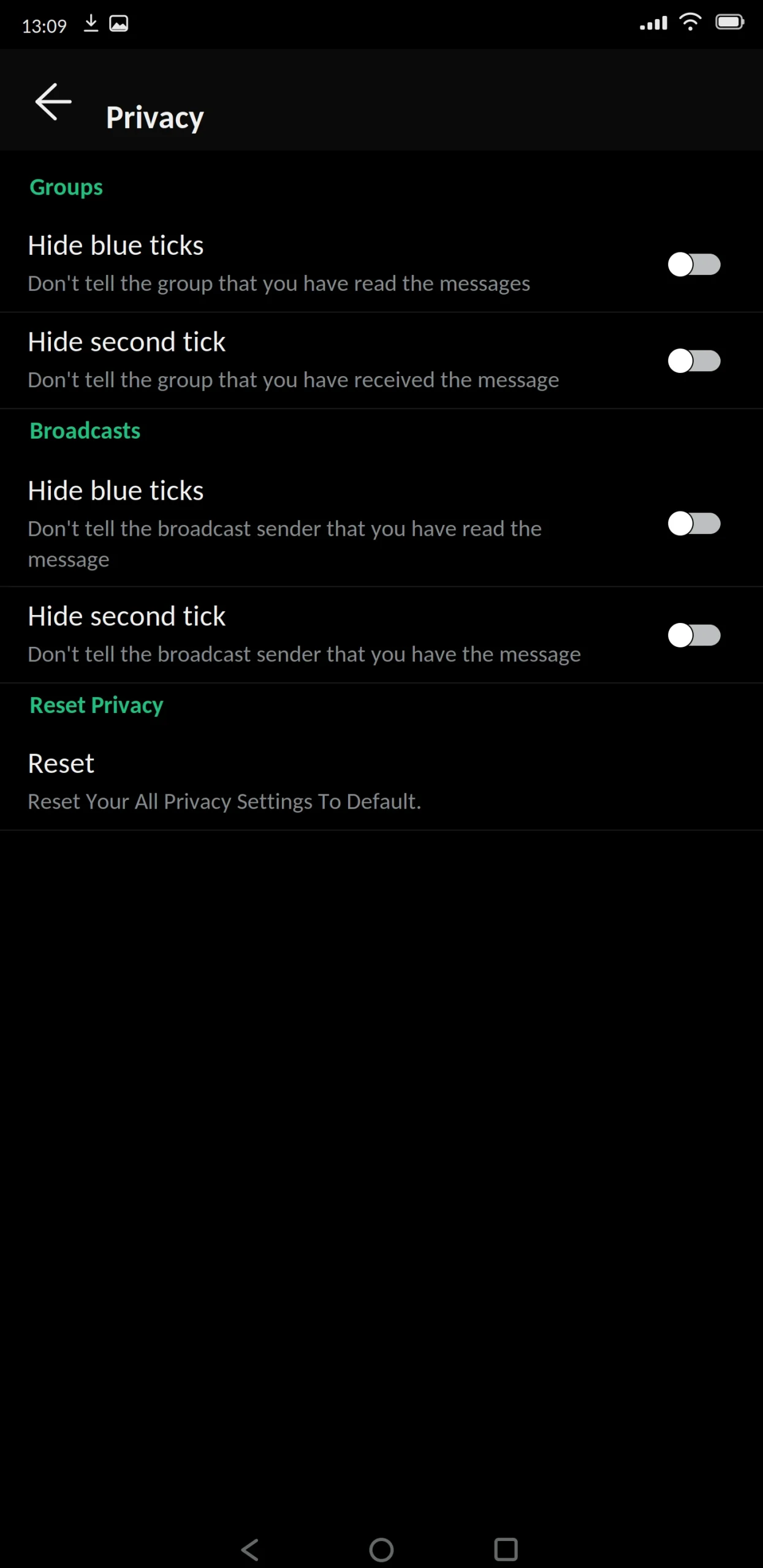
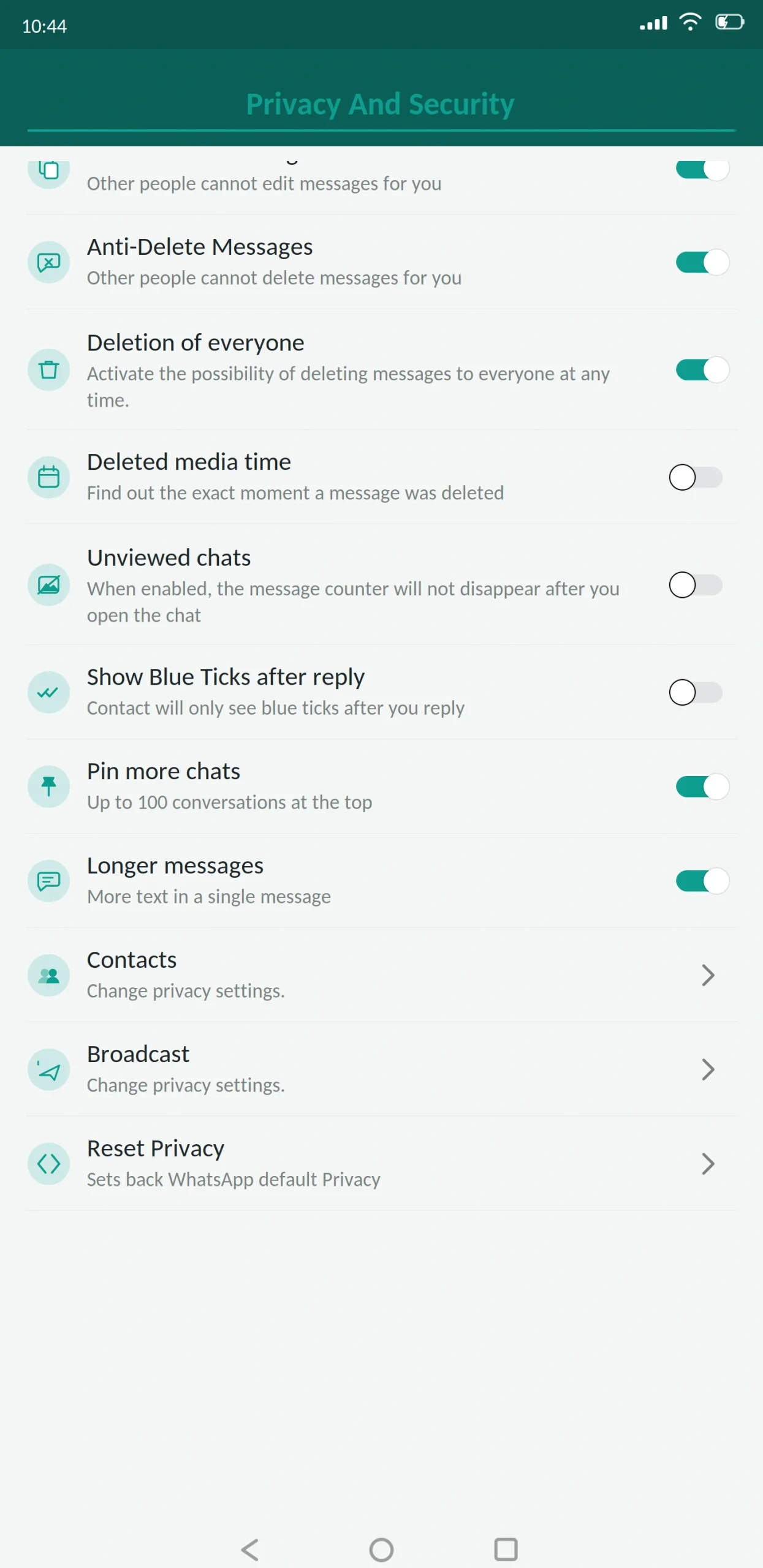
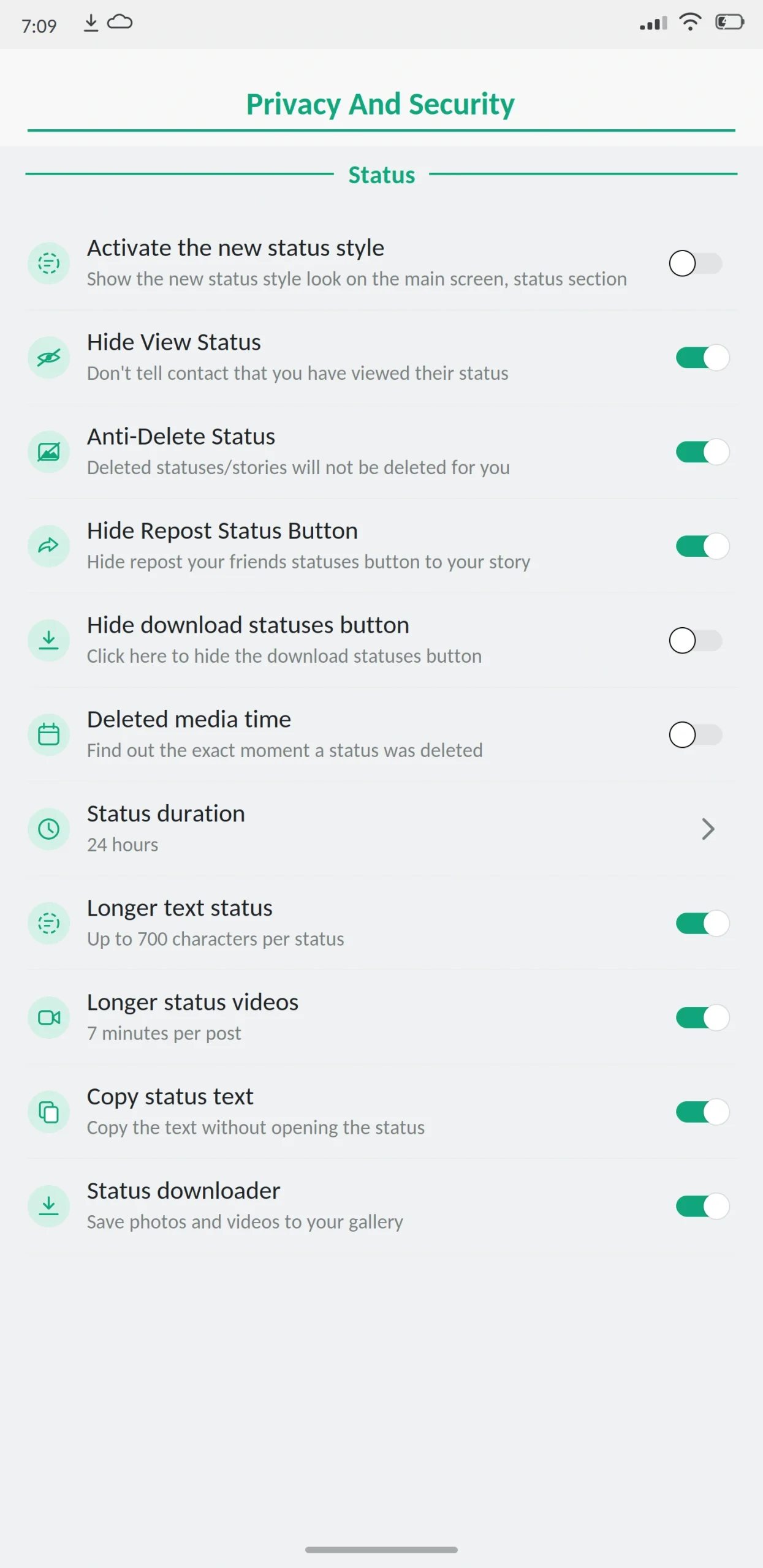
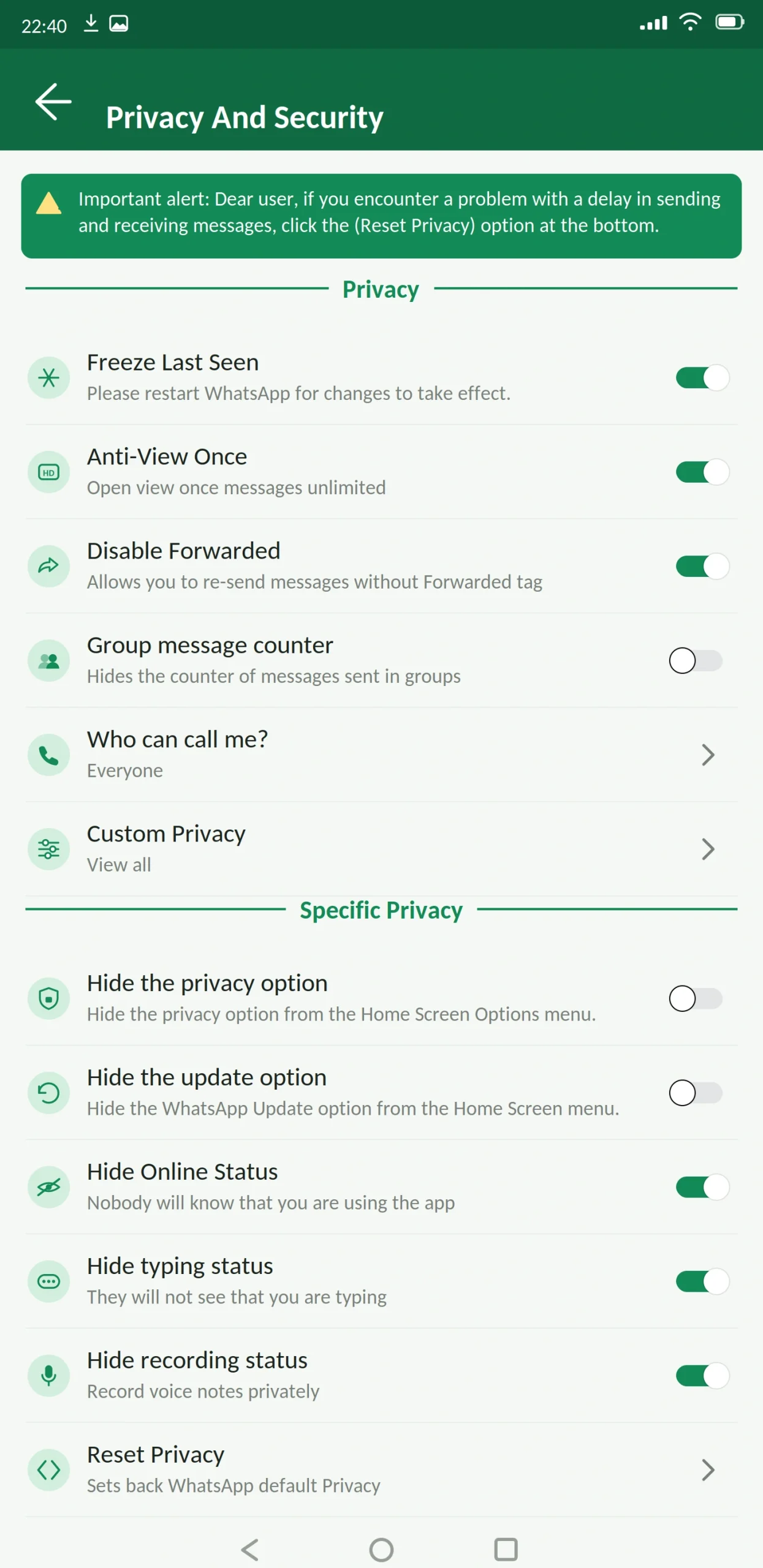
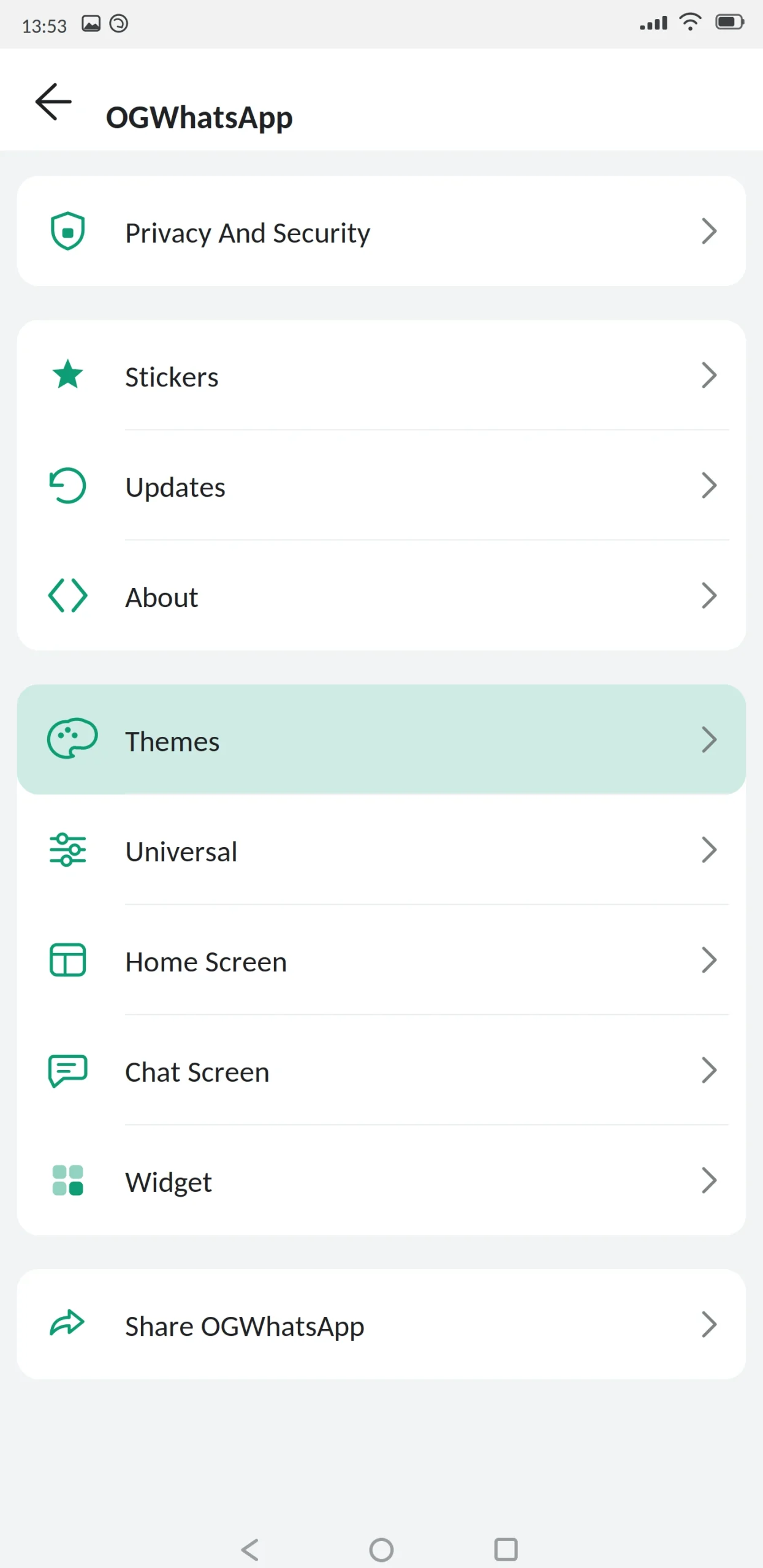
OG WhatsApp is a modified version of WhatsApp built to run well on older and lower-powered Android phones. It carries the same privacy tools and customization as the bigger mods, but in a smaller package that does not struggle on modest hardware.
If GB WhatsApp or Yo WhatsApp made your phone sluggish, this is the build worth trying next.
App Specifications
| Detail | Information |
|---|---|
| App name | OG WhatsApp (OGWhatsApp) |
| Version | v18.80 |
| File size | 93 MB |
| Android required | 4.4 or higher |
| Base version | WhatsApp 2.26.x |
| Developer | Independent (OGMods) |
| Price | Free |
| Play Store | Not available |
| Root needed | No |
What Is OG WhatsApp?
OG WhatsApp is an unofficial build of WhatsApp. Developers take the official app, add extra features, strip out weight where they can, and release it as an APK you install manually.
The name comes from “original” it was one of the first mods to appear after WhatsApp Plus, and it built its reputation on doing one thing the others neglected: running properly on cheap phones.
Underneath it is still WhatsApp. Same number, same contacts, same messages, same servers.
Why it runs better
The larger mods compete on feature count, and every feature adds weight. OG takes the opposite approach.
The APK is roughly 58 MB against 78–98 MB for the big three. It ships fewer bundled themes, so less is loaded into memory at startup. Animations are lighter. Background services are trimmed.
On a phone with 2 GB of RAM, that difference is very noticeable. The app opens in a second or two rather than five, chats with a lot of media scroll without stuttering, and it does not get killed by the system every time you switch away.
The trade is fewer novelty features and a smaller theme library. If you want everything, this is not your build.
It also supports older Android
OG runs on Android 4.4, which most mods dropped years ago. If you have a phone that cannot go past KitKat or Lollipop, your options are extremely limited, and this is usually one of the few that still installs.
Main Features
Privacy
- Freeze last seen. Lock it at a fixed time so contacts always see the same one.
- Hide online status. Nobody can tell you are active.
- Hide blue ticks. Read messages without the read receipt appearing.
- Hide the second tick. Hide delivery confirmation too, so the sender cannot tell it arrived.
- Hide typing and recording indicators. Compose without being watched.
- Anti-delete messages. Messages other people delete stay visible to you.
- Anti-delete status. Same for status updates.
- View statuses anonymously. Watch without appearing in the viewer list.
- Who can call me. Restrict calls to contacts, selected contacts, or nobody.
The privacy set is essentially complete. This is where OG does not cut corners, and rightly so it is the reason most people install any mod.
Customization
A theme store, though smaller than the ones in GB or Yo. Font and text size controls. Bubble and tick styling. Per-chat wallpapers. Changeable app icon.
What you will not find is the layer-by-layer control Yo offers. You pick a theme and adjust a handful of settings. For most people that is enough; for theme enthusiasts it will feel thin.
Messaging
Message scheduler, auto reply, send to a number without saving it, more pinned chats, and longer status updates.
Security
App lock with PIN, pattern or fingerprint. Chat lock. Two-step verification with recovery email turn it on the day you install.
Anti-ban protection is included, though it is updated less frequently than GB’s or FM’s. On an older build cycle, that gap matters, so keeping current is more important here than elsewhere.
Media
Images at original quality, video without heavy compression, and files above the official limits. On older phones, sending very large files can be slow or fail outright that is the hardware, not the app.
What’s New in the Latest Version
This release focused on keeping compatibility with current WhatsApp while staying light.
The base was updated to the current WhatsApp version, so newer official features work. Anti-ban was refreshed. Memory use during media-heavy chats was reduced further, which is the main reason to install this build in the first place.
Storage permission handling was fixed for Android 13 and above, which resolved backup failures. Support for Android 4.4 was retained rather than dropped, which is unusual now and deliberate.
Also added: in-chat translation, message edit history, and per-chat automatic download control. Notably absent are the AI features other mods added this year they add weight, and that runs against the point of this build.
OG WhatsApp vs Official WhatsApp
| Feature | OG WhatsApp | Official WhatsApp |
|---|---|---|
| Runs on Android 4.4 | Yes | No |
| File size | ~58 MB | ~90 MB+ |
| Hide online status | Yes | No |
| Freeze last seen | Yes | No |
| Hide blue ticks | Yes | No |
| Anti-delete messages | Yes | No |
| View status anonymously | Yes | No |
| Custom themes | Yes | Light/dark only |
| Message scheduler | Yes | No |
| Built-in app lock | Yes | Device level only |
| Larger file limits | Yes | No |
| Play Store | No | Yes |
| Automatic updates | No | Yes |
| Ban risk | Real | None |
Best Alternatives
GB WhatsApp Lite — the direct competitor. Also built for low-end phones, from the GB project. Compare file sizes and pick whichever runs better on your specific device.
FM WhatsApp — heavier than OG but lighter than the flagships, with a stronger anti-ban record. A good middle option if your phone can handle it.
GB WhatsApp Pro — everything OG leaves out, at the cost of speed on older hardware.
Official WhatsApp — worth saying plainly: if your phone is struggling and you do not specifically need the privacy features, the official app is lighter than most mods and carries no ban risk at all.
Signal — light, official, genuinely private, no account risk. No customization.
Is OG WhatsApp Safe?
The same answer applies as to every mod: it can be reasonably safe, but it cannot be verified as completely safe.
Account bans are a real risk. Using a modified client breaks WhatsApp’s terms of service. OG’s anti-ban is updated less often than the larger projects, so the gap between Meta changing detection and this build responding can be longer. Keeping current matters more here than with GB or FM.
Encryption cannot be independently verified. Nobody outside the developer can confirm the encryption path is intact in any modified build. Nobody can prove it is broken either. Keep sensitive conversations on the official app.
Fake files are the practical danger. Any APK can be altered before reaching you. Scan it, check the size, read the permissions at install.
Older phones add their own risk. A device stuck on Android 4.4 or 5.0 stopped receiving Android security patches years ago. That is a bigger security problem than which messaging app you run, and no app can fix it.
Do not install this if your number carries your business or is your only line to people who matter.
What to Know Before Installing
Google Drive backup does not work. Local backups only.
Backups may not transfer between mods. Different package names and signing keys.
Check your free storage honestly. Older phones often have 8 or 16 GB total. The app plus media can fill that faster than you expect, and a full device causes most of the crashes people blame on the app.
How to Download and Install
Back up your chats in your current app and let it finish. On an older phone this takes longer than you expect — do not interrupt it.
Free up storage before you start. You want at least 150 MB clear, ideally more.
Enable “unknown sources” when Android prompts. On Android 4.4 and 5.0 this lives in Settings, then Security, rather than the per-app permission newer versions use.
Open the file, read the permissions, and install. Enter your number and confirm with the SMS code. Never share that code with anyone.
Restore your backup, review privacy settings, and turn unknown sources back off.
How to Update
Back up first, then install the new file over the existing app without uninstalling.
Because anti-ban here updates more slowly, staying on the current version is more important than with other mods. Check for a new build every few weeks rather than waiting until something breaks.
Common Problems and Fixes
“App not installed.” On older phones this is almost always storage. Free up space and retry.
App is slow even after installing. Clear the cache, and check how much free storage you have. Below about 10% free, Android throttles everything.
Crashes when opening media-heavy chats. Turn off automatic media download for busy groups, and clear the app cache.
Verification code not arriving. Check number, country code and signal. Repeated requests trigger a cooldown.
Chats missing after restore. The backup came from a different mod, or storage permission was not granted.
Notifications delayed. Battery optimisation, or an aggressive task killer if your phone has one preinstalled.
Frequently Asked Questions
Pros and Cons
| Pros | Cons |
|---|---|
| Much lighter than the flagship mods | Smaller theme library |
| Runs on Android 4.4 and up | Anti-ban updates less frequently |
| Full privacy control set intact | Fewer novelty features |
| Fast on 2 GB RAM devices | Encryption cannot be independently verified |
| Free | Real risk of account restriction |
| Sensible on cheap hardware | Manual updates, no Drive backup |
Verdict
OG WhatsApp does one thing well: it gives you the privacy controls people install mods for, without the weight that makes those mods painful on cheap phones.
If your device has 2 GB of RAM or less, or it is stuck on an old Android version, this is a sensible choice possibly one of the only ones that still installs. If you have a current phone, GB WhatsApp Pro or FM WhatsApp will serve you better.
One honest note worth weighing. If your phone is old enough that this build is the only mod that runs, it is also old enough to have stopped getting Android security updates. That is a real risk, and adding an unverifiable modified app on top of it is not a small decision.
Back up before installing, never share your verification code, and turn unknown sources back off when you are done.
