
OneDrive APK Download and Free Storage [2026]
Download OneDrive APK for Android. Get 5 GB free storage, learn how the 1 TB plan really works, and fix sync errors with the full install guide inside.
Category: Cloud Storage
Version
v7.61
Size
104 MB
Android
8.0+
Update Date
18 – 8 – 26
Screenshots:
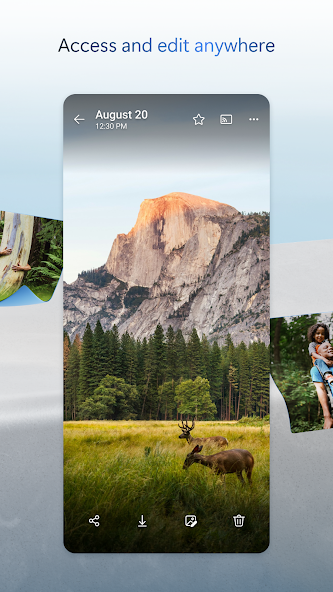


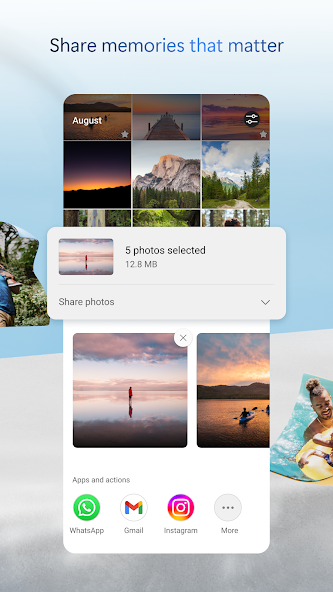
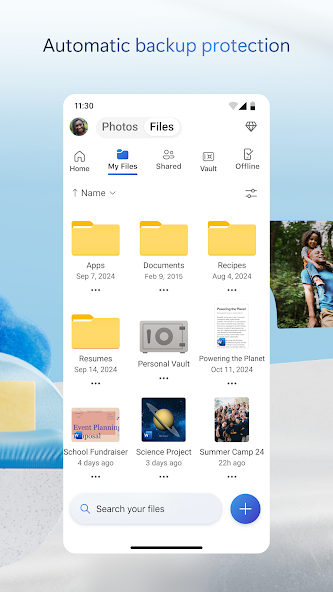
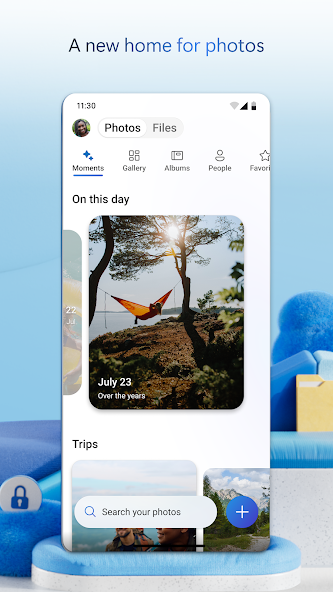
Microsoft OneDrive gives every account 5 GB of free storage, with 1 TB available to Microsoft 365 subscribers. The OneDrive APK runs on Android 6.0 and above and installs in about two minutes. You can get the current build from APPDROID.NET and sign in with a Microsoft account.
The 1 TB figure is what brings most people to this app, and it needs clarifying immediately. That terabyte is not a free tier and never has been. It arrives bundled with a paid Microsoft 365 subscription alongside the Office apps.
What the free plan does offer is the deepest Windows integration of any cloud service. Your desktop, documents, and pictures folders sync without any setup at all. For anyone working across a PC and an Android phone, that matters more than the storage number.
OneDrive APK File Details
| Detail | Information |
|---|---|
| App Name | Microsoft OneDrive |
| Package Name | com.microsoft.skydrive |
| Latest Version | (verify current build) |
| Developer | Microsoft Corporation |
| Category | Productivity |
| Android Requirement | Android 6.0 or higher |
| Free Storage | 5 GB |
| Max File Size | 250 GB |
| Encryption | Standard, not zero-knowledge |
| Price | Free (Microsoft 365 plans available) |
What Is Microsoft OneDrive?
OneDrive is Microsoft’s cloud storage service, built into Windows 10 and 11 and tied to your Microsoft account. Files sync automatically between your PC, phone, and browser. The Android app handles uploads, camera backup, sharing, offline files, and document scanning.
Its defining feature is that Windows users already have it. Desktop, Documents, and Pictures folders can back up with a single toggle and no extra software. Office documents open and edit directly through the linked apps.
Outside the Microsoft ecosystem the appeal drops sharply. Five gigabytes is small, and the standalone app offers little that rivals do not do better.
How to Get 1 TB Free with Microsoft 365
This is the most searched question about OneDrive, and the honest answer disappoints a lot of people.
What the Free Plan Actually Includes
A free Microsoft account gets 5 GB of OneDrive storage. That figure has not changed in years. It includes camera backup, sharing, and Personal Vault with restrictions.
Why 1 TB Is Not a Free Tier
The terabyte is bundled with a paid Microsoft 365 subscription, which also includes Word, Excel, PowerPoint, and Outlook. It is a subscription benefit rather than a free allowance. No route exists to get 1 TB of OneDrive storage without paying.
Is the Subscription Worth It?
The maths works if you would otherwise pay for Office anyway. You get the applications plus a terabyte of storage for roughly what dedicated storage costs alone. If you have no use for Office, cheaper storage exists elsewhere.
OneDrive Personal Vault Explained
What Personal Vault Protects
Personal Vault is a protected folder that requires a second authentication step to open. It suits identity documents, financial records, and anything you would not want visible on an unlocked phone. The folder locks itself again after a period of inactivity.
File Limits on the Free Plan
Free accounts can store only a small number of files in Personal Vault, typically around three. Microsoft 365 subscribers get unlimited Vault files. This restriction catches out people expecting a full secure folder.
Key Features of OneDrive
5 GB Free Storage
Five gigabytes sits ahead of Dropbox and behind everything else on this list. It holds documents comfortably and photo libraries poorly. The allowance is permanent and requires no card.
Windows and Office Integration
Nothing else integrates with Windows this deeply. Desktop, Documents, and Pictures folders back up with one toggle, and files appear in File Explorer natively. Office documents open and save directly.
Automatic Camera Upload
New photos and videos copy to your account once enabled. A Wi-Fi-only setting keeps it off mobile data. The 5 GB ceiling means most camera rolls will exceed it quickly.
File Sharing and Permissions
Shared links can be set to view-only or edit-enabled, with expiry dates on paid plans. Recipients need no Microsoft account to open a link. Permissions are managed from the same menu.
Offline Files
Files marked for offline use stay readable without a connection. Changes sync automatically on reconnection. The feature is reliable on the free plan.
Document Scanner
A built-in scanner captures receipts, whiteboards, and documents. It crops and straightens pages automatically. Everything saves directly into your account.
OneDrive Auto-Sync on Android
The Android app can back up your camera roll automatically, but Android’s battery management frequently interrupts it. Turn off battery optimisation for OneDrive if backups stall. Restricting uploads to Wi-Fi also improves reliability on most devices.
Why OneDrive Keeps Filling Up
Five gigabytes fills faster than people expect, usually for one of four reasons.
- Camera backup is uploading your entire photo library
- Windows is syncing Desktop, Documents, and Pictures folders
- Deleted files are still sitting in the recycle bin
- Old device backups remain from phones you no longer use
Clearing the recycle bin is the fastest single fix. Turning off folder backup for Pictures usually reclaims the most space.
OneDrive Free vs Microsoft 365 Plans
| Feature | Free | Microsoft 365 |
|---|---|---|
| Storage | 5 GB | 1 TB per user |
| Personal Vault Files | Around 3 | Unlimited |
| Office Apps | Web only | Full desktop apps |
| Max File Size | 250 GB | 250 GB |
| Link Expiry Dates | No | Yes |
| Ads | No | No |
System Requirements
| Requirement | Minimum | Recommended |
|---|---|---|
| Android Version | 6.0 | 9.0 or newer |
| RAM | 2 GB | 4 GB or more |
| Free Storage | 150 MB | 500 MB |
| Internet | Stable 4G | 5G or Wi-Fi |
How to Download and Install OneDrive APK on Android
- Open your browser and visit APPDROID.NET.
- Tap the OneDrive APK Download button on the page.
- Wait for the file to finish downloading.
- Open your settings and allow installs from unknown sources for your browser.
- Tap the downloaded file and choose Install.
- Launch the app and sign in with your Microsoft account.
- Grant the storage and photo permissions it requests.
Leave camera backup switched off at first if you have a large photo library. Five gigabytes will fill within minutes otherwise.
How to Use OneDrive
- Tap the plus icon to upload a file or create a folder.
- Open Settings to enable camera upload if you want photo backup.
- Long-press any file and choose Share to send a link.
- Set the link to view-only or edit-enabled before sending.
Deleted files sit in the recycle bin and keep consuming quota until removed. Empty it regularly on a 5 GB plan.
Is OneDrive Safe?
OneDrive is backed by Microsoft’s enterprise security infrastructure, with encryption in transit and at rest plus mature account protection. Two-factor authentication is available and worth enabling.
Does OneDrive Have End-to-End Encryption?
No. Microsoft holds the encryption keys and retains technical access to your files. Personal Vault adds an authentication layer rather than zero-knowledge encryption. Use MEGA or Internxt for material that must stay unreadable to the provider.
Where Your Files Are Stored
Servers are global, with data residency options on business plans. Personal accounts typically fall under US jurisdiction. This is standard for the category.
OneDrive vs TeraBox
| Feature | OneDrive | TeraBox |
|---|---|---|
| Free Storage | 5 GB | 1 TB |
| Download Speed | Full speed | Throttled |
| Max File Size | 250 GB | 4 GB |
| Encryption | Standard | None |
| Ads on Free | No | Yes |
| Windows Integration | Native | None |
| Best For | Windows users | Large archives |
TeraBox gives two hundred times more free space. OneDrive gives full download speeds, no ads, and native Windows integration. Anyone working across a PC and phone will value the second set more.
Pros and Cons of OneDrive
| Pros | Cons |
|---|---|
| Deepest Windows integration | Only 5 GB free |
| No ads on any plan | 1 TB requires a paid subscription |
| Office apps included on paid plans | Personal Vault limited on free |
| 250 GB maximum file size | No end-to-end encryption |
| Full-speed downloads | Android backups interrupted by battery saver |
| Personal Vault for sensitive files | Little appeal outside Microsoft ecosystem |
OneDrive Not Working? Common Errors and Fixes
Storage Full Message
- Empty the recycle bin, since deleted files still count.
- Turn off folder backup for Pictures on Windows.
- Remove old device backups you no longer need.
Upload Failed
- Check that your connection is stable.
- Confirm you have quota remaining.
- Retry over Wi-Fi rather than mobile data.
Camera Upload Not Working
- Confirm camera upload is enabled in settings.
- Grant full photo and media permissions.
- Turn off battery optimisation for OneDrive.
Files Not Syncing
- Force close and reopen the app.
- Confirm you are signed into the correct account.
- Check whether you have exceeded your 5 GB limit.
Login or Account Error
- Confirm your Microsoft account credentials.
- Check whether two-factor authentication is blocking the attempt.
- Reset your password through the official recovery flow.
Best Alternatives to OneDrive
Google Drive gives 15 GB free with better collaboration for anyone outside the Microsoft ecosystem. MEGA offers 20 GB free with zero-knowledge encryption included. pCloud provides 10 GB free with lifetime plans and no subscription.
For Windows users specifically, OneDrive is difficult to beat because the integration costs nothing to set up. For everyone else, most alternatives give more space.
Final Verdict
OneDrive makes sense for one audience above all others. If you use Windows and Office, the integration is seamless, downloads run at full speed, there are no ads, and everything simply works without configuration. Microsoft 365 subscribers effectively get a terabyte alongside software they already wanted.
Outside that context the appeal thins quickly. Five gigabytes is small, Personal Vault is crippled on the free plan, and the 1 TB everyone searches for requires a paid subscription. Judge it on the ecosystem rather than the storage figure.
Get the current build and full specifications from APPDROID.NET, updated whenever a new version ships.
