
pCloud APK Download Latest Version for Android
Download pCloud APK free for Android. Get 10 GB free storage, automatic backup and lifetime plans. Full install guide, setup steps and fixes inside. Start now.
Category: Cloud Storage
Version
4.23.0
Size
54 MB
Android
5.0+
Update Date
18 Aug. 26
Screenshots:

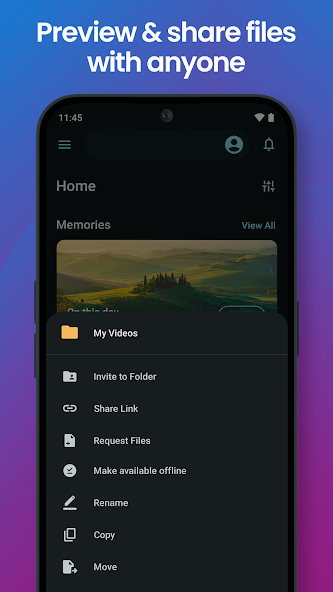
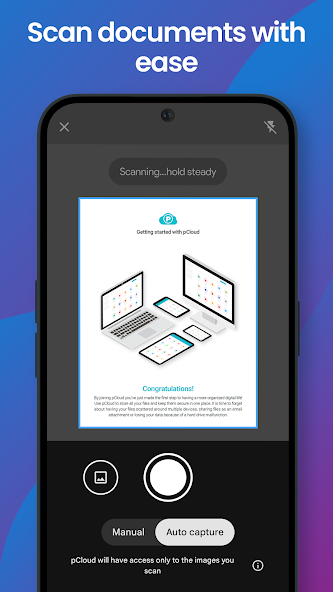
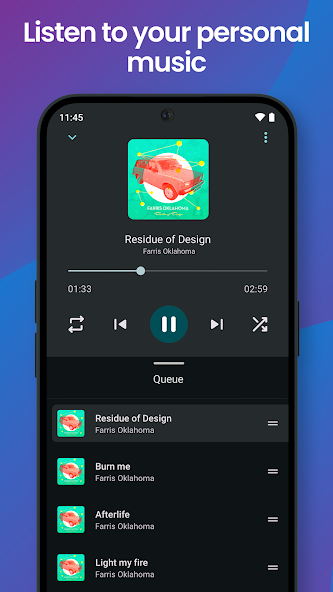
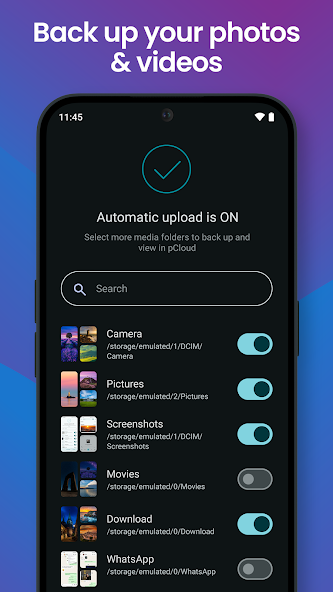
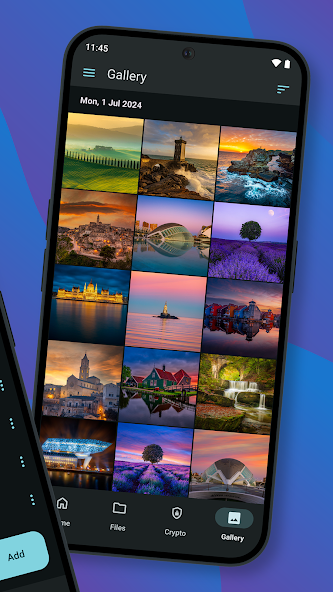

pCloud is a Swiss cloud storage app that gives you 10 GB of free storage with automatic photo backup, a built-in audio player, and secure file sharing. The pCloud APK installs on any Android 5.0 device in under two minutes. You can get the latest version from APPDROID.NET and start uploading right away.
The app stands out for two reasons. It offers lifetime plans instead of endless monthly billing, and it lets you pick whether your files sit on servers in the United States or the European Union. Very few cloud apps give you either option.
Most people come to pCloud after outgrowing a smaller free tier. It handles large media well, streams your music without a separate player, and previews documents without a download. This guide covers the download, the real free storage rules, and every setting worth changing.
pCloud APK File Details
| Detail | Information |
|---|---|
| App Name | pCloud: Cloud Storage |
| Package Name | com.pcloud.pcloud |
| Latest Version | v4.22.3 |
| Developer | pCloud LTD |
| Category | Productivity / Tools |
| Android Requirement | Android 5.0 or higher |
| Free Storage | 10 GB |
| Price | Free (paid plans available) |
| Encryption | Paid add-on |
| Last Updated | August 2026 |
What Is pCloud?
pCloud APK is a cloud storage service that stores your files online and syncs them across every device you own. You upload photos, videos, documents, or music once, then open them from your phone, tablet, or computer. The Android app handles all of this from a single screen.
The service launched in Switzerland and keeps its privacy policy under Swiss law. That matters more than most people realise, because Swiss data protection rules are stricter than those in many other countries. Your files are also stored in whichever region you choose during setup.
How Does pCloud Work?
The app creates a private drive that lives on pCloud’s servers rather than your phone. Anything you drop into that drive uploads in the background and stays available even if you lose your device. You can then share any file through a link, with a password and expiry date attached if you want one.
pCloud Free Storage Explained
This is where most guides get pCloud wrong, so read this part carefully. The advertised figure is 10 GB, but you do not receive all of it the moment you sign up. The remaining space unlocks through a short checklist.
Storage You Get at Signup
A brand new account starts with 5 GB. That covers a few hundred photos or a handful of videos, which is enough to test the service properly. Nothing expires and no card is needed.
Tasks That Unlock the Rest
The second 5 GB arrives once you complete a few simple steps. These usually include verifying your email address, installing the desktop client, uploading your first file, and turning on automatic upload. Each step adds a chunk of space until you reach the full 10 GB.
- Verify your email address
- Install the desktop app on Windows or Mac
- Upload your first file
- Turn on automatic photo upload
- Invite a friend through your referral link
Does pCloud Free Storage Expire?
The 10 GB is permanent once unlocked and carries no time limit. Your files stay put as long as the account stays active. Long periods of complete inactivity can put any free account at risk, so sign in occasionally.
Key Features of pCloud
The feature set is stronger than the free tier size suggests. Here is what actually matters day to day.
10 GB Free Storage
Ten gigabytes puts pCloud in the upper half of free cloud storage plans. It sits ahead of Dropbox and OneDrive, level with Box and Icedrive, and behind MEGA. Paid upgrades run all the way to 2 TB.
Automatic Photo and Video Backup
The Automatic Upload setting copies new photos and videos to your account as you take them. You can restrict it to Wi-Fi only so it never touches your mobile data. This single feature is why most people install the app in the first place.
Built-In Audio Player
The app plays music stored in your account without downloading it first. You can build playlists and listen straight from the cloud, which frees up phone storage. Few competing apps include a real player rather than a basic preview.
Document Scanner
A built-in scanner turns receipts, invoices, and paperwork into clean files. You point your camera, and the app crops and straightens the page automatically. Everything saves directly into your drive.
File Sharing with Password and Expiry
Shared links can carry a password and an expiry date. That means a link you send today can stop working next week without you doing anything. It is a proper privacy control rather than a token feature.
How to Unlock the Full 10 GB on pCloud
The full allowance takes about ten minutes of effort. Work through the list below in order and check your storage meter after each step.
- Create your account and confirm the verification email.
- Open the app and upload any file.
- Turn on Automatic Upload in the settings menu.
- Install the desktop client on a computer and sign in once.
- Share your referral link with one person who signs up.
Your storage meter updates within a few minutes of each completed step. If a step does not register, sign out and back in to refresh the account. The full 10 GB then stays permanently.
pCloud Lifetime Plans Explained
Lifetime pricing is pCloud’s real differentiator, and almost nobody else in this category offers it. You pay once and keep the storage with no renewal.
How Lifetime Pricing Works
A lifetime plan is a single upfront payment rather than a monthly bill. Once paid, the storage belongs to your account permanently. There is no subscription to cancel and no renewal date to track.
Lifetime vs Monthly Cost Compared
| Plan Type | Payment | Break-Even Point |
|---|---|---|
| Monthly | Charged every month | — |
| Annual | Charged yearly, cheaper per month | — |
| Lifetime | One payment, no renewal | Roughly 3 to 4 years |
Is a Lifetime Plan Worth It?
The maths works if you expect to use the service beyond about four years. Anything shorter and an annual plan costs less overall. The obvious risk is company longevity, since a lifetime plan is only as good as the company behind it.
pCloud Crypto: Why Encryption Is a Paid Add-On
This section is the one honest weakness worth knowing before you commit. pCloud does offer proper zero-knowledge encryption, but not on the free plan.
What pCloud Crypto Protects
pCloud Crypto creates a separate encrypted folder inside your drive. Files placed there are scrambled on your device before upload, so pCloud itself cannot read them. Passwords, financial records, and identity documents belong in this folder.
What Is Not Encrypted on the Free Plan
Everything outside the Crypto folder is protected in transit and at rest, but not with zero-knowledge encryption. The company can technically access those files if legally required. Apps like MEGA, Sync.com, and Internxt include zero-knowledge protection free, so keep that in mind for sensitive material.
Choosing US or EU Servers
During signup you pick a storage region, and the choice is permanent. European users generally benefit from EU servers because of stronger data protection rules. Pick carefully, since changing later means moving your files manually.
pCloud Free vs Premium Plans
| Feature | Free | Premium |
|---|---|---|
| Storage | 10 GB | 500 GB to 2 TB |
| File Size Limit | No fixed limit | No fixed limit |
| Automatic Upload | Yes | Yes |
| Shared Link Passwords | Limited | Full control |
| File Version History | 15 days | Up to 365 days |
| pCloud Crypto | Not included | Paid add-on |
| Lifetime Option | No | Yes |
System Requirements
| Requirement | Minimum | Recommended |
|---|---|---|
| Android Version | 5.0 | 8.0 or newer |
| RAM | 2 GB | 4 GB or more |
| Free Storage | 100 MB | 500 MB |
| Internet | Stable 4G | 5G or Wi-Fi |
How to Download and Install pCloud APK on Android
The install takes about two minutes from start to finish.
- Open your browser and visit APPDROID.NET.
- Tap the pCloud APK Download button on the page.
- Wait for the file to finish downloading.
- Open your device settings and allow installs from unknown sources for your browser.
- Tap the downloaded file and choose Install.
- Open the app and grant the storage and photo permissions it requests.
- Create an account or sign in with an existing one.
Your drive appears empty on first launch, which is normal. Upload one file to confirm everything works before you turn on automatic backup.
How to Use pCloud
The core workflow takes four steps once the app is installed.
- Tap the plus icon in the corner to upload a file, photo, or folder.
- Open Settings and switch on Automatic Upload for your camera roll.
- Long-press any file and choose Share to create a link.
- Add a password or expiry date to that link if the file is private.
Files marked as Favourites stay available offline. Anything you delete moves to the trash rather than vanishing, so mistakes are recoverable for a limited window.
Is pCloud Safe?
pCloud is a legitimate Swiss company with a long operating history and a public privacy policy. Files are encrypted in transit and while stored on its servers. The service has no history of major breaches.
The honest limitation is the encryption tier. Without the paid Crypto add-on, your files are not zero-knowledge protected, meaning the company can technically access them. Keep passports, bank statements, and identity scans in an app that encrypts by default, or buy the add-on.
Two habits reduce your risk further. Turn on two-factor authentication in the account settings, and never install a cloud storage APK from a page that asks you to disable your antivirus first. No genuine app requires that.
pCloud vs TeraBox
| Feature | pCloud | TeraBox |
|---|---|---|
| Free Storage | 10 GB | 1 TB |
| Download Speed | Full speed | Throttled on free |
| Encryption | Paid add-on | None |
| Ads on Free Plan | No | Yes |
| Server Region Choice | US or EU | China / Singapore |
| Lifetime Plans | Yes | No |
| Best For | Daily sync and media | Large file storage |
TeraBox wins on raw space by a huge margin and nothing else comes close. pCloud wins on speed, privacy, and the absence of ads. Many people run both, using TeraBox as an archive and pCloud as a working drive.
Pros and Cons of pCloud
| Pros | Cons |
|---|---|
| 10 GB free, no time limit | Full 10 GB needs setup tasks |
| No ads on the free plan | Encryption costs extra |
| Lifetime plans available | Free tier smaller than MEGA |
| Built-in audio player | Version history only 15 days free |
| Choice of US or EU servers | Region cannot be changed later |
| Full download speed on free | Lifetime value depends on longevity |
pCloud Not Working? Common Errors and Fixes
Most problems fall into one of these six groups.
Upload Failed
- Check that your connection is stable.
- Confirm you have free space left in your account.
- Retry over Wi-Fi rather than mobile data.
Login or Verification Error
- Confirm your email address is verified.
- Reset your password from the sign-in screen.
- Check whether two-factor authentication is blocking the attempt.
Automatic Upload Not Working
- Open settings and confirm Automatic Upload is switched on.
- Grant the app full photo and media permissions.
- Turn off battery optimisation for pCloud.
Slow Sync or Download Speed
- Switch from mobile data to Wi-Fi.
- Close background apps competing for bandwidth.
- Pause other uploads while a large file transfers.
Storage Full Message
- Empty your trash folder, since deleted files still count.
- Complete any remaining bonus tasks to unlock your full 10 GB.
- Move large videos to another service or upgrade.
App Crashing on Android
- Update to the latest version of the app.
- Clear the app cache from your device settings.
- Reinstall if crashes continue after a cache clear.
Best Alternatives to pCloud
MEGA is the obvious first alternative with 20 GB free and zero-knowledge encryption included at no cost. Icedrive matches pCloud’s 10 GB and also sells lifetime plans, though shared links carry a daily bandwidth cap. TeraBox is the pick if raw storage size is all you care about.
Frequently Asked Questions
For sensitive documents specifically, Internxt and Proton Drive both encrypt everything by default on their free tiers. Their free allowances are smaller, but nothing you upload is readable by the provider.
Final Verdict
pCloud App is one of the better balanced cloud storage apps on Android in 2026. The 10 GB free tier is competitive, the app runs without ads, downloads are not throttled, and the built-in media player is genuinely useful. The lifetime plans make it the strongest option for anyone tired of monthly subscriptions.
Two things hold it back. The full 10 GB requires setup tasks that nobody tells you about, and zero-knowledge encryption sits behind a paid add-on when rivals include it free. Neither is a dealbreaker for everyday files.
Grab the current build and the full changelog from APPDROID.NET, updated whenever a new version ships.
