

Red WhatsApp APK Download Latest Version for Android
Red WhatsApp gives the WhatsApp interface a distinctive red appearance while adding the customization and privacy options commonly found in modified builds. This guide covers its features, installation process, APK verification tips, and practical ways to identify potentially repackaged or unsafe WhatsApp modifications.
Category: Social App
Version
v10.90
Size
79 MB
Android
7.0+
Update Date
18 – 8 – 26
Screenshots:


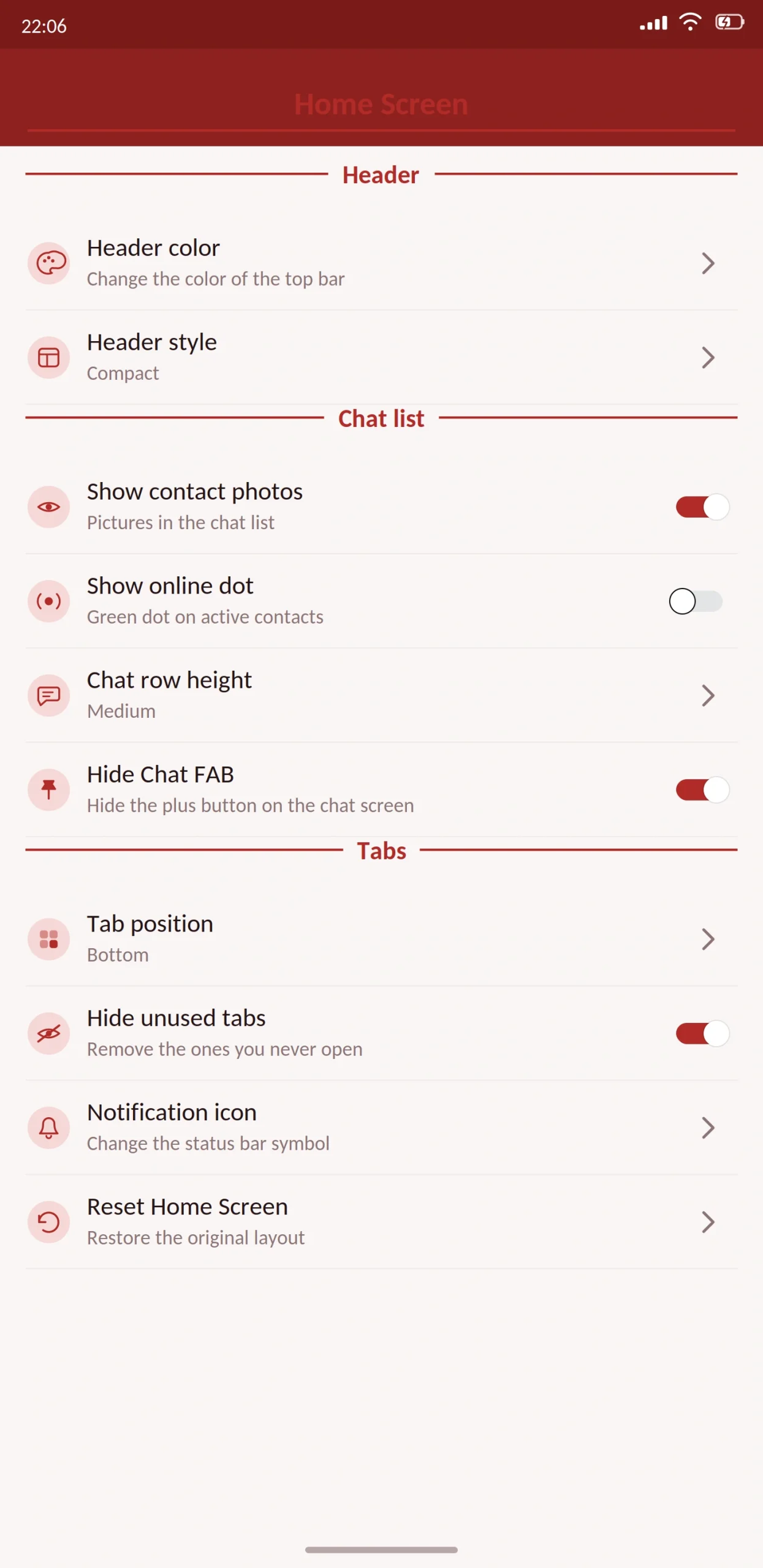


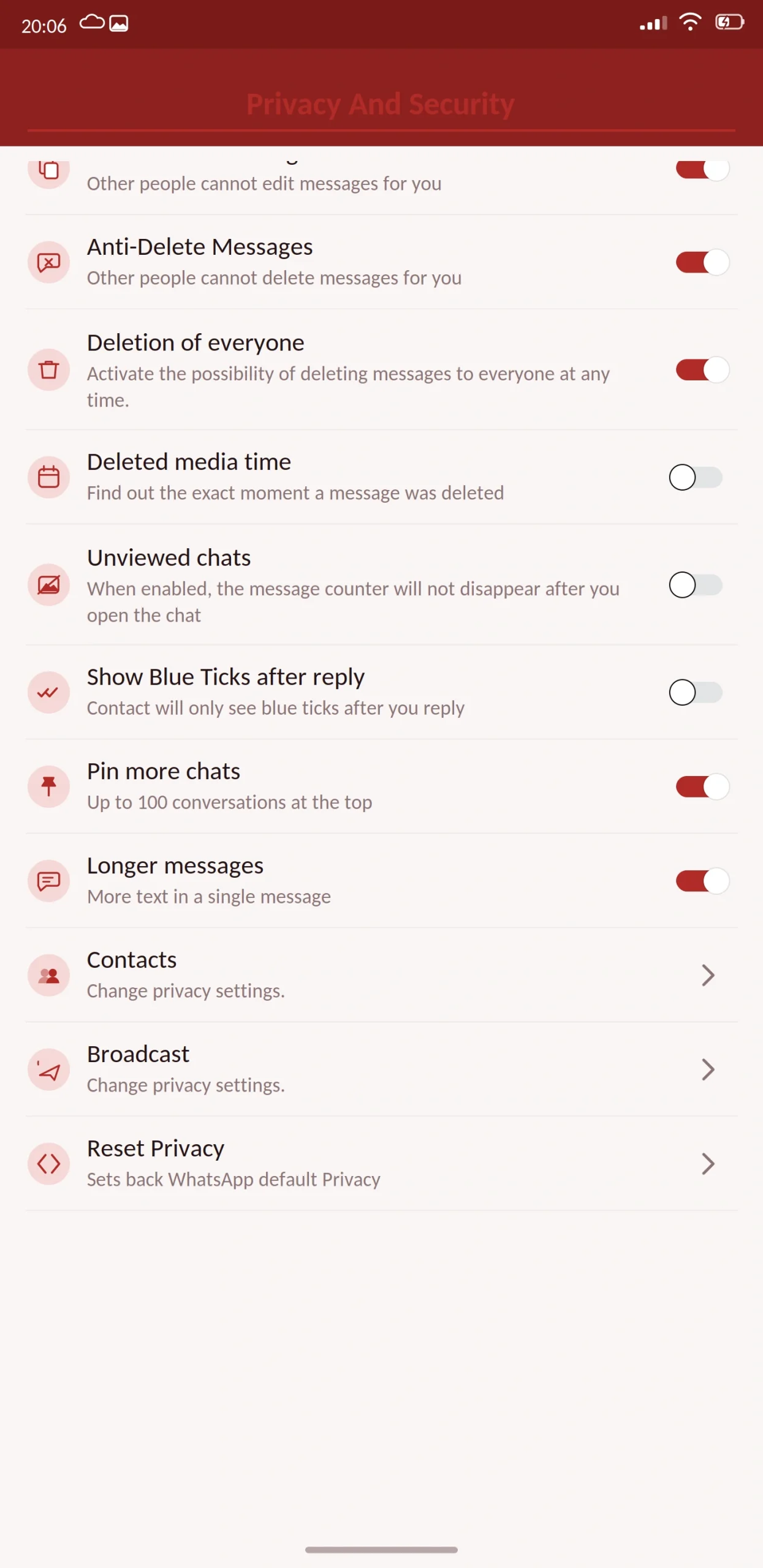


Red WhatsApp is a modified version of WhatsApp built around a red interface instead of green. It includes the usual mod features privacy controls, custom themes, larger file limits with the entire app recoloured.
It also sits in the part of the mod world where you need to check what you are actually downloading. This guide covers the app, and then shows you how to tell a real build from a repackaged one.
This guide from appdroid.net covers the features, the setup, and the risks in plain language.

App Specifications
| Detail | Information |
|---|---|
| App name | Red WhatsApp (WhatsApp Red) |
| Version | v10.90 |
| File size | 79 MB |
| Android required | 5.0 or higher |
| Base version | WhatsApp 2.26.x |
| Developer | Independent |
| Price | Free |
| Play Store | Not available |
| Root needed | No |
What Is Red WhatsApp?
Red WhatsApp is an unofficial build of WhatsApp with a red colour scheme. Headers, buttons, message bubbles, tick marks and the app icon all shift from green to red.
Underneath it is still WhatsApp. Same number, same contacts, same servers. Older versions circulated under the name “Additions WhatsApp Red,” which you will still see referenced in menus and older guides. It is the same lineage.
How to Tell a Real Build From a Repackage
Colour-named mods are easy to produce. Someone takes an existing build, changes the theme colours, renames it, and uploads it. Some of those are honest projects. Some are repackaged files with unwanted extras added.
Because this category attracts both, here is how to check before you install anything.
Check the file size against what is published. If the site says 70 MB and the downloaded file is 45 MB or 130 MB, something is wrong. Delete it.
Read every permission on the install screen. Contacts, storage, camera, microphone and notifications are expected for a messenger. Accessibility services and device administrator access are not. Neither has anything to do with messaging, and both give an app very deep control over your phone. If either appears, stop.
Check when the build was last updated. A mod that has not been updated in six months has anti-ban protection from six months ago. Meta has changed detection since then. Unmaintained mods are the ones that get accounts restricted.
Scan the file before opening it. It will not prove the file is clean, but it catches known bad ones.
Be suspicious of anything asking for payment. Every legitimate mod is free. If a site charges for the APK, it is a scam.
Watch what happens after install. If the app opens browser tabs, shows ads outside the app itself, or asks for permissions it did not request at install, uninstall it immediately.
None of this is unique to Red WhatsApp. It applies to any mod. It just matters more in a category where the developer is usually anonymous.
Main Features
The red interface
Every green element becomes red the header, the floating button, sent bubbles, read receipts, the status ring and the launcher icon. It is a full recolour rather than a theme layered on top, so it stays consistent on screens themes often miss, like the call interface.
There are usually several red shades available, including a darker maroon for night use.
Privacy
- Freeze last seen. Lock it at a fixed time so contacts always see the same one.
- Hide online status. Nobody can tell you are active while you read and reply.
- Hide blue ticks and the second tick. Read without sending a receipt; optionally hide delivery confirmation too.
- Hide typing and recording indicators. Compose and re-record without being watched.
- Anti-delete messages and status. Content other people remove stays visible to you.
- Anti-view-once. Open one-time media as often as you like.
- View statuses anonymously. Watch without your name appearing in the viewer list.
- Hide the forwarded label. Shared messages read as if you wrote them.
Customization
A theme store on top of the red base, font and text size controls, bubble and tick styling, per-chat wallpapers, and a changeable app icon.
Messaging
Message scheduler, auto reply, send to a number without saving it as a contact, more pinned chats, and longer status updates.
Security
App lock with PIN, pattern or fingerprint. Chat lock for individual conversations. Two-step verification with a recovery email turn this on the day you install.
Anti-ban protection is included. How current it is depends on when the build was forked and whether the developer has kept up, which is harder to verify here than with the major mods.
Media
Images at original resolution, video without heavy compression, and files above the official limits. Photos can be sent as documents to bypass processing.
What’s New in the Latest Version
The base was updated to match current WhatsApp, so newer official features work correctly.
Additional red shades were added along with a darker night variant. Storage permission handling was fixed for Android 14 and 15, resolving backup failures. Anti-ban was refreshed.
Also added: message edit history, in-chat translation, and per-chat control of automatic media downloads.
Red WhatsApp vs Official WhatsApp
| Feature | Red WhatsApp | Official WhatsApp |
|---|---|---|
| Red interface throughout | Yes | No |
| Hide online status | Yes | No |
| Freeze last seen | Yes | No |
| Hide blue ticks | Yes | No |
| Anti-delete messages | Yes | No |
| Anti-view-once | Yes | No |
| View status anonymously | Yes | No |
| Custom themes | Yes | Light/dark only |
| Message scheduler | Yes | No |
| Built-in app lock | Yes | Device level only |
| Larger file limits | Yes | No |
| Play Store | No | Yes |
| Automatic updates | No | Yes |
| Identifiable developer | Usually not | Yes |
| Ban risk | Real | None |
Best Alternatives
Blue WhatsApp — the same category in blue. Everything in this guide applies to it equally.
GB WhatsApp Pro — a known project with active development. Apply a red theme and you get the same look on better-maintained code.
Yo WhatsApp — the deepest theme engine of any mod. If a specific colour is your goal, this gives you the most precise control over it.
FM WhatsApp — lighter, stable, and built by a developer you can actually name.
Signal — if privacy rather than appearance is the point. Open source, independently audited, no account risk.
Is Red WhatsApp Safe?
The usual mod risks apply, and one is sharper here.
Account bans are a real risk. Using a modified client breaks WhatsApp’s terms of service and Meta looks for modified clients. Anti-ban in a colour variant is typically inherited from whatever build it was forked from, and may not be updated as quickly. If ban risk is your main worry, choose a mainstream mod.
Encryption cannot be independently verified. A modified app is built by taking a closed-source application apart. Nobody outside the developer can confirm the encryption path is intact, and nobody can prove it is broken either. Keep genuinely sensitive conversations on the official app.
You usually cannot identify the developer. With GB WhatsApp or FM WhatsApp there is a team with a track record. With most colour variants there is not. You are granting message access to someone anonymous, which is worth thinking about honestly.
This category attracts repackaged files. That is why the checklist above exists. Use it.
Do not install this if your number carries your business, your payments, or is the only way important people reach you.
What to Know Before Installing
Google Drive backup does not work. Local backups only, stored outside the app.
Backups will not transfer between mods. Different package names and signing keys mean a backup from GB WhatsApp will not restore here.
You can get the same look elsewhere. A red theme applied to GB WhatsApp Pro or Yo WhatsApp produces a similar result on actively maintained code. For most people that is the better choice.
How to Download and Install
Back up your chats in your current app and let it finish completely. Copy important photos and documents somewhere separate too.
Check you have at least 200 MB free. Enable “unknown sources” when Android prompts you, granting it to your browser specifically rather than system-wide.
Open the file and read the permission list carefully in this category, that step matters more than usual. Contacts, storage, camera and microphone are expected. Anything else is a reason to stop.
Enter your number and confirm it with the SMS code. Never share that code with anyone. No app, website or support agent needs it, and anyone asking is trying to take your account.
Restore your backup, review the privacy settings, then go back into Android settings and turn unknown sources off again.
How to Update
Back up before every update. Install the newer file over the existing app without uninstalling, which preserves chats and settings.
Watch the update cadence. If a build goes several months without a release, that is a signal. Outdated anti-ban is the most common reason accounts get restricted, and an abandoned mod will never get the fix.
Backup and Restore
Mods cannot use Google Drive, so local backups are the only option. Getting this right is the difference between switching smoothly and losing years of messages.
Back up inside the app. Settings, then Chats, then Chat Backup. Let it finish completely before you close anything. On a busy account this takes several minutes.
Copy the folder somewhere safe. Use a file manager to find the database and media folders, and copy them to another folder, an SD card, or a computer. Do not rename anything — the app looks for exact folder names.
Keep important media separately. Photos, voice notes and documents that matter should also live outside the app entirely. If a full restore fails, that separate copy is the only thing that saves you.
Why restores fail. Every build uses its own package name and signing key. A backup created in one mod is often unreadable to another, and there is no reliable way to convert between them. This single issue causes more lost conversations than every other problem combined, which is why the backup step comes first in every guide rather than as an afterthought.
What Happens If You Get Banned
Restrictions come in two forms and they are not the same.
A temporary ban shows a countdown timer and lifts on its own. Wait it out. If you need the number working in the meantime, install official WhatsApp and use it until the timer expires.
A permanent ban is harder. Appeals rarely succeed for accounts flagged as using a modified client, because the terms of service genuinely were broken. Some people report success by switching to the official app, using it normally for several weeks, then appealing — but there is no reliable method, and anyone selling you one is taking your money for nothing.
Prevention is the only approach that works. Stay on the current build, avoid bulk messaging and mass forwarding, and keep your primary number off any mod if losing it would cause real damage.
Common Problems and Fixes
“App not installed.” Low storage, an incomplete download, or a conflict with another mod already installed.
Signature mismatch. You are installing over a different developer’s build. Back up, uninstall, install fresh.
Some screens are still green. Incomplete recolouring, fairly common in this category. Applying a theme on top usually covers the gaps.
Verification code not arriving. Check the number, country code and signal. Repeated requests trigger a cooldown, so wait rather than retrying.
Chats missing after restore. The backup came from a different mod, or storage permission is not granted.
Ads appearing outside the app. This is a warning sign, not a feature. Uninstall it.
No update for months. The project may be abandoned. Back up and move to a maintained mod.
Requirements and Additional Information
Android 5.0 is the minimum, though 8.0 and above runs noticeably better. You need roughly 200 MB of free storage and at least 1 GB of RAM for comfortable use. Root access is not required.
Installing needs “unknown sources” enabled for whichever app you download with, and that permission should be switched off again once you are finished.
One thing worth stating plainly: this is a modified version of an application, built by an independent third party with no connection to Meta, to WhatsApp LLC, or to appdroid.net. Downloading, installing and using it is entirely your own responsibility, and the consequences including any loss of data or access to your account rest with you.
Frequently Asked Questions
Pros and Cons
| Pros | Cons |
|---|---|
| Complete red recolour, consistent across screens | Usually a restyled version of another mod |
| Full privacy feature set | Developer typically unidentifiable |
| Standard mod extras all present | Anti-ban inherited and possibly outdated |
| Several red shades to choose from | Updates can be irregular or stop entirely |
| Free | Category attracts repackaged fake files |
Verdict
Red WhatsApp works. The features are present, the recolour is thorough, and if a red messaging app is what you want, it does the job.
The honest recommendation is still the same one that applies to every colour mod. This is very likely another build with a new palette and a new name, which means slower updates, inherited anti-ban that may not be current, and a developer nobody can identify.
If the red look is the whole appeal, install GB WhatsApp Pro or Yo WhatsApp and apply a red theme. Same appearance, actively maintained code, a team with a track record.
If you install this anyway, run the checklist first file size, permissions, update date, a scan. Then back up, never share your verification code, and turn unknown sources back off when you are done.