SoundCloud APK Download Latest Version for Android
SoundCloud APK lets Android users discover songs, remixes, podcasts, DJ sets, and independent music from creators worldwide, with personalized recommendations and easy playlist access.
Category: Music App
Version
v2026.08.05
Size
89 MB
Android
8.0+
Update Date
19 Aug 2026
Screenshots:





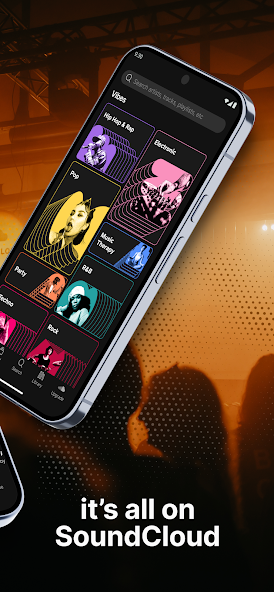
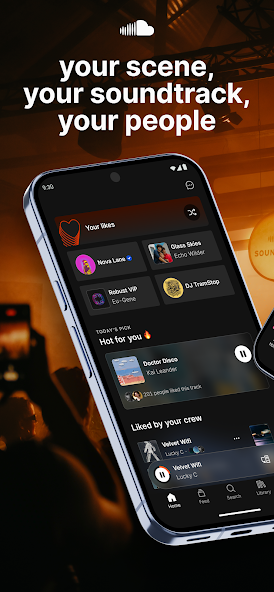
Music is more than entertainment it connects people, cultures, and emotions. Among today’s audio platforms, SoundCloud stands out for its large collection of music, podcasts, remixes, DJ sets, and independent tracks from creators worldwide.
For Android users, the SoundCloud APK provides access to the platform’s mobile experience, including music discovery, personalized playlists, artist profiles, and community features. Its open creator ecosystem also makes it popular with emerging artists and listeners looking for unique content beyond mainstream releases.

What is an APK File?
Before diving into the massive catalog of audio content available on SoundCloud, it helps to understand the underlying technology that powers Android applications. APK stands for Android Package Kit. It is the standard archive file format utilized by the Android operating system to distribute, bundle, and install mobile applications.
While most everyday smartphone users download apps directly through the automated Google Play Store interface, the open nature of the Android operating system supports “sideloading.” Sideloading refers to the process of manually downloading an APK installation package from a dedicated repository website and installing it directly onto your mobile phone or tablet memory.
The SoundCloud APK contains all the executable code, compiled assets, graphics, and configuration files required to run the SoundCloud audio streaming environment on your Android device. Sideloading the APK allows users to access specific app versions, bypass regional rollout delays, and update their software seamlessly.
Why SoundCloud Stands Apart in the Streaming Ecosystem
To understand why millions of loyal fans prefer SoundCloud over traditional music streaming competitors, you have to look at its fundamental philosophy. While other platforms act as closed digital storefronts, SoundCloud operates as an open community. This structural difference creates a completely unique listening environment.
1. The World’s Largest Independent Audio Library
SoundCloud hosts over 320 million tracks contributed by tens of millions of creators spanning every corner of the globe. Because anyone from a teenage producer in their bedroom to an established international DJ can upload audio directly, the variety of content is staggering. You will find:
- Underground and Emerging Genres: Micro-genres and experimental movements such as lo-fi hip-hop, hyperpop, pluggnb, phonk, and underground trap often incubate and explode on SoundCloud long before touching mainstream radio.
- Exclusive DJ Mixes and Live Sets: Massive festival sets, club mixes, radio rips, and continuous DJ mixes that cannot be hosted on traditional platforms due to strict commercial licensing models find a permanent home on SoundCloud.
- Rare Bootlegs, Remixes, and Mashups: Creative unofficial remixes, custom edits, and acoustic bootlegs created by passionate fans and independent sound designers.
- Independent Podcasts and Talk Shows: A thriving ecosystem of niche audio storytelling, comedy shows, commentary streams, and creator-hosted conversational podcasts.
2. Direct Creator-to-Fan Communication
One of SoundCloud’s most iconic, defining interface features is timed comments. As a track plays, user comments appear floating across the live audio waveform at the exact second they were posted. This allows listeners to react in real-time to a sick beat drop, a clever lyric, or a surprising transition, fostering a deeply engaged community where fans can interact directly with the artists they love.
3. A True Launchpad for Modern Superstars
Many of the biggest musical artists defining contemporary culture today including global superstars like Post Malone, Juice WRLD, Lil Uzi Vert, Billie Eilish, and XXXTentacion built their initial fanbases entirely by uploading raw tracks directly to SoundCloud. By using the app, listeners are not just consuming passive media; they are actively participating in the discovery and financial support of the next generation of musical legends.
Core Features of the SoundCloud
When you install the SoundCloud APK on your Android device, you unlock a suite of powerful, feature-rich tools designed to optimize your daily audio consumption.

1. Personalized Discovery Engines and Custom Mixes
Finding new music can often feel overwhelming, but SoundCloud’s machine-learning discovery algorithms are fine-tuned to unearth hidden gems matching your exact taste.
- The Upload: A dynamically updating playlist generated daily that tracks newly uploaded songs from artists you follow or resemble your listening patterns.
- Station Playlists: Click “Start Track Station” on any song to launch an endless, algorithmically generated stream of similar tracks that keeps the music playing smoothly without manual queue management.
- Genre Charts: Explore trending global and regional charts categorized by granular music styles, helping you stay ahead of cultural trends.
2. Streamlined Playlist Curation and Social Sharing
Organizing your listening habits is effortless. You can build, edit, and categorize custom playlists for every scenario—whether you need high-energy workout anthems, deep focus study beats, or relaxing late-night wind-down tracks. Furthermore, you can instantly share your favorite discoveries across social messaging networks or cross-post tracks directly to your personal profile feed.
3. Offline Listening Capabilities
Network connectivity is rarely constant. Whether you are flying at 30,000 feet, riding deep underground on a subway commute, or traveling through rural areas with weak cellular coverage, SoundCloud’s offline caching features ensure your music never stops. Subscribers can download entire playlists, albums, or liked tracks directly to local device storage for reliable offline playback.
4. Sleek User Interface and Hardware Integration
The official Android application is optimized to run smoothly across thousands of distinct device configurations, ranging from budget smartphones to high-end foldables and tablets. Recent performance updates bring back streamlined comment navigation, intuitive playlist hashtag searches, smooth swipe-to-refresh mechanics, and robust lock-screen playback controls.
Why Download from APPDROID.NET?
Navigating the internet to download Android APK files can sometimes expose users to risky websites laden with intrusive adware, malicious redirects, or altered software packages containing malware. Protecting your digital privacy and hardware security is paramount.
APPDROID.NET stands as a trusted, reliable destination for Android enthusiasts by adhering to strict operational standards:
- Strictly Verified, Clean Files: Every single APK file hosted on APPDROID.NET undergoes rigorous multi-layer security scans and automated malware checks. We ensure that every download is stable, clean, and entirely safe to install on your personal devices.
- Lightning-Fast Direct Downloads: We respect your time. Avoid frustrating multi-step redirect loops, fake download buttons, and throttled download speeds. APPDROID.NET provides clean, direct server links that get files onto your phone instantly.
- Guaranteed Up-to-Date Releases: The app development landscape moves fast, with developers pushing security patches, UI overhauls, and bug fixes regularly. Our team monitors update cycles daily, ensuring you always have immediate access to the newest, most stable versions of your favorite applications.
- Clutter-Free Browsing Environment: Our platform is designed with the user in mind, offering a clean, simple, and well-organized layout where you can locate information and secure downloads without distraction.
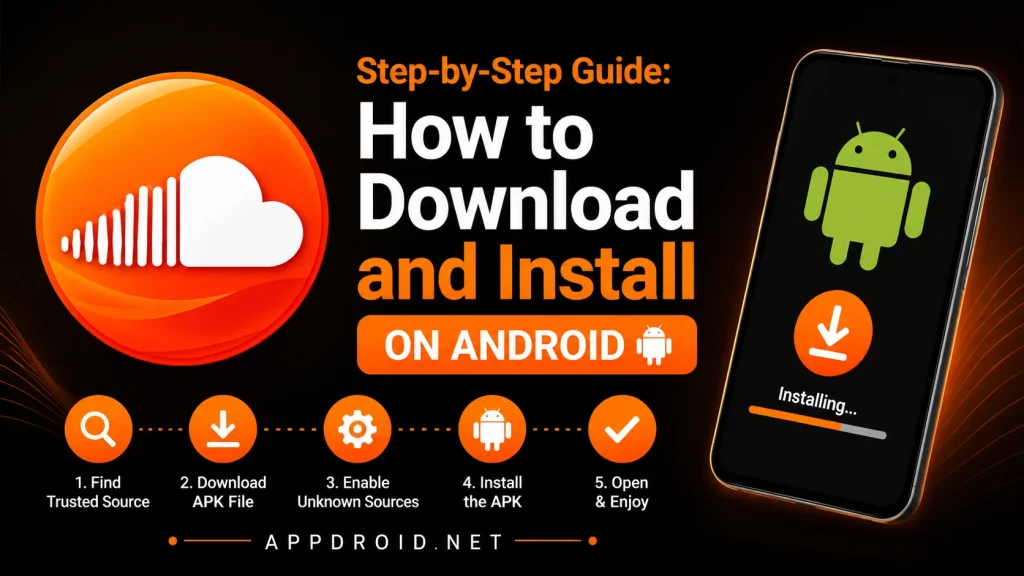
Step-by-Step Guide: How to Download and Install on Android
If you are new to sideloading applications or have never installed an APK file outside of the official Google Play Store, the process is simple, quick, and requires zero technical expertise. Just follow these clear steps:
Step 1: Grant Permission for Unknown Sources
Because Android restricts third-party app installations by default to protect against unauthorized software, you must enable installation permissions for your web browser.
- Open your Android device’s Settings menu.
- Tap on Apps & Notifications or Security & Privacy (labels vary depending on your phone manufacturer, such as Samsung, Xiaomi, Google Pixel, or OnePlus).
- Locate Special App Access and tap on Install Unknown Apps.
- Choose your preferred web browser (e.g., Chrome or Firefox) and toggle on Allow from this source.
Step 2: Navigate to APPDROID.NET and Locate the App
- Open your mobile web browser and visit APPDROID.NET.
- Use the integrated site search bar to look up “SoundCloud APK”.
- Click on the dedicated app release page to view file details, version numbers, and specifications.
Step 3: Download the APK File
- Tap the prominent Download button on the page.
- Your browser will prompt you confirming that the file is downloading. Save the APK file directly to your device’s internal storage (typically saved in your default Downloads folder).
Step 4: Run the Installation Wizard
- Once the download finishes, open your device’s built-in File Manager app (or tap the completion notification banner in your notification shade).
- Go to your Downloads folder and tap on the downloaded SoundCloud APK file.
- A system prompt will appear asking if you want to install this application. Tap Install.
Step 5: Launch and Enter the Music World
- Once the installation process completes successfully, tap Open.
- Sign in with your existing credentials, or create a brand-new free account in seconds using an email address.
- Explore the homepage, follow your favorite underground creators, and dive into millions of tracks instantly!
Pro Tip: Bookmark APPDROID.NET on your mobile browser so you can effortlessly check back whenever a major app update drops, ensuring your music app always runs smoothly with peak performance and fresh features.
Troubleshooting Common APK Installation Hurdles
While sideloading is normally seamless, minor issues can occasionally pop up. Here is how to quickly resolve them:
- “App Not Installed” Error: This typically occurs if you have an older or conflicting version of the official app already lingering on your device. Uninstall any previous installations completely, restart your phone, and then attempt the installation from APPDROID.NET again.
- Parsing Error Message: A parsing error usually means the APK file download was interrupted due to an unstable cellular or Wi-Fi connection, resulting in a corrupted file. Delete the incomplete file from your device, verify your internet connection, and re-download the fresh APK package from APPDROID.NET.
- Insufficient Storage Space: Ensure your phone has enough free internal storage space available before starting the installation. Clear out temporary app caches or unused media files if your storage is running low.
Frequently Asked Questions (FAQs)
1. Is it safe to download APK files from APPDROID.NET?
Yes, absolutely. APPDROID.NET prioritizes user security above all else. Every file hosted on the platform undergoes comprehensive security and antivirus screening to guarantee it is completely free from malicious code, spyware, or adware.
2. Do I need to root my Android device to use this APK?
No root access is required whatsoever. The SoundCloud APK installs and functions perfectly on standard, unrooted stock Android operating systems across all major hardware manufacturers.
3. Can I upload my own music using the Android app?
Yes! One of SoundCloud’s core advantages is creator accessibility. Aspiring artists, podcasters, and DJs can use mobile access tools to upload audio content, manage track permissions, share links, and interact with their growing fanbase directly from their mobile devices.
4. How do I keep the app updated?
Because custom or sideloaded APK packages do not always update automatically through the Google Play Store background services, you can easily maintain the latest version by visiting APPDROID.NET, checking the SoundCloud APK repository page, and downloading the newest version release file over your existing app.
Final Thoughts
If you are a true music lover who loves staying miles ahead of mainstream trends, supporting grassroots independent talent, and exploring experimental soundscapes outside the rigid boundaries of corporate record labels, SoundCloud is an essential application for your phone.
Head over to APPDROID.NET right now, download the latest version of the SoundCloud APK, and unlock a massive, boundless universe of sound directly on your Android device!