
TeraBox Mod APK Premium Unlocked & No Ads
Download TeraBox APK free for Android and get 1 TB free cloud storage. Full install guide, real speed limits, safety facts and error fixes inside. Start now.
Category: Cloud Storage
Version
v4.23.5
Size
231 MB
Android
6.0+
Update Date
18 Aug. 26
Screenshots:
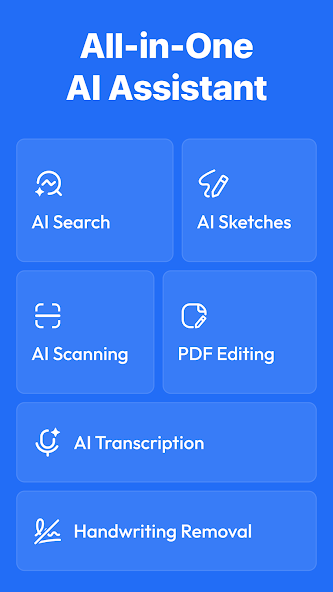
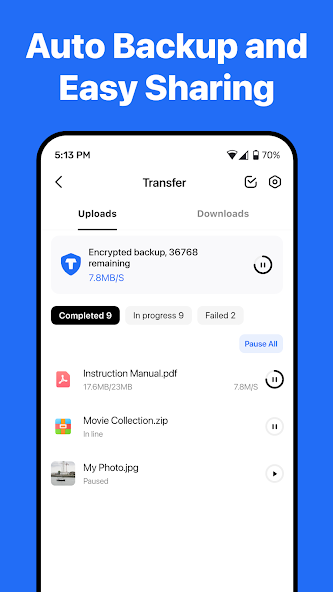
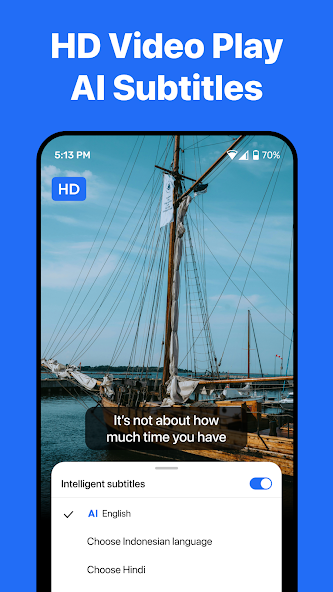
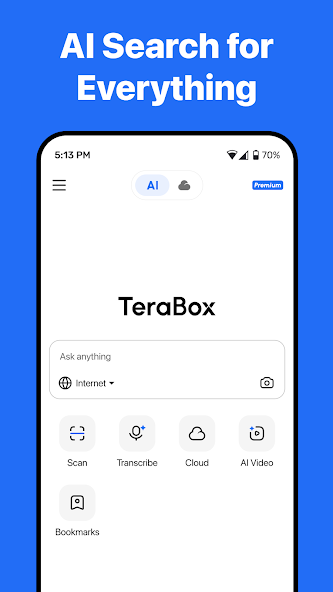


TeraBox is a cloud storage app that gives every new user 1 TB of free storage, far more than any other mainstream service. The TeraBox APK installs on any Android 5.0 device and takes about two minutes to set up. You can get the latest version from APPDROID.NET and start uploading immediately.
That headline number is real, and there is no card, trial, or hidden charge attached. What most download pages leave out are the trade-offs that come with it. Free accounts face throttled download speeds, a per-file upload cap, ads, and no end-to-end encryption.
This guide covers all of it. You get the download and install steps, the honest limits of the free plan, a straight answer on whether the app is safe, and fixes for every common error. Read the limits section before you move anything important onto the service.
TeraBox APK File Details
| Detail | Information |
|---|---|
| App Name | TeraBox: Cloud Storage Space |
| Package Name | com.terbox.apk |
| Latest Version | v4.23.5 |
| Developer | Flextech Inc. |
| Category | Productivity / Tools |
| Android Requirement | Android 5.0 or higher |
| Free Storage | 1 TB |
| Max File Size (Free) | 4 GB |
| Encryption | None |
| Price | Free (premium available) |
What Is TeraBox?
TeraBox APK is a cloud storage and file sharing service built around one very large free tier. You upload photos, videos, and documents to your account, then open them from any device or share them through a link. The Android app handles uploads, downloads, backups, and sharing from one screen.
Most people use it differently from a normal cloud drive. Rather than syncing working documents, they treat it as an archive for large media and a way to send big files to other people. The 1 TB allowance suits that job far better than a 15 GB drive would.
How Does TeraBox Work?
The app copies your files to servers run by the company, then serves them back on request. Nothing lives on your phone unless you download it, which is how the service frees up device storage. Shared links let other people grab a file without needing their own account.
Who Owns TeraBox?
The service is operated by Flextech Inc., a company connected to Baidu. Its servers sit primarily in China and Singapore. That ownership matters for privacy, and the safety section below covers what it means in practice.
How TeraBox Gives 1 TB Free
The offer sounds too good to be true, so it is worth explaining how it works. Nothing here is a scam, but the economics shape every limitation on the free plan.
Is the 1 TB Really Free?
Yes. A new account receives the full terabyte with no payment and no trial period. You will not be asked for card details at any point during signup.
How TeraBox Makes Money
Free tiers exist to convert people into paying subscribers, and this one is no different. The company earns through premium upgrades, in-app advertising, and by keeping free accounts slow enough that heavy users upgrade. Storage genuinely costs money, so something has to fund it.
Can the 1 TB Be Reduced Later?
The allowance has held steady since launch and existing free accounts have not been cut. No provider contractually guarantees a free tier forever, though. Treat the terabyte as reliable but never as your only copy of anything irreplaceable.
TeraBox Free Plan Limits You Should Know
This is the section most download pages skip. None of these limits are dealbreakers, but you should know all five before you commit.
Download Speed Throttling
Free accounts download at roughly 1 to 4 Mbps. A large video can therefore take a long time to pull back down. Upload speeds are far less restricted, so the pain only shows when you retrieve files.
The 4 GB Per-File Upload Limit
Single files are capped at 4 GB on the free plan. Most phone videos and photo archives sit well under that. Long 4K recordings and disc images will hit the ceiling.
Link Expiry on Free Accounts
Shared links can expire after a set period on free accounts. Anyone relying on a link for long-term access should keep a backup elsewhere. Premium accounts get far longer link lifespans.
Ads on the Free Plan
The free app shows advertising throughout the interface. Ads appear on the home screen, between folders, and before some actions. The premium tier removes them entirely.
Video Streaming Quality Caps
In-app video playback is capped at lower quality for free users. A file you uploaded in high resolution will stream back looking softer. Downloading the original file gives you full quality, subject to the speed throttle.
Key Features of TeraBox
Beyond the storage figure, the app covers most of what people expect from a cloud service.
1 TB Free Cloud Storage
No other mainstream provider comes close on free space. The nearest competitors cap out at 20 GB, which makes this roughly a fiftyfold difference. That single fact drives almost all of the app’s popularity.
Automatic Photo and Video Backup
The backup setting copies new camera files to your account as you shoot them. You can limit it to Wi-Fi so it never touches mobile data. This is the fastest way to clear space on a full phone.
File Sharing with Links
Any file or folder can become a shareable link in two taps. Recipients do not need their own account to download. Links can carry a password for a small amount of extra control.
Built-In Video Player
Videos play inside the app without a separate download. The player handles most common formats and remembers your position. Quality is capped on free accounts, as noted above.
Personal Vault
A separate protected folder sits behind an extra passcode. It suits documents you want shielded from anyone who picks up your unlocked phone. It is a convenience feature rather than real encryption.
Document Scanner
The scanner turns paper documents into clean digital files. Point the camera, and the app crops and straightens the page. Everything saves straight into your account.
TeraBox Free vs Premium Plans
| Feature | Free | Premium |
|---|---|---|
| Storage | 1 TB | 2 TB or more |
| Download Speed | Throttled 1–4 Mbps | Full speed |
| Max File Size | 4 GB | 20 GB |
| Ads | Yes | No |
| Video Quality | Capped | Original |
| Link Lifespan | Limited | Extended |
| Recycle Bin | Short retention | Long retention |
System Requirements
| Requirement | Minimum | Recommended |
|---|---|---|
| Android Version | 5.0 | 8.0 or newer |
| RAM | 3 GB | 4 GB or more |
| Free Storage | 200 MB | 1 GB |
| Internet | Stable 4G | 5G or Wi-Fi |
How to Download and Install TeraBox APK on Android
The whole process takes about two minutes.
- Open your browser and visit APPDROID.NET.
- Tap the TeraBox APK Download button on the page.
- Wait for the file to finish downloading.
- Open your settings and allow installs from unknown sources for your browser.
- Tap the downloaded file and choose Install.
- Launch the app and grant the storage and photo permissions it requests.
- Sign up with an email address, phone number, or Google account.
Your 1 TB appears the moment the account is created. Upload one small file first to confirm everything works before enabling automatic backup.
How to Use TeraBox
Four steps cover almost everything people do with the app.
- Tap the plus icon to upload a file, photo, or folder.
- Open Settings and switch on Auto Backup for your camera roll.
- Long-press any file and tap Share to generate a link.
- Add a password to that link if the file is private.
Deleted files move to a recycle bin rather than vanishing outright. Free accounts keep them for a shorter window than premium ones, so recover mistakes quickly.
How to Share Large Files on TeraBox
Link sharing is the app’s strongest everyday use. Upload the file, generate a link, and send it through any messaging app. The person receiving it can download without creating an account of their own.
Two limits shape this. Individual files must stay under 4 GB on a free plan, and the recipient’s download speed will be throttled the same way yours is. Split very large files into parts if you need to move something bigger.
Is TeraBox Safe for Personal Files?
This deserves a straight answer rather than reassurance. The app is not malware and the company is a real business with millions of users. The risk is about jurisdiction and encryption, not viruses.
Where Your Files Are Stored
Servers sit primarily in China and Singapore. Files stored there fall under the data laws of those countries rather than your own. That is a meaningful difference from providers based in the EU, Switzerland, or New Zealand.
Does TeraBox Have End-to-End Encryption?
No. Files are protected in transit and on the servers, but the provider can technically access them. Services like MEGA and Internxt encrypt everything on your device first, meaning the company genuinely cannot read your files.
What You Should Not Upload
Keep the following off TeraBox and any service without end-to-end encryption.
- Passport and national ID scans
- Bank statements and tax records
- Private or intimate photographs
- Work documents covered by a confidentiality agreement
- Anything containing passwords or recovery codes
How to Protect Your TeraBox Account
Turn on two-factor authentication in the account settings before you upload anything. Use a password you have not reused elsewhere. Never install a cloud storage app from a page that tells you to disable your antivirus first, because no genuine app requires that.
Is TeraBox Banned in Any Country?
Availability has shifted more than once, and rules differ by region. Some governments have restricted apps with Chinese ownership as a general policy rather than for anything specific to this service. Check your own country’s current app store listing rather than relying on any article, since this changes without notice.
TeraBox vs Google Drive vs MEGA
| Feature | TeraBox | Google Drive | MEGA |
|---|---|---|---|
| Free Storage | 1 TB | 15 GB | 20 GB |
| Download Speed | Throttled | Full speed | Transfer quota |
| Max File Size | 4 GB | 5 TB | No fixed limit |
| Encryption | None | None | Zero-knowledge |
| Ads | Yes | No | No |
| Servers | China / Singapore | Global | NZ / Europe |
| Best For | Large archives | Documents | Private files |
Each wins a different job. TeraBox owns raw storage, Google Drive owns everyday documents, and MEGA owns privacy. Many people run TeraBox alongside one of the others rather than choosing.
Pros and Cons of TeraBox
| Pros | Cons |
|---|---|
| 1 TB free, no card required | Downloads throttled to 1–4 Mbps |
| Easy link sharing without accounts | 4 GB per-file cap on free |
| Works on Android, iOS, PC, Mac | No end-to-end encryption |
| Automatic camera backup | Ads throughout the free app |
| Built-in video player | Servers under Chinese jurisdiction |
| Personal Vault for sensitive files | Free links can expire |
TeraBox Not Working? Common Errors and Fixes
Nearly every problem falls into one of these seven groups.
Download Failed
- Check that your connection is stable.
- Confirm the shared link has not expired.
- Retry over Wi-Fi rather than mobile data.
Slow Download Speed
- Free accounts are throttled by design, so expect 1 to 4 Mbps.
- Close background apps competing for bandwidth.
- Download during off-peak hours for a modest improvement.
Upload Failed or Stuck
- Confirm the file is under the 4 GB free limit.
- Check you have space left in your account.
- Restart the upload over Wi-Fi.
Login or Verification Error
- Confirm your email or phone number is verified.
- Reset your password from the sign-in screen.
- Check whether two-factor authentication is blocking the attempt.
Auto Backup Not Working
- Open settings and confirm Auto Backup is switched on.
- Grant the app full photo and media permissions.
- Turn off battery optimisation for the app.
Shared Link Expired
- Free account links have a limited lifespan.
- Generate a fresh link from the original file.
- Upgrade to premium for longer link retention.
App Crashing on Android
- Update to the newest version.
- Clear the app cache from your device settings.
- Reinstall if crashes continue after clearing cache.
Best Alternatives to TeraBox
MEGA is the strongest alternative for anyone who cares about privacy, offering 20 GB free with zero-knowledge encryption included. MediaFire gives 10 GB free with an easy path to 50 GB through referrals. Google Drive remains the practical default for documents at 15 GB.
None of these come close on raw space, and that gap is the whole reason TeraBox exists. The realistic approach is to run two services. Keep large media and shared links here, and put anything sensitive on a provider that encrypts by default.
Frequently Asked Questions
Yes. Every new account receives the full terabyte at no cost, with no card details required and no trial period. The trade-offs are throttled download speeds, ads, a 4 GB per-file cap, and no end-to-end encryption. The storage itself is genuine.
The app is not malware and the company is a legitimate business. The concerns are jurisdiction and encryption rather than viruses. Files sit on servers in China and Singapore without end-to-end protection, so keep identity documents and financial records on an encrypted service instead.
TeraBox is operated by Flextech Inc., a company connected to Baidu. Its infrastructure sits primarily in China and Singapore. That ownership is the main reason privacy questions come up around the service.
No. Files are encrypted in transit and while stored, but the provider retains technical access. Services such as MEGA and Internxt encrypt files on your device before upload, meaning the company genuinely cannot read them.
Free accounts are deliberately throttled to roughly 1 to 4 Mbps. This is a plan limit rather than a fault with your connection or device. Premium accounts download at full speed.
Free accounts are capped at 4 GB per file, while premium raises that to 20 GB. Most phone videos fall well under the free limit. Long high-resolution recordings will need splitting.
Free account links have a limited lifespan and can stop working. Premium accounts get much longer retention. Always keep a second copy of anything you rely on a link to access.
Yes. Desktop clients exist for Windows and Mac, and the service also works in any browser. Files upload and download the same way across every platform.
Ads are part of the free plan and cannot be switched off in settings. The premium subscription removes them across the whole app. No legitimate third-party tool can strip them safely.
Final Verdict
TeraBox delivers exactly what it advertises. The 1 TB free tier is real, the app is easy to use, and link sharing works well enough that it has become the default way many people move large files. Nothing else in this category offers anywhere near the same free space.
The limits are equally real. Throttled downloads, a 4 GB file cap, ads, no encryption, and servers under Chinese jurisdiction all shape what the service is good for. It works brilliantly as an archive and a sharing tool, and poorly as a home for anything private.
Use it for what it does best. Grab the current build and full spec details from APPDROID.NET, updated whenever a new version ships.
