

Trebel APK Free Music Streaming App (v7.4.3)
Trebel APK is a music streaming application that lets Android users discover, stream, and enjoy a wide variety of songs.
Category: Music App
Version
v7.4.3
Size
98 MB
Android
7.0+
Update Date
20 Aug 2026
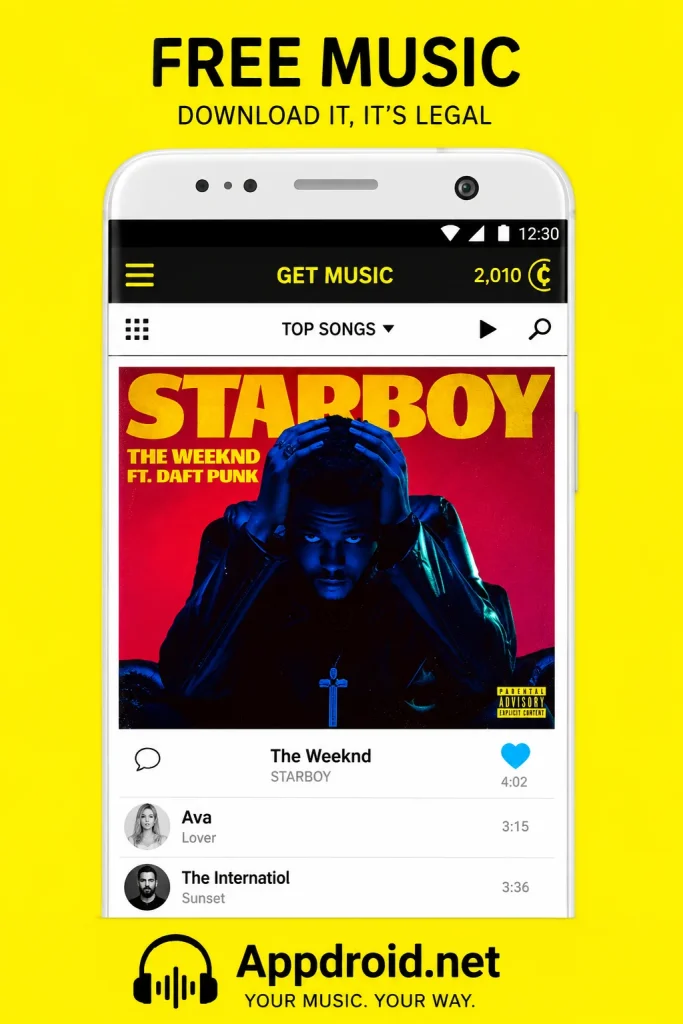
Screenshots:




Understanding TREBEL APK
Finding an audio streaming application that delivers continuous, legal music downloads without charging heavy monthly subscription fees has traditionally been a major hurdle for modern listeners. Highlighted by Appdroid.net, TREBEL APK stands out as a groundbreaking platform in the mobile entertainment market. Built specifically to eliminate the barriers of paid subscriptions and excessive cellular data consumption, the application lets users download millions of licensed songs for complete offline playback free of charge.

The latest Android application release brings advanced performance optimizations, intelligent caching, and a sleek user interface designed for seamless media discovery. Users can effortlessly explore massive music catalogs, organize local tracks, and enjoy uninterrupted on-demand playback with zero limitations on song skips. Downloading the package directly gives Android device owners total control over their offline mobile audio ecosystem.
Evolution of Offline and Free Digital Music Streaming
The transition from physical media and MP3 file transfers to digital cloud streaming transformed how media is consumed daily. While major streaming platforms introduced huge digital catalogs, they also placed essential features—such as offline playback, custom track selection, and background audio behind expensive monthly paywalls. Users without constant cellular data or active subscriptions were often left unable to enjoy their favorite tracks.
TREBEL addressed this problem by creating an innovative, ad-supported model partnered with major global record labels, including Universal Music Group, Sony Music, and Warner Music Group. This approach gives listeners legal access to high-quality audio downloads without fees, while ensuring artists are compensated fairly for their creative work. As mobile storage capacity expands and user preferences favor offline accessibility, the platform continues to set a benchmark for free, on-demand music distribution.
Core Features of the TREBEL Audio Platform
The software distinguishes itself from standard free music applications by removing common restrictions like forced shuffle playback or limited track skips. Upon launching the app, users encounter a clean, modern interface that makes searching for artists, albums, and curated playlists quick and intuitive.
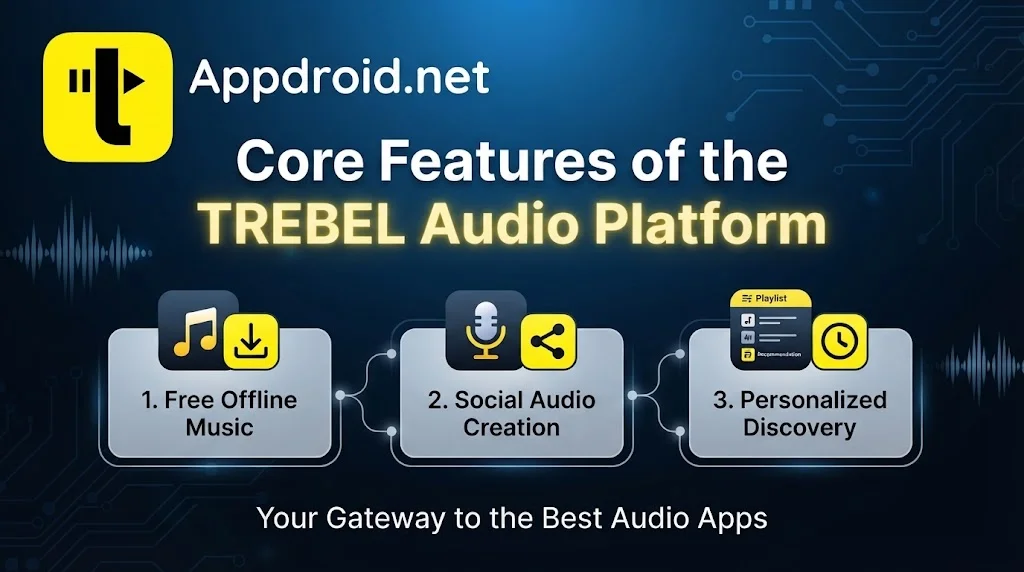
Additionally, advanced caching technology allows listeners to save tracks directly to internal storage or expandable micro SD cards. The application also includes an integrated audio player capable of organizing local MP3 files, alongside an instant Song ID feature that identifies music playing in your surroundings with a single tap.
Features
To understand why millions of mobile users choose this streaming platform, examine the top ten defining features that elevate the offline audio experience:
- 100% Free Offline Downloads: Save millions of licensed songs directly to your device storage to listen anywhere without Wi-Fi or cellular data charges.
- On-Demand Playback with Unlimited Skips: Choose and play the exact tracks you want to hear without being forced into random shuffle modes or restricted skip limits.
- Expandable SD Card Storage Support: Store your downloaded music libraries directly onto micro SD cards, freeing up internal device memory on budget smartphones.
- Built-in Song ID Engine: Identify songs playing around you in real time with a single tap and add them straight to your offline collection.
- Background and Lock-Screen Playback: Keep your music running smoothly while multitasking across other apps or when your phone screen is locked.
- Licensed Global Music Catalog: Access millions of legitimate, high-quality tracks powered by partnerships with major international record labels.
- Local MP3 Music Player: Import and manage your existing local audio files directly alongside your downloaded TREBEL music library.
- Smart AI Playlist Creator: Generate customized, mood-based playlists instantly using smart recommendation engines tailored to your unique taste.
- Battery-Optimized Playback Engine: Enjoy extended listening sessions with reduced power usage compared to battery-heavy online cloud streaming.
- Interactive Earnings and Pass System: Earn day passes and virtual coins through simple in-app activities to enjoy smooth, ad-free offline sessions.
Technical Specifications
Reviewing technical compatibility ensures that your smartphone runs the software smoothly without performance slowdowns or resource bottlenecks. The package is optimized to perform reliably across budget and high-end hardware configurations alike.
| Parameter Overview | Technical Details & Specifications |
| Application Name | TREBEL: Music, MP3 & Podcasts |
| Site Reference | Appdroid.net |
| Supported OS | Android 7.0 and Up |
| File Architecture | Universal APK / Native Package |
| Core Technology | Offline Audio Caching & MP3 Engine |
| Primary Genre | Audio & Multimedia Entertainment |
| Storage Impact | Customizable Cache & SD Card Support |
| Network Support | Offline Native, 4G LTE, 5G, and Wi-Fi |
How to Download and Install
Getting started with your favorite offline music downloader application is simple and fast. Follow these setup steps across different operating systems.
For Android Devices (APK Installation)
- Open your device security settings and temporarily enable installation from Unknown Sources if you are sideloading an independent package file.
- Navigate to Appdroid.net using your mobile browser and locate the latest release file for TREBEL.
- Tap the download link to save the installation package directly to your device internal storage.
- Open your file manager application, locate the downloaded file, and tap on it to launch the installer prompt.
- Review the requested app permissions and click Install to complete setup. Once finished, open the app and start downloading music for offline listening.
For PC / Windows
- Open your preferred web browser and head to the official Microsoft Store, or download an Android emulator like BlueStacks on your desktop.
- Search for TREBEL Music in the app store or emulator search bar.
- Click the Get or Install button to configure the client on your PC system automatically.
- Sign in to sync your offline music playlists and enjoy desktop playback controls.
For iOS Devices
- Unlock your iPhone or iPad and launch the official App Store.
- Tap the search icon at the bottom right and type TREBEL Music into the search field.
- Locate the official app entry published by M&M Media Inc. and tap Get.
- Authenticate the installation using Face ID, Touch ID, or your Apple ID password.
- Open the app from your home screen once installation finishes and start curating your library.
Managing Offline Libraries and Storage Efficiently
One of the platform’s biggest advantages is how flexibly it handles local storage. Traditional streaming applications often hide downloaded files deep within hidden system directories, quickly taking up space on internal drives. TREBEL gives users transparent control over where their music files live.

If you use an Android device with expandable storage, you can route all future audio downloads directly to a micro SD card. This ensures your smartphone stays fast and responsive while still carrying thousands of high-quality tracks for offline listening on long travels, flights, or daily commutes.
Account Management and Usage Tiers
Understanding how the platform operates helps you make the most of its features without unexpected interruptions.
- Standard Free Access: Offers complete access to search, discover, download, and stream licensed songs on-demand, supported by short visual or audio ads during online sessions.
- Ad-Free Day Passes: Users can earn offline passes through interactive in-app features, granting extended periods of uninterrupted, ad-free listening.
Practical Tips for Optimizing Your Listening Journey
To get the best performance and audio quality out of your application, keep these helpful tips in mind:
- Download on Wi-Fi Networks: Save entire playlists and albums while connected to unmetered Wi-Fi connections to conserve mobile cellular data.
- Use the Integrated Song ID: Activate the built-in music recognition tool while out at cafes or events to quickly identify and save new songs directly to your offline list.
- Set Up Offline Storage Directories: Select your external SD card as the default download location in app settings before building large audio collections.
Safety, Security, and Best Practices for Package Files
When acquiring applications through independent package files, prioritizing digital safety is crucial. Always download package files from trusted platforms like Appdroid.net to protect your smartphone from security risks, modified code, or hidden malware. Official updates guarantee smooth app updates, data safety, and reliable media playback.
Frequently Asked Questions (FAQs)
Q: Is TREBEL really free to use for downloading music offline?
A: Yes, the platform is 100% free and legal. It uses an ad-supported model partnered with major music labels so users can download and play music offline without paying a subscription.
Q: Can I save downloaded songs directly to an external SD card?
A: Yes, Android users can set their default storage path to an external micro SD card inside the app settings to save internal phone memory.
Q: Do I need an active internet connection to play my downloaded songs?
A: No, once songs are fully downloaded to your device storage, you can play them completely offline without Wi-Fi or mobile data connections.
Q: Can I choose specific songs to play, or am I forced to shuffle?
A: Unlike many free music tiers, the app offers full on-demand playback, letting you pick and play exact tracks with unlimited song skips.
Q: What should I do if my downloaded package file fails to install?
A: Make sure your device has sufficient free storage space, allows installations from unknown sources in security settings, and that you downloaded an uncorrupted file version.
Conclusion
TREBEL APK remains an outstanding choice for mobile users seeking a reliable, free, and fully legal offline audio experience. Its massive licensed catalog, expandable SD card support, and on-demand playback options make it a valuable addition to any Android device. Keep your application updated to the latest release to enjoy stable performance, crisp audio fidelity, and continuous access to your favorite music wherever you go.
