

JT WhatsApp APK Download Latest Version for Android (2026)
JT WhatsApp stands out with customizable call screens and additional controls for managing calls and contacts. This guide explains its main privacy and customization features, installation process, compatibility, and the security considerations users should understand before installing a modified WhatsApp APK.
Category: Social App
Version
v17.00
Size
97 MB
Android
7.0+
Update Date
18 – 8 – 26
Screenshots:
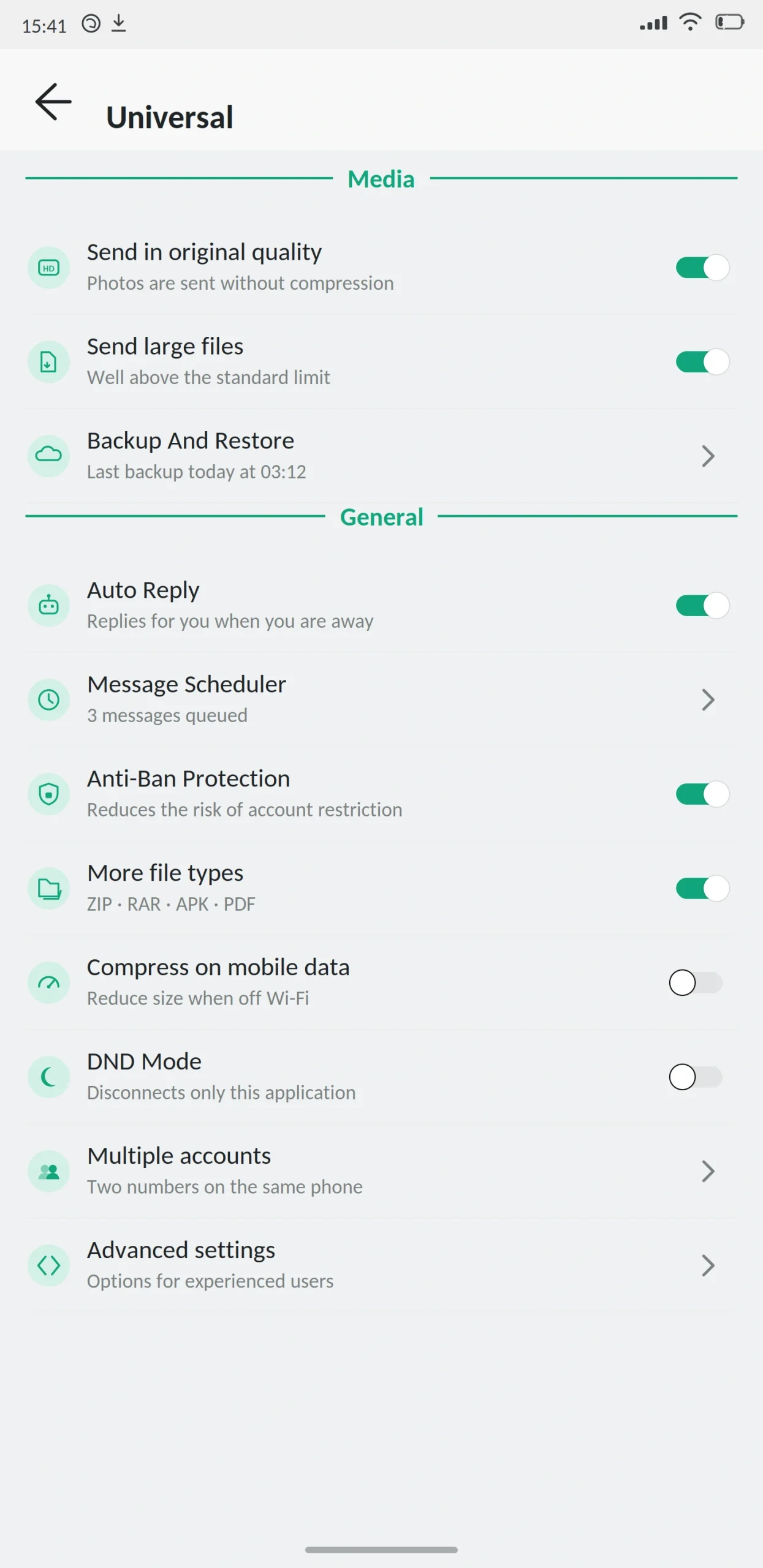

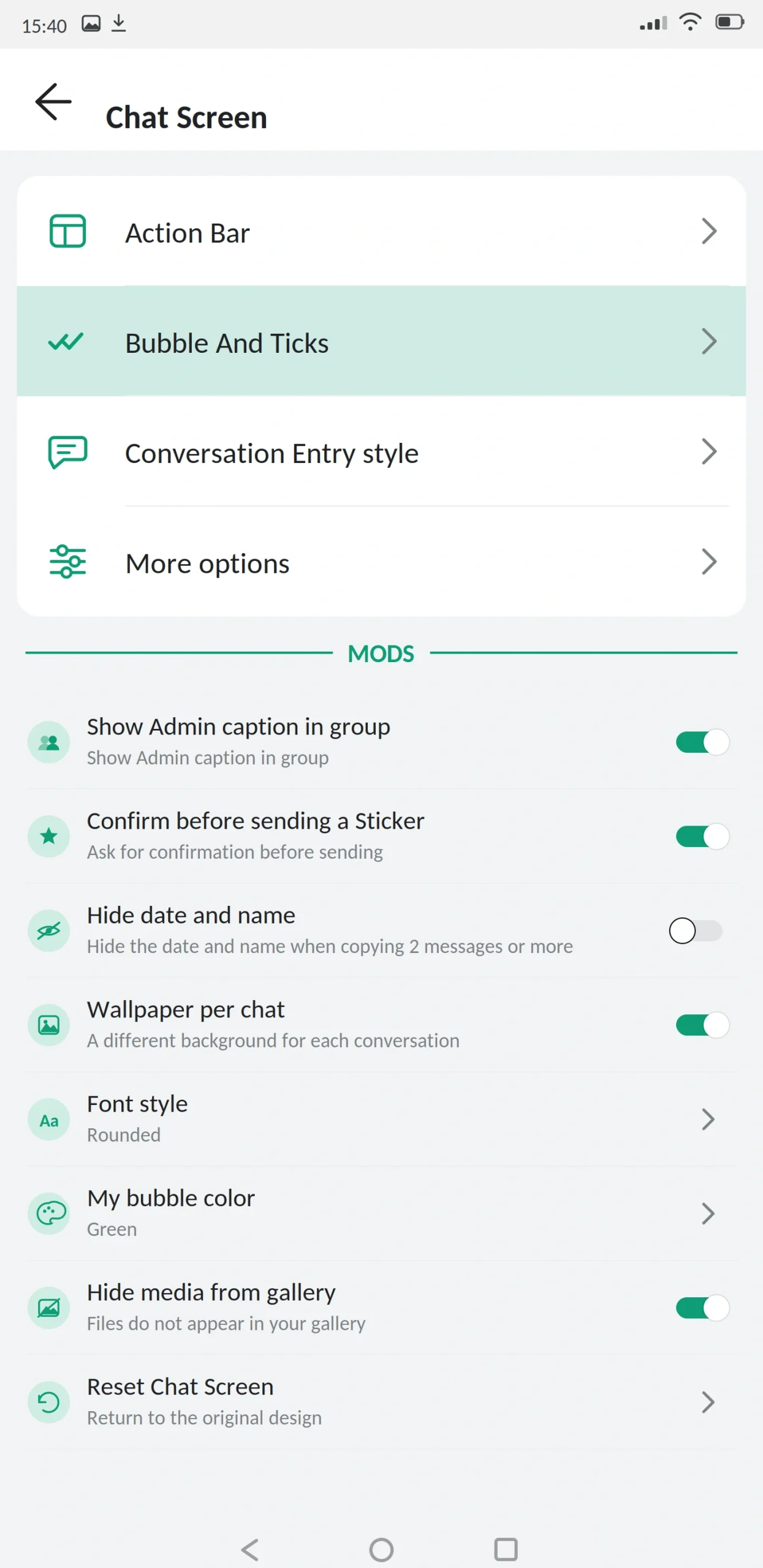
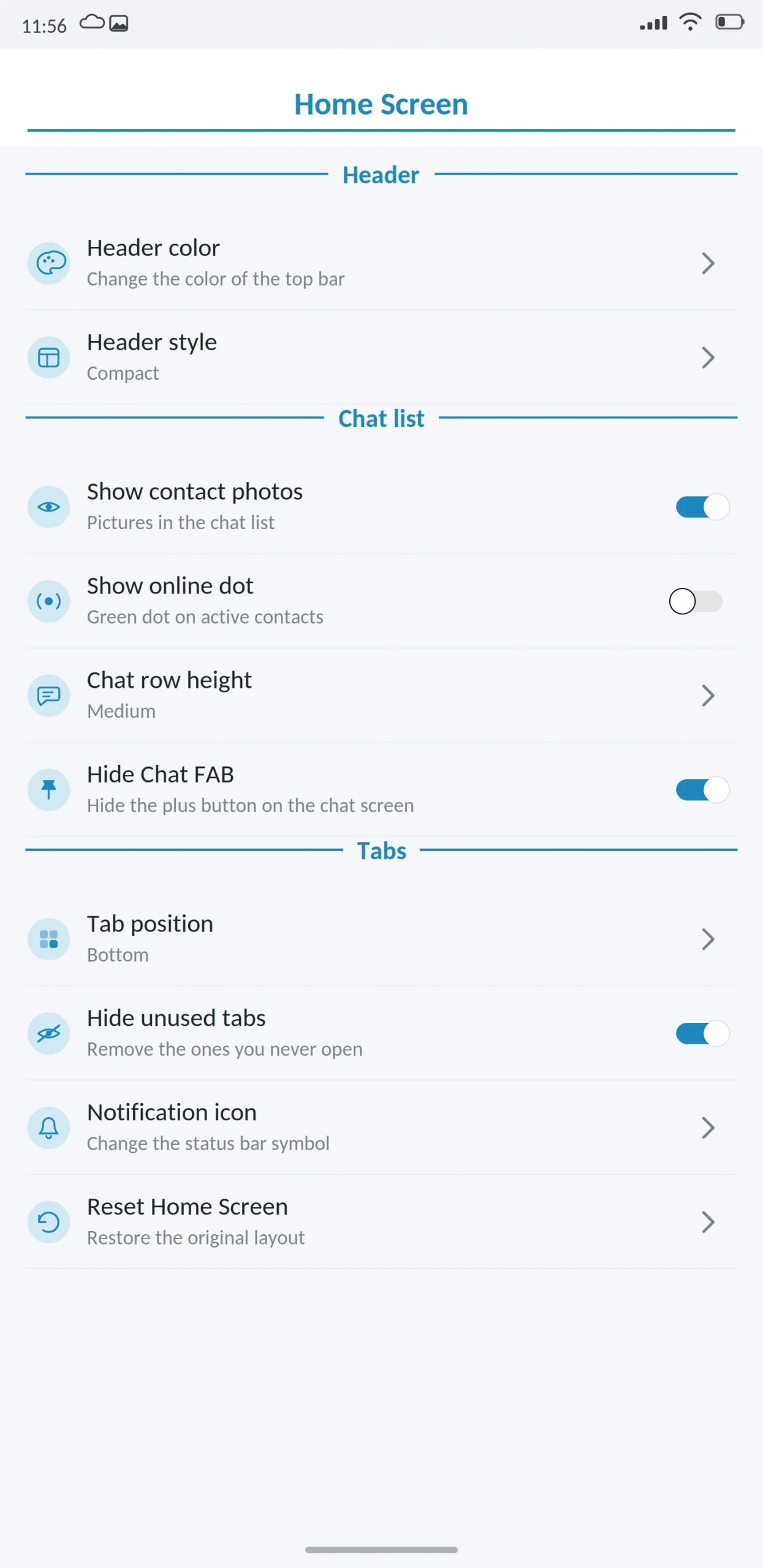
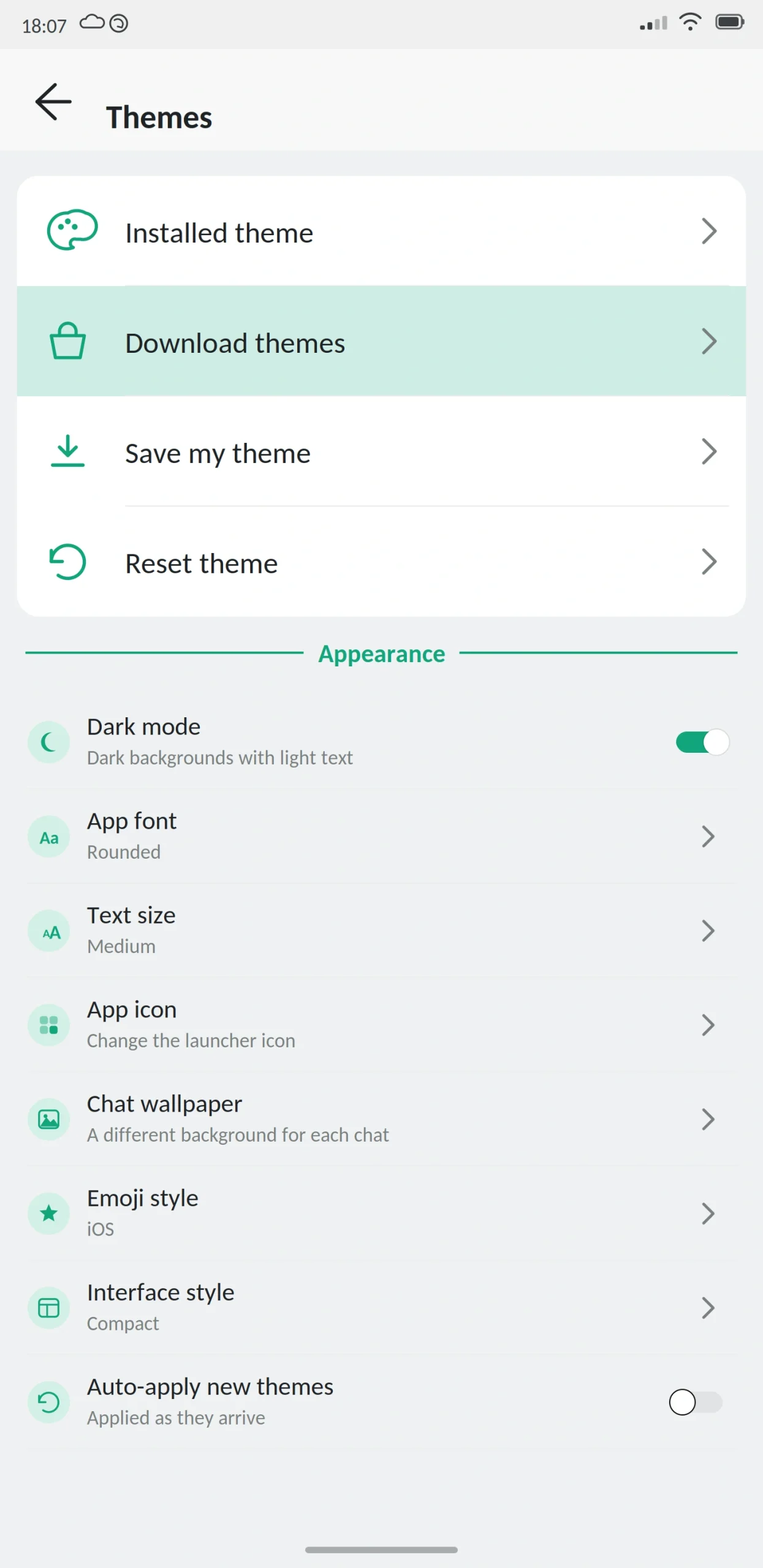


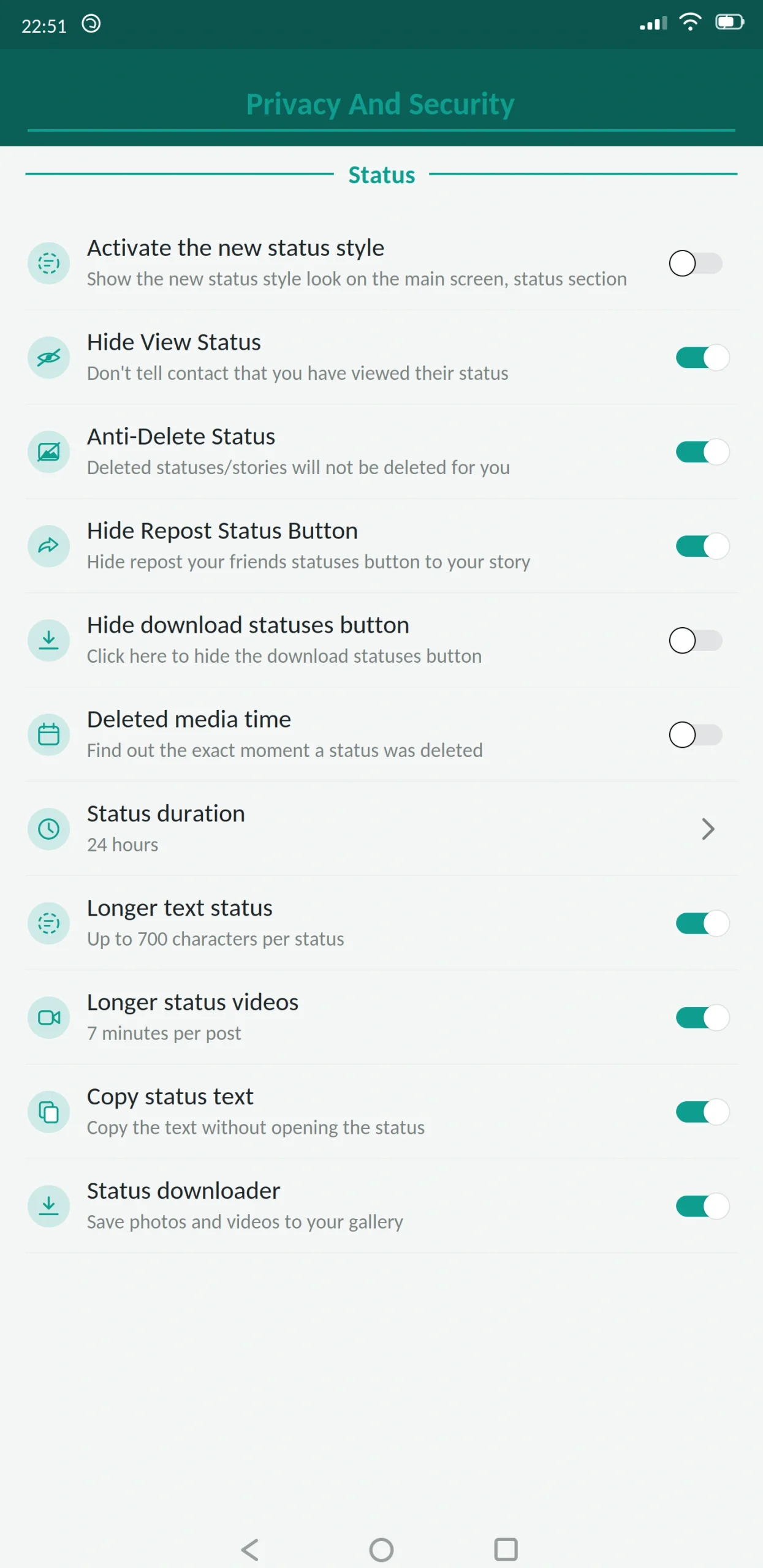
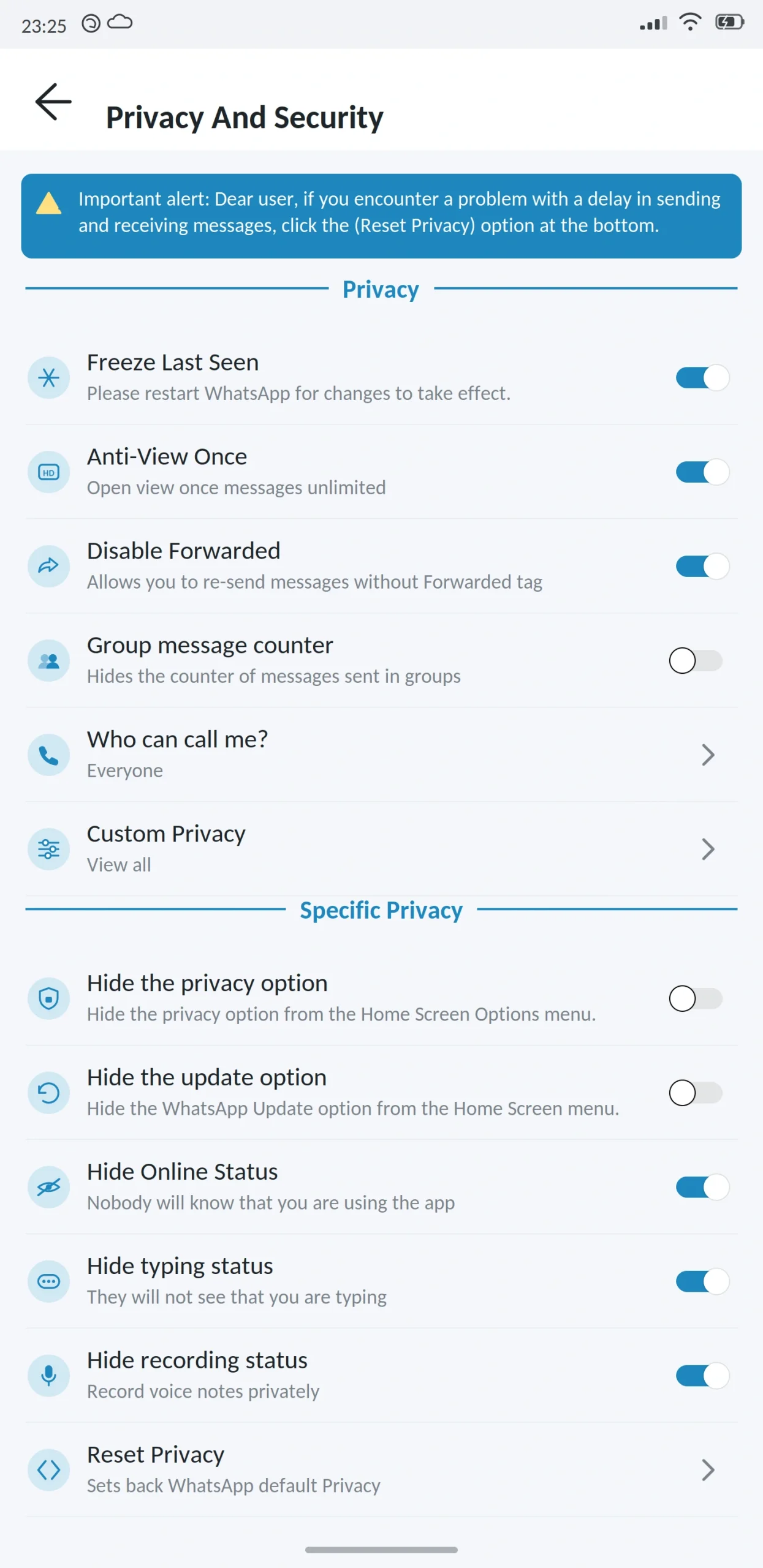
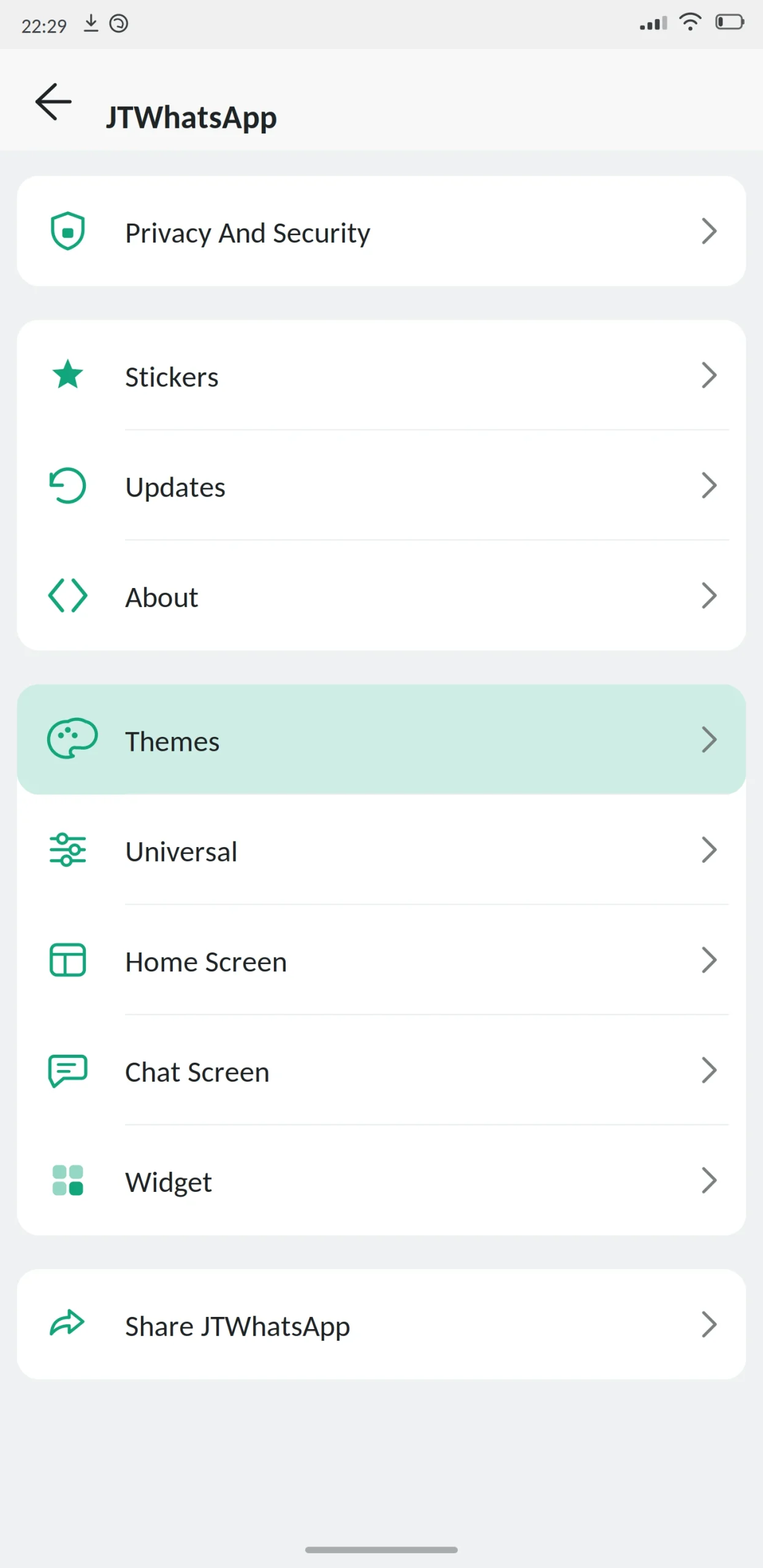
JT WhatsApp is a modified version of WhatsApp known for its call screens and its collection of interface designs. It is newer than GB or WhatsApp Plus, and it built its following by focusing on the parts of the app other mods barely touch.
Everything else you expect is here privacy controls, larger file limits, message scheduling. The difference is what happens when the phone rings.

App Specifications
| Detail | Information |
|---|---|
| App name | JT WhatsApp (JTWhatsApp) |
| Version | v17.00 |
| File size | 97 MB |
| Android required | 5.0 or higher |
| Base version | WhatsApp 2.26.x |
| Developer | JiMODs (Jimtechs) |
| Price | Free |
| Play Store | Not available |
| Root needed | No |
What Is JT WhatsApp?
JT WhatsApp is an unofficial build of WhatsApp for Android, maintained by a developer team known as JiMODs. They take the official app, add features Meta left out, restyle large parts of the interface, and release it as an APK.
It arrived later than the established mods, which turned out to be an advantage. Rather than trying to out-feature GB WhatsApp, JiMODs picked areas the older projects had ignored and built them out properly.
Underneath, it is still WhatsApp. Same number, same contacts, same servers.
The call screens
This is what JT is known for.
Most mods treat calls as an afterthought. You get the standard WhatsApp call interface, maybe recoloured to match your theme, and that is it. JT ships more than twenty distinct call screen designs, each a genuinely different layout rather than the same screen in a new colour.
Some are minimal, showing just the contact name and a large answer button. Some are full-screen with the contact photo filling the display. Some borrow from other messaging apps. There are separate designs for incoming voice, incoming video, and active calls.
You change them independently of the rest of your theme, so your chat screen can look one way and your call screen another.
Whether that matters depends on how much you call. If most of your usage is text, this is a feature you will notice twice and forget. If you take calls all day, it is the reason to pick this build.
The theme collection
JT also ships a large theme library with a focus on layouts other mods do not offer alternative chat list arrangements, different header treatments, and several designs built around a single accent colour rather than a full palette swap.
It is not as deep as Yo WhatsApp’s editor. You cannot pull a theme apart and rebuild it. But the ready-made designs are more varied than most.
Main Features
Privacy
- Freeze last seen. Lock it at a fixed time.
- Hide online status. Nobody can tell you are active.
- Hide blue ticks and the second tick. Read without a receipt; optionally hide delivery confirmation.
- Hide typing and recording indicators. Compose without being watched.
- Anti-delete messages and status. Content others remove stays visible to you.
- Anti-view-once. Open one-time media repeatedly.
- View statuses anonymously. Watch without appearing in the list.
- Call privacy. Choose who can call you everyone, contacts, selected contacts, or nobody. Given JT’s focus on calls, this is more developed here than in most mods, with per-contact rules rather than one global setting.
Customization
Over twenty call screen designs. A large theme library. Custom fonts and text sizes. Bubble and tick styling. Per-chat wallpapers. Changeable app icon. Separate home screen and conversation screen options.
Messaging
Message scheduler, auto reply, send to a number without saving it, more pinned chats, increased forwarding limit, and longer status updates.
Security
App lock with fingerprint, PIN or pattern. Chat lock for individual conversations. Two-step verification with recovery email.
Anti-ban protection is included and updated on a reasonable cycle, though JiMODs is a smaller team than the ones behind GB or FM, so responses to Meta’s detection changes can take slightly longer.
Media
Images at original resolution, video without heavy compression, and files above the official limits. Photos can be sent as documents to skip processing.
What’s New in the Latest Version
The call system got the attention this cycle. Several new call screen designs were added, and the switching between them was made faster previously it required an app restart.
Per-contact call privacy was expanded so you can allow specific people while blocking everyone else, rather than choosing one rule for all.
Anti-ban was updated. Storage handling was fixed for Android 14 and 15, resolving backup problems. Theme loading was made faster.
Also added: message edit history, in-chat translation, voice status clips, and per-chat automatic download settings.
JT WhatsApp vs Official WhatsApp
| Feature | JT WhatsApp | Official WhatsApp |
|---|---|---|
| Custom call screens | Over 20 designs | One |
| Per-contact call rules | Yes | No |
| Hide online status | Yes | No |
| Freeze last seen | Yes | No |
| Hide blue ticks | Yes | No |
| Anti-delete messages | Yes | No |
| Anti-view-once | Yes | No |
| Custom themes | Large library | Light/dark only |
| Message scheduler | Yes | No |
| Built-in app lock | Yes | Device level only |
| Larger file limits | Yes | No |
| Play Store | No | Yes |
| Automatic updates | No | Yes |
| Ban risk | Real | None |
Best Alternatives
Yo WhatsApp — deeper theming with a full editor, but far less attention paid to call screens.
GB WhatsApp Pro — the biggest overall feature set. Choose it if you want everything and do not care about call styling.
FM WhatsApp — lighter and more stable, with fewer interface options.
WhatsApp Aero — another design-led mod with its own distinctive home screens.
Signal — if genuine privacy is the goal rather than interface variety. Open source, audited, no account risk.
Is JT WhatsApp Safe?
It can be reasonably safe. It cannot be verified as completely safe.
Account bans are a real risk. Using a modified client breaks WhatsApp’s terms of service, and Meta looks for modified clients. JT’s anti-ban works, but JiMODs is a smaller team, so the gap between Meta changing detection and this build responding can be a little longer than with the largest projects. Keeping current matters.
Encryption cannot be independently verified. A modified app is built by taking a closed-source application apart, so nobody outside the developer can confirm the encryption path is intact — and nobody can prove it is broken either. That uncertainty is reason enough to keep sensitive conversations on the official app.
Fake APK files are the practical danger. Any file can be altered before it reaches your phone. Scan it, compare the size with what is published, and read the permissions at install. Accessibility services and device administrator access have nothing to do with messaging.
Play Protect will warn you. Expected for any sideloaded modified app. Not proof of malware, but not something to dismiss casually.
Do not install this if your number carries your business, your payments, or is the only way important people reach you.
What to Know Before Installing
Google Drive backup does not work. Local backups only, stored outside the app.
Backups may not move between mods. Different package names and signing keys. A backup from GB WhatsApp often will not restore here.
Call screens are cosmetic only. Changing the design does not change call quality, connection reliability, or anything about how calls actually work. That depends on your network.
How to Download and Install
Back up your chats in your current app first and let it finish completely. Copy important media somewhere separate too.
Check you have at least 200 MB free. Enable “unknown sources” when Android prompts you, granting it to your browser rather than system-wide.
Open the file and read the permissions before installing. Contacts, storage, camera and microphone are expected for a messenger. Anything unrelated is a reason to stop.
Enter your number and confirm it with the SMS code. Never share that code with anyone. No app, website or support agent needs it, and anyone asking is trying to take your account.
Restore your backup when prompted, review the privacy settings, then go back into Android settings and turn unknown sources off again.
How to Update
Back up before every update. Download the newer file and install it over the existing app without uninstalling, which preserves chats, themes and settings.
Do not install a different mod over JT. The signature will not match and the fix involves uninstalling. After updating, check whether your call screen selection survived it occasionally resets to default and re-check privacy settings.
Common Problems and Fixes
“App not installed.” Low storage, an incomplete download, or an unsupported Android version. Free space, restart, download again.
Signature mismatch. Installing over another developer’s build. Back up, uninstall, install fresh.
Call screen reverted to default. Common after updates. Reselect it in settings rather than reinstalling.
Call screen not applying at all. Some designs need the app restarted. Force stop it and reopen.
Verification code not arriving. Check number, country code and signal. Repeated requests trigger a cooldown.
Chats missing after restore. The backup came from a different mod, or storage permission is not granted.
Notifications delayed. Battery optimisation. Allow background activity for the app.
Frequently Asked Questions
Pros and Cons
| Pros | Cons |
|---|---|
| Over twenty distinct call screen designs | Smaller developer team than GB or FM |
| Detailed per-contact call privacy | Anti-ban responses can lag slightly |
| Large and varied theme library | No theme editor like Yo WhatsApp |
| Full privacy control set | Encryption cannot be independently verified |
| Free | Real risk of account restriction |
| Newer codebase, cleaner interface | Manual updates, no Drive backup |
Verdict
JT WhatsApp found a gap and filled it. Every mod copies the same privacy features from every other mod, but almost none of them bothered with call screens, and JiMODs did.
If you spend a lot of time on voice and video calls, this is a genuinely different experience from the other builds. The per-contact call privacy is also more useful than the single global setting most mods offer.
If you barely call anyone, the case is weaker. GB WhatsApp Pro has more features overall and Yo WhatsApp has deeper theming. You would be choosing JT for something you will rarely see.
The risks are the same as with any mod. Your account can be restricted, the encryption cannot be verified, and updates arrive after the official app’s. Nicer call screens do not change any of that.
Back up before installing, never share your verification code, and switch unknown sources back off when you are done.
